
Multi-Location Inventory Management Software: A Practical Guide for Growing Businesses
 Fiftify Team
·
· 9 min read
Fiftify Team
·
· 9 min read 
Stock problems rarely start with bad products. They start when teams trust numbers across disconnected locations. One wrong count can turn sales into apologies. Growing businesses feel this pain quickly. Multi-location inventory management software keeps stock data tied to each site. That matters when one warehouse sells fast.
Why Growth Breaks Basic Stock Tracking
A single warehouse can survive with spreadsheets for a while. Add stores, pop-ups, or regional hubs, and cracks appear. Staff update files late, or not at all.
The office sees ten units available. The store shelf holds two damaged boxes. Customers order what the team cannot ship.
Most teams notice the issue after revenue drops. They blame slow suppliers or careless staff. Often, the real problem sits inside the process.
Multi-Location Inventory Management Software: What Better Inventory Control Changes
An inventory location system shows where stock sits now. It separates warehouse stock from store stock. That single change cuts guesswork during busy weeks.
Strong stock tools also reveal movement patterns. One branch may drain products twice as fast. Another may hold cash in slow stock.
Good data changes daily decisions. Buyers order based on real demand, not memory. Managers transfer stock before shortages turn visible.
The best systems do not fix poor habits alone. Teams still need clean receiving, counts, and transfers. Software makes those habits easier to follow.
That is where multi-location inventory management software earns attention. It connects locations, stock counts, orders, and alerts. The result feels less like firefighting each morning.
Connect Shopify, draw your floor, pick an order - free plan, 7-day full trial, no credit card, no sales call.
What is Multi-Location Inventory Management Software?
Growing businesses rarely outgrow stock tracking all at once. The cracks appear when one warehouse becomes three. A spreadsheet still looks calm, while orders start slipping.
Multi-site stock software gives each location its own live record. Teams see what sits in each store, warehouse, or van. They also see what already belongs to open orders.
How the System Works
At its core, the platform connects stock, sales, and purchasing. Each receipt, transfer, sale, or return changes the count. People stop guessing because the system records movement as it happens.
An inventory location system adds structure to that record. It tracks bins, shelves, zones, and branch locations. That detail matters when teams pick from several sites.
What It Replaces
Many teams start with shared sheets and weekly counts. That works until two people edit different versions. One wrong transfer can hide stock for days.
A stronger setup gives one trusted record. Sales teams stop promising items that another branch has already sold. Buyers stop ordering stock that exists somewhere else.
The best systems also show demand by location. A beach store may sell sizes differently from downtown. That is the real job of multi-location inventory management software.
How an Inventory Location System Improves Real-Time Stock Visibility
Stock visibility breaks when each site tells a different story. The store shows ten units, but the warehouse has none. Customers feel that gap before managers see it.
An inventory location system fixes that gap at the source. It links every count to a shelf or branch. Good multi-location inventory management software shows where stock sits right now.
Live Counts Beat Delayed Reports
Many teams still rely on daily stock exports. The report looks clean each morning. By noon, transfers and returns change everything.
Real-time updates stop that slow drift. When staff receive goods, the system updates the available stock. When pickers scan orders, it removes stock immediately.
This matters most during busy sales periods. A delayed count turns one order into three problems. The buyer waits, support apologizes, and operations hunts stock.
Transfers Need Shared Data
Transfers create the most hidden stock problems. One site sends cartons before another site receives them. Without shared data, both teams guess for hours.
A strong system marks stock as in transit. Sales teams can see it, but cannot oversell it. That small status prevents double promises and angry calls.
I have seen retailers cut weekly stock checks sharply. One team moved from spreadsheets to live branch data. Short shipments dropped because staff trusted one record.
It supports best practices for managing inventory across multiple locations. Every site follows one version of the stock truth. Managers spot gaps before they turn into lost sales.
Better visibility also changes buying decisions. Buyers stop ordering safety stock for every branch. That is where multi-location inventory management software turns location data into reliable inventory tracking.
Inventory Management Software Multiple Locations: Key Features to Compare
Feature lists can look impressive during demos. Daily operations expose the weak spots fast. When stores, warehouses, and vans share stock, small gaps grow costly.
Good multi-location inventory management software shows stock by site. A weak setup hides where the stock actually sits. That delay leads to overselling and emergency transfers.
Core Tracking Features
Real-time counts matter more than pretty dashboards. If updates lag ten minutes, busy teams still guess. That guess often becomes a missed sale.
A solid inventory location system tracks bins, shelves, and zones. It also records movements between every site. Staff can see who moved each item.
Compare these features against your daily pressure points.
- Barcode scanning cuts keying errors during receiving.
- Transfer tracking shows goods in transit clearly.
- Low-stock alerts warn buyers before shelves empty.
- Role permissions stop accidental edits across locations.
Controls That Prevent Bad Decisions
Search pages call it inventory management software, multiple locations, but buyers need proof. Features only matter when they prevent bad decisions. These checks support best practices for managing inventory across multiple locations without adding busywork.
Reorder rules need settings for each location. Good multi-location inventory management software supports different reorder points. Blanket rules create excess stock in slow sites.
Reporting needs the same local view. Clean integrations keep orders, returns, and receipts aligned. Those needs often point teams toward cloud-based inventory software.
Multi-Location Inventory Management Software Benefits and Business Use Cases
Growth exposes inventory problems that small teams once absorbed. A missing case now blocks three stores. One wrong transfer creates backorders across an entire region.
Multi-location inventory management software gives teams one shared stock record. The real benefit comes from fewer blind decisions. Buyers, warehouse leads, and store managers see the same numbers.
Multi-Location Inventory Management Software: Where the Software Pays Off
Retailers feel the gain during busy trading periods. The system shows which store can spare stock. Staff move goods before customers meet empty shelves.
Wholesalers gain control over branch stock and bulk orders. A strong inventory location system prevents hidden surplus in slower depots. That cuts emergency purchasing and expensive freight.
Manufacturers use location data to protect production schedules. If one site runs short, another site fills the gap. Without that view, teams pay rush fees all week.
Business Cases That Show the Value
A common case starts with regional expansion. The company adds two warehouses and three stores. Spreadsheets still work until transfers start crossing daily.
Inventory management software for multiple locations helps teams stop duplicate buying. One buyer no longer orders stock already sitting nearby. That single fix can free thousands in cash.
Online sales create another common pressure point. Orders drain stock from the fastest shipping location. Store teams still expect shelf counts to match.
Strong adoption still needs clear ownership and clean data. These habits connect to the best practices for managing inventory across multiple locations. Benefits last when teams trust the process behind the screen.
Multi-location inventory management software works best when growth creates real strain. It turns scattered stock into one operating picture. That matters even more when locations feed orders through multi-channel inventory management.
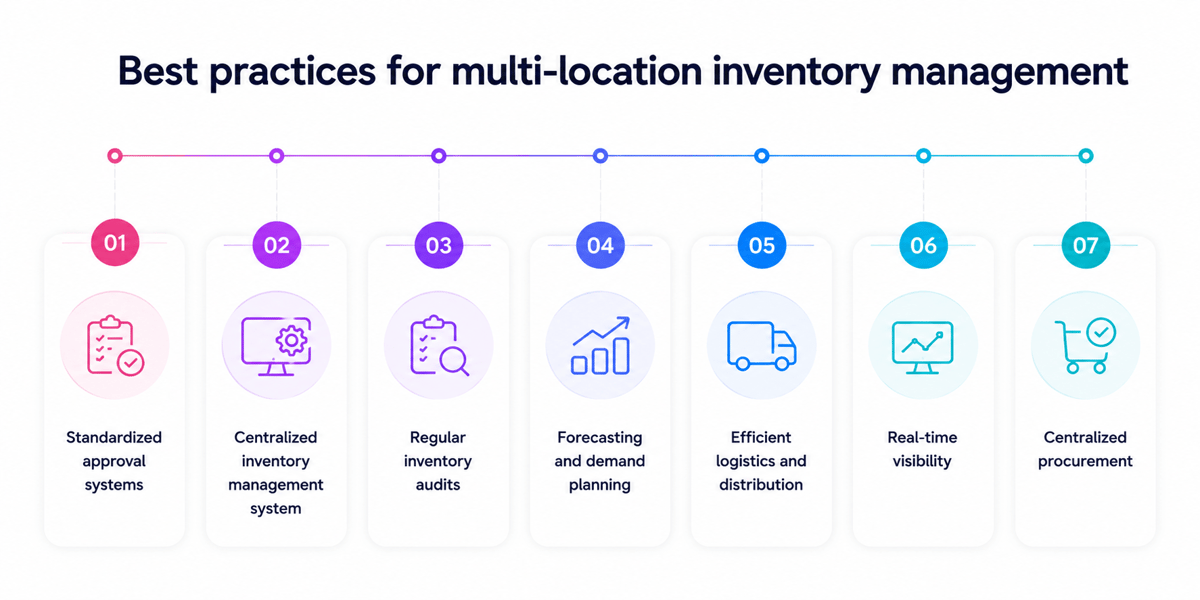
Best Practices for Managing Inventory Across Multiple Locations
Good software does not fix messy habits on its own. It makes those habits visible across every shelf and bin. Multi-location inventory management software works best when teams trust the same rules.
The system looks accurate on paper. Walk the floor and count three gaps. Bad processes turn clean dashboards into expensive guesses.
Multi-Location Inventory Management Software: Build One Stock Truth
Every location needs the same product names and units. One store cannot count cases while another counts pieces. That small mismatch creates false stock and bad transfers.
A shared inventory location system should track stock by bin, aisle, and branch. Cycle counts, then test the data between audits. Teams catch shrinkage before it spreads across locations.
How to Manage Inventory Across Multiple Locations often comes down to ownership. Each site needs one person who checks the counts daily. Without ownership, errors move faster than stock.
Set Reorder Rules by Location
Blanket reorder points look simple, but they fail quickly. A downtown shop may sell twice as fast. A warehouse may hold safety stock for returns.
Stock rules should change by location, not company average. Good multi-location inventory management software shows exceptions before buying starts. Buyers see excess stock beside low-stock alerts.
Transfers also need rules before stock starts moving. The system should suggest transfers from real sales patterns. That same discipline also applies to inventory management for small businesses.
Conclusion
Growing businesses rarely struggle because stock sits in several places. They struggle because nobody trusts the numbers. The right multi-location inventory management software gives teams one working view.
A good setup connects purchasing, warehouses, stores, and sales channels. A weak setup creates transfers, returns, and missed orders. The difference shows up during busy weeks.
What Strong Systems Get Right
A reliable inventory location system answers simple questions fast. Which site still has enough stock? Which items move slowly each month?
Multi-location inventory management software should cut rework, not add screens. Teams need clean rules for counts, transfers, and replenishment. Without those rules, automation just repeats bad habits.
Your Next Step
Start with the messiest stock process, not the software demo. Trace one SKU from purchase to sale. The gaps will show where the system must work.
Then review the best practices for managing inventory across multiple locations. Match them against your current rules and team habits. Strong tools fail when teams skip daily discipline.
What stock problem costs your team the most right now? Share the pattern, then fix that process first. For a deeper next step, compare these inventory management solutions before shortlisting vendors.
 Google AI
  OpenAI ChatGPT
 Frequently Asked Questions
What is multi-location inventory management software?
Multi-location inventory management software helps businesses track, manage, and optimize stock across multiple warehouses, stores, distribution centers, or fulfillment locations. It provides real-time visibility into inventory levels, stock movement, transfers, and reorder needs, helping teams reduce stockouts, avoid overstocking, and make better purchasing decisions.
Why do businesses need inventory management software for multiple locations?
Inventory management software for multiple locations is useful when stock is spread across different sites, and manual tracking becomes unreliable. It helps centralize inventory data, improve order fulfillment, balance stock between locations, and reduce errors. This is especially important for retailers, wholesalers, manufacturers, and ecommerce businesses with growing operational complexity.
What features should multi-location inventory management software include?
The best multi-location inventory management software should include real-time stock tracking, location-level reporting, barcode scanning, stock transfer management, reorder alerts, demand forecasting, and integration with sales channels or accounting tools. A strong inventory location system should also make it easy to see where products are stored and how quickly they move.
How does an inventory location system improve stock accuracy?
An inventory location system improves accuracy by assigning products to specific warehouses, bins, shelves, or store locations. This reduces confusion during receiving, picking, packing, and transfers. When combined with barcode scanning and real-time updates, it helps teams maintain cleaner records, prevent misplaced stock, and complete cycle counts more efficiently.
What are the best practices for managing inventory across multiple locations?
Best practices for managing inventory across multiple locations include using centralized software, setting location-specific reorder points, standardizing stock transfer processes, performing regular cycle counts, and reviewing demand by location. Businesses should also monitor slow-moving items, automate replenishment where possible, and use data to position inventory closer to customers.
How can multi-location inventory management software reduce costs?
Multi-location inventory management software can reduce costs by preventing overstock, minimizing emergency replenishment, improving warehouse efficiency, and lowering lost sales from stockouts. It also helps businesses make smarter purchasing decisions by showing which locations need inventory and which have excess stock available for transfer.
Sync inventory in real time, manage orders, and run warehouse operations across Amazon, eBay, Etsy, Shopify, and other sales channels. From barcode scanning to organized storage and faster fulfillment, Fiftify helps reduce errors, prevent overselling, and support business growth. Explore our articles for insights on warehouse management, inventory control, and multichannel operations.
You may also like

Sustainable Packaging in E-Commerce: Why Retailers Are Switching to Reusable Shopping Bags
Sustainable packaging is becoming an important part of modern e-commerce and retail. Reusable shopping bags help businesses reduce packaging waste while creating a practical and visible extension of their brand. This article explores why retailers are adopting reusable bags, how bulk and custom options support different business needs, and what to consider when building a more sustainable packaging strategy.
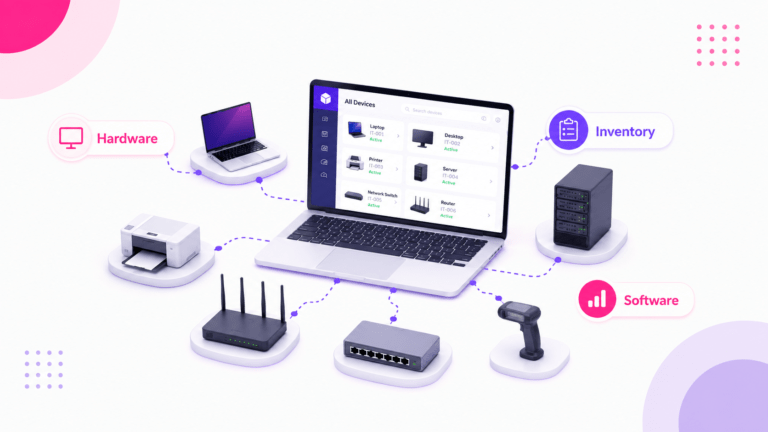
Hardware Inventory Software: Smarter IT Asset Management
Choosing the right hardware inventory software helps teams track devices, control costs, improve compliance, and plan upgrades with confidence. Read on to discover key benefits, use cases, selection criteria, and best practices for smarter IT asset management.
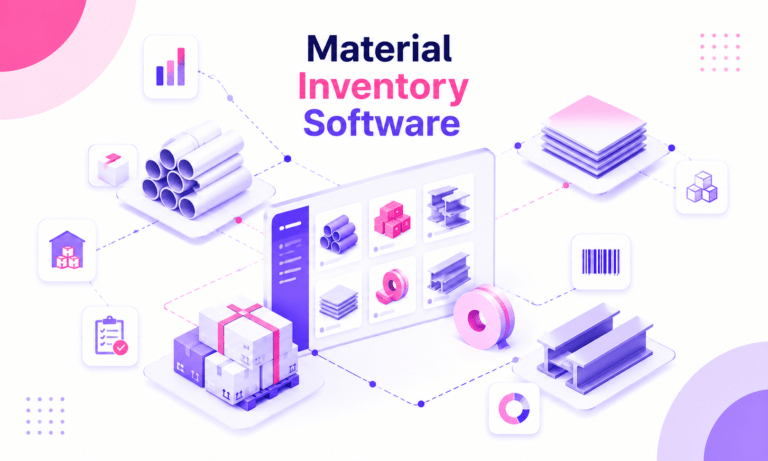
Material Inventory Software: A Practical Guide to Smarter Stock Control
Learn how material inventory software helps businesses track raw materials, reduce waste, prevent stockouts, and connect purchasing with production. Benefits, key features, use cases, comparisons, and practical selection tips for teams ready to improve inventory control.