
Types of automated emails: welcome, nurture and transactional
 Fiftify Team
·
· 19 min read
Fiftify Team
·
· 19 min read
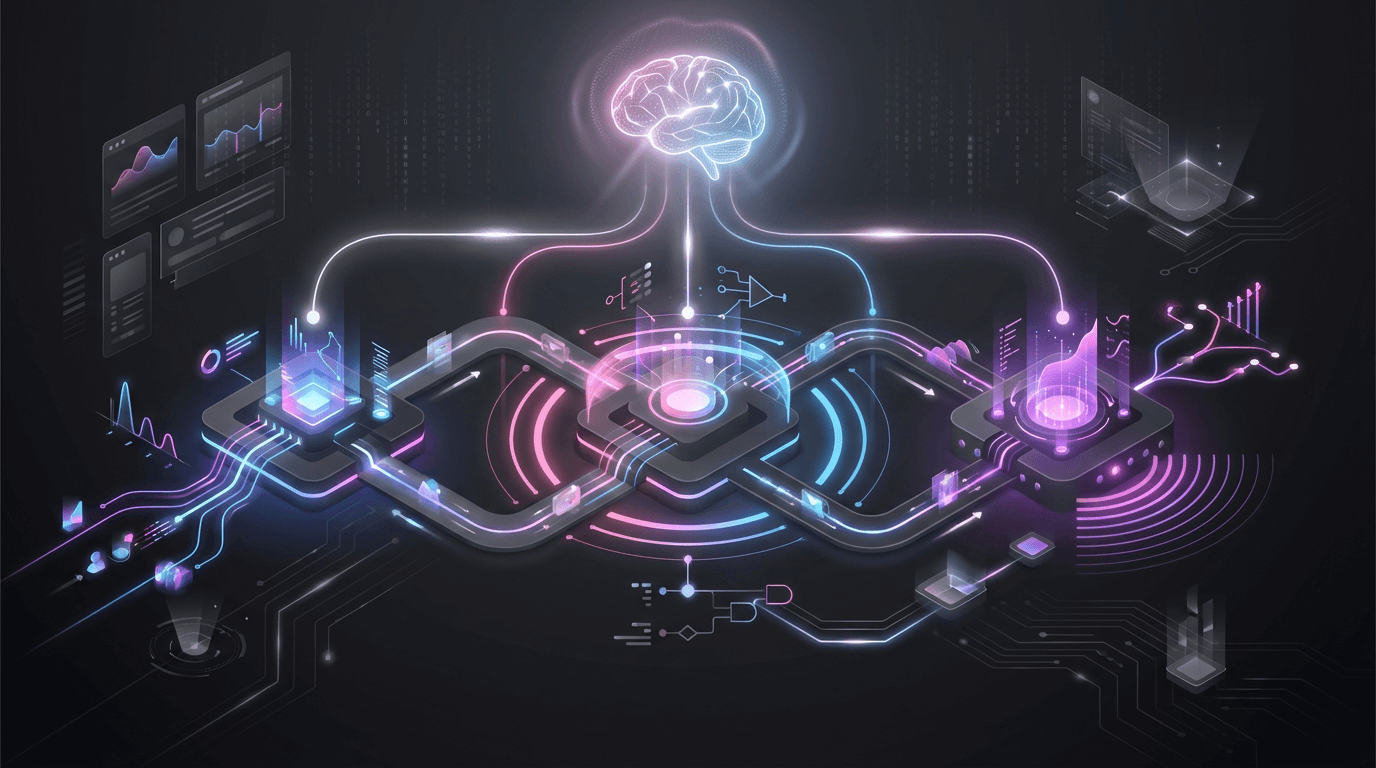
This guide breaks down the most effective types of automated emails across the customer journey. You will see where each message fits, what triggers it, and why it works. Additionally, you will learn how strong sequences support sales, support, and retention at the same time.
Your inbox is full, and your customers are busy. So if your messages arrive late or feel generic, people ignore them. That is where email automation changes the game.
With the right workflows, you can send timely emails that match what a person just did. As a result, you stay helpful without adding more work for your team. Even better, you can keep your tone consistent across every touchpoint.
We will cover proven automated email campaigns like welcome series, lead nurture, cart recovery, onboarding, and win-back flows. Along the way, you will get practical email marketing automation examples you can adapt fast. Therefore, you can stop guessing and start building campaigns that feel personal.
If you are new to creating automated email campaigns, do not worry. We will keep the concepts simple, then show how to apply them with clear triggers and timing. Consequently, you can launch smarter workflows even with a small list.
- Understand the core types of automated emails and when to use each one
- Collect actionable email automation ideas for every stage, from first visit to repeat purchase
- Compare real-world email automation examples you can model in your own account
By the end, you will know which automations to build first and how to connect them into a complete system. Let’s start with a quick overview of automated emails across the full customer journey.
Summary
This guide breaks down the types of automated emails you can use to support the full customer journey, from first signup to repeat purchase. You will see where each message fits, what triggers it, and why timing matters. As a result, you can build a system that feels personal without sending every email by hand.
First, we map key workflows to the moments that drive action. Then, we show how email automation turns those moments into consistent touchpoints. Additionally, you will get practical email automation ideas you can adapt to your brand, list size, and sales cycle.
What you’ll learn in this article
- How different types of automated emails support awareness, consideration, purchase, and retention.
- Which automated email campaigns work best for welcome, nurture, onboarding, and recovery flows.
- Clear email marketing automation examples that show what to send and when to send it.
- High-impact email automation examples for transactional updates, cart recovery, and win-back sequences.
- A step-by-step approach to creating automated email campaigns with triggers, segmentation, and smart delays.
- How to measure results with testing, deliverability checks, and KPIs so you keep improving over time.
Throughout the article, each workflow focuses on relevance and clarity. Therefore, you can reduce list fatigue while increasing clicks and conversions. Consequently, your messages arrive when people need them, not days later.
If you want a faster path to better results, start with one core sequence and expand. Then, layer in more automated email campaigns as you learn what your audience responds to.
Types of automated emails across the customer journey
Your subscribers do not act the same at every stage. Therefore, your messages should change as they move from first click to loyal customer. The best types of automated emails match intent, timing, and context.
With email automation, you can send the right message without waiting for a manual send. Additionally, you can keep your tone consistent across channels. As a result, your team saves time while your audience gets faster answers.
Map your emails to each journey stage
Think of automation as a set of triggers tied to customer actions. Consequently, your automated email campaigns feel helpful instead of pushy. Use the stages below as a simple framework.
- Awareness: Welcome emails, lead magnets, and preference capture to start the relationship.
- Consideration: Educational sequences, social proof, and comparison content to build trust.
- Conversion: Abandoned cart, price drop, and browse recovery messages to remove friction.
- Post-purchase: Receipts, shipping updates, and review requests to set expectations and earn feedback.
- Activation: Onboarding tips and product education to help users reach a quick win.
- Retention: Refill reminders, loyalty updates, and personalized recommendations to keep customers engaged.
- Win-back: Re-engagement offers and “still interested?” check-ins for inactive subscribers.
If you need inspiration, collect email examples of marketing automation from brands you trust and note the trigger behind each message. Then turn those notes into practical email automation ideas for your own list.
When creating automated email campaigns, start small and build. For example, launch one workflow per stage and measure results. Over time, you will create a library of reliable email automation examples that supports the full journey.
Connect Shopify, draw your floor, pick an order - free plan, 7-day full trial, no credit card, no sales call.
Welcome series email automation: first impressions that convert
A welcome series is one of the highest-impact types of automated emails you can send. It reaches people when interest is fresh, therefore it often beats regular newsletters on opens and clicks. With smart email automation, you can guide new subscribers from “just browsing” to “ready to buy.”
Unlike one-off blasts, welcome flows act like a short conversation. Consequently, they set expectations and build trust fast. They also give you quick data on what each subscriber cares about.
What to include in a high-converting welcome series
Keep the sequence short and focused. Additionally, make every email do one job well. Most brands see strong results with 3–5 messages spaced across the first week.
- Email 1 (immediate): Thank them, confirm what they signed up for, and deliver the promised incentive.
- Email 2 (day 1–2): Share how to find products to sell or your top content, based on signup source.
- Email 3 (day 3–4): Prove value with reviews, results, or a short brand story.
- Email 4 (day 5–7): Offer a clear next step, such as a quiz, category browse, or first-purchase offer.
Triggers and segmentation that improve results
Trigger the series on signup, first account creation, or first download. However, don’t treat everyone the same. Segment by intent (lead magnet, product page, checkout) so your automated email campaigns match the reason they joined.
When creating automated email campaigns, add simple rules like “clicked vs. didn’t click” or “browsed category A.” As a result, your messaging stays relevant without extra work. These are practical email marketing automation examples that scale.
Quick welcome series email automation ideas
Test one change at a time, such as subject lines or the first CTA. Additionally, keep the design clean and mobile-friendly. Use these email automation ideas as a starting point:
- Ask one preference question to personalize future sends.
- Send a “most helpful links” email for fast onboarding.
- Include a plain-language FAQ to reduce support tickets.
- Add a deadline reminder if you offer a timed discount.
These email automation examples turn a simple signup into momentum. Done well, a welcome series becomes the foundation for your broader types of automated emails strategy.
Lead nurture automated email campaigns for consideration and trust
Lead nurture sequences move prospects from “just browsing” to “ready to talk.” With email automation, you can send timely, helpful messages based on what a lead clicks, downloads, or views. As a result, your brand stays present without sounding pushy.
This workflow fits naturally within the broader types of automated emails you use across the journey. However, nurture emails focus less on urgency and more on clarity, proof, and reassurance. Therefore, each message should answer one key question a buyer has right now.
What a strong nurture sequence includes
Effective automated email campaigns feel like a guided path, not a sales blast. Additionally, they use small commitments that build confidence over time. Consequently, leads arrive at your sales page with fewer doubts.
- Problem framing: confirm the pain point and show you understand it.
- Education: share a short tip, checklist, or “how it works” breakdown.
- Social proof: include a testimonial, review snippet, or mini case study.
- Objection handling: address price, time, risk, or setup concerns directly.
- Clear next step: invite a demo, consultation, trial, or product comparison.
Triggers and timing that build trust
When creating automated email campaigns, start with simple triggers. For example, send an email after a lead downloads a guide, visits pricing, or watches a webinar replay. Then space messages 2–4 days apart so you stay helpful without overwhelming inboxes.
If you need inspiration, collect email marketing automation examples from your best sales calls and FAQs. Turn those real questions into subject lines and short answers. Over time, you will build a library of email automation ideas you can reuse for different segments.
Finally, track replies and clicks to refine the sequence. Use those signals to swap in stronger proof, clearer CTAs, or better timing. These practical email automation examples can lift conversions while protecting trust.
To extend these nurture sequences into revenue-focused tactics, explore our guide to ecommerce email marketing strategies that maximize sales across your store.
Transactional email automation examples: receipts, shipping, and account updates
Transactional messages are some of the most important types of automated emails. They arrive right after a customer takes action, so they feel timely and useful. As a result, they often earn high open rates and build trust fast.
Even though these emails are “system” messages, you can still use email automation to make them clear, branded, and helpful. Additionally, they reduce support tickets because customers can find answers in seconds. Therefore, your team saves time while customers stay informed.
Receipt and order confirmation emails
A receipt email should confirm what happened and what comes next. Keep the layout simple, and put key details near the top. Consequently, customers do not need to hunt for totals, items, or payment info.
- Order summary with item names, quantities, and pricing
- Billing and shipping addresses with an easy “edit” path
- Customer support link and expected processing time
- Relevant cross-sells that match the purchased items
Shipping and delivery updates
Shipping updates are classic email automation examples because they rely on real-time triggers. Send a message when the label prints, when the carrier scans the package, and when delivery completes. However, avoid too many pings by grouping minor scans into one update.
These are practical email marketing automation examples that improve the post-purchase experience. Include tracking, delivery estimates, and what to do if a package is delayed. Additionally, add a clear CTA to “Track your order” so customers act quickly.
Account and security notifications
Account emails protect customers and reduce fraud. Use automated email campaigns to send password resets, login alerts, and email-change confirmations. Therefore, customers feel safe and in control.
- Password reset with short expiry and a clear warning if they did not request it
- Login alerts for new devices or locations
- Subscription renewals, cancellations, and payment failures
- Profile updates, preferences, and consent confirmations
When creating automated email campaigns for transactions, focus on clarity first. Then add small brand touches like tone, colors, and helpful links. These email automation ideas turn routine updates into a better customer experience.
To extend these transactional workflows into full-funnel engagement, explore our guide to b2c marketing automation and scaling personalized customer journeys.
Onboarding and product education: email marketing automation examples for activation
Onboarding emails turn a new signup into an active user. They also reduce support tickets because people learn the basics early. As a result, you get faster “aha” moments and better retention.
This workflow is one of the most valuable types of automated emails because it meets users right after intent is highest. With smart email automation, you can guide each person based on what they do. Therefore, your messages feel helpful instead of pushy.
What to send in an onboarding sequence
The goal is simple: help people succeed with your product. Additionally, you should keep each email focused on one action. That way, readers know what to do next.
- Day 0: Welcome + next step (confirm the value, then point to one setup task)
- Day 1–2: Quick-start guide (a short checklist and one short video or GIF)
- Day 3–5: Feature spotlight (teach one feature tied to a common goal)
- Day 7: Social proof (case study, review, or “how others use this”)
- Day 10–14: Help and resources (FAQs, templates, and a clear support path)
Triggers and personalization that boost activation
Use behavior triggers to shape your automated email campaigns. For example, send a “finish setup” email when a user stalls. However, stop the reminder as soon as they complete the task.
These email marketing automation examples work well across industries: milestone emails after the first project, tips after the first login, and “next best action” emails based on feature clicks. Consequently, you deliver timely help that matches real needs.
When creating automated email campaigns, track activation events and segment by role, plan, or use case. Then test subject lines and CTAs to improve results. If you need fresh email automation ideas, start with a short “one goal per email” series and expand from there using proven email automation examples.
For a complete implementation roadmap, follow our step-by-step guide on how to set up marketing automation and turn these activation emails into scalable workflows.
Abandoned cart and browse recovery: automated email campaigns that drive revenue
Cart and browse recovery emails turn “maybe later” into “buy now.” They are also two of the most profitable types of automated emails because they reach people with clear intent. As a result, you can drive revenue without adding more ad spend.
email automation works best here because timing matters. Send the first message while the product is still top of mind. However, keep the copy simple and focused on the next step.
Abandoned cart emails: bring shoppers back to checkout
With automated email campaigns, you can trigger a cart email when someone adds items but does not purchase. Additionally, you can personalize the content with the exact products, price, and a clear CTA. Therefore, shoppers can resume checkout in one click.
- Send 1–3 emails: one within 1 hour, another within 24 hours, and a final reminder within 48–72 hours.
- Show product images, sizes, and stock status to reduce friction.
- Add trust builders like returns, shipping times, and support links.
Browse recovery emails: re-spark interest before the cart
Browse recovery targets visitors who viewed a product but never added it to the cart. These email automation examples work well for higher-priced items or longer decisions. Consequently, you stay helpful without sounding pushy.
- Recommend similar items or best-sellers from the same category.
- Use social proof like ratings or short reviews.
- Offer a gentle incentive only after a second email, if needed.
How to set triggers and segments
When creating automated email campaigns, start with clean triggers: “added to cart,” “viewed product,” and “no purchase.” Then segment by intent, cart value, and returning vs. new shoppers. These email marketing automation examples help you match the message to the moment.
Finally, keep testing subject lines, send times, and incentives. Use these email automation ideas to improve results fast, and document what works as repeatable email automation examples.
To scale these wins across channels, review the features of marketing automation software to choose tools that support testing, segmentation, and personalization.
Re-engagement and win-back email automation ideas for inactive subscribers
Inactive subscribers do not always mean lost customers. Often, they just need a timely reason to come back. With email automation, you can spot inactivity early and respond before your list quality drops.
Re-engagement messages are also one of the most valuable types of automated emails because they protect deliverability. Consequently, you keep engagement high and reduce spam complaints. That helps every other message you send.
Set clear triggers for inactivity
Start by defining what “inactive” means for your brand. For example, you might flag people who have not opened or clicked in 30, 60, or 90 days. Then, use those rules when creating automated email campaigns so the workflow runs without manual work.
- 30 days inactive: send a gentle “Still interested?” check-in.
- 60 days inactive: send a value-focused email with best content or top products.
- 90 days inactive: send a final notice and offer preference updates or an easy opt-out.
Win-back sequences that feel helpful, not pushy
The best email automation ideas lead with relevance. Additionally, they make the next step simple, like choosing topics, changing frequency, or updating a profile. As a result, subscribers stay in control and re-engage faster.
Try these email marketing automation examples in your win-back flow:
- “We saved your spot” reminder with a quick summary of what’s new.
- Personalized recommendations based on past clicks or purchases.
- A short survey with one question and three buttons.
- A limited-time incentive, used sparingly to avoid training discount behavior.
Clean your list to boost performance
Even strong automated email campaigns suffer when you keep unresponsive contacts forever. Therefore, add a final step: suppress or remove subscribers who ignore the entire sequence. These email automation examples improve engagement rates and support long-term growth.
To re-engage beyond email, explore our guide to best email and sms marketing strategies that combine channels for higher conversions.
Creating automated email campaigns: triggers, segmentation, and timing
Creating automated email campaigns starts with one simple goal: send the right message at the right moment. You can map that goal to your types of automated emails across the customer journey. As a result, your messages feel helpful instead of random.
Choose triggers that match real behavior
Triggers power email automation because they react to actions people take. For example, a trigger can fire when someone joins a list, views a product, or completes a purchase. Consequently, you build automated email campaigns that respond in minutes, not days.
- Signup or lead magnet download
- First purchase or subscription start
- Cart or browse activity
- Feature use, milestone reached, or inactivity
Segment for relevance, not complexity
Segmentation makes your email automation feel personal at scale. However, you do not need dozens of segments to get results. Start with a few rules, then expand based on performance.
- Lifecycle stage (new, active, at-risk, lapsed)
- Interests based on clicks and pages viewed
- Purchase history (category, frequency, average order value)
- Location, language, or time zone
Time your messages to reduce fatigue
Timing turns good email automation examples into great ones. Additionally, you should set delays that match intent, like sending cart reminders within hours but win-back emails after weeks. Therefore, you stay relevant without over-emailing.
Use a frequency cap and quiet hours to protect engagement. Then test send-time and spacing, using email marketing automation examples as benchmarks. These small changes often unlock new email automation ideas and stronger results from your automated email campaigns.
Email automation examples and measurement: testing, deliverability, and KPIs
Strong email automation does not end when you hit “activate.” Instead, you improve results by testing, protecting deliverability, and tracking the right KPIs. As a result, your automated email campaigns keep getting better over time.
Test what matters (and keep it simple)
Start with one change per test so you can trust the outcome. For example, test subject lines, preview text, and the first paragraph. Additionally, test send time and a single CTA button color or label.
- Subject line vs. subject line (clarity usually wins)
- Short email vs. medium email (match the goal of the message)
- One CTA vs. two CTAs (reduce choice when conversion matters)
Deliverability checks for automated workflows
Even the best email automation examples fail if messages land in spam. Therefore, watch your bounce rate, complaints, and engagement by mailbox provider. However, do not “set and forget” list hygiene.
- Authenticate your domain (SPF, DKIM, and DMARC)
- Use consistent “From” names across the types of automated emails you send
- Remove hard bounces and suppress frequent complainers
KPIs to track by workflow goal
Choose KPIs based on intent, not vanity. For onboarding, measure activation events. For cart recovery, measure revenue per recipient. Consequently, you can compare email marketing automation examples using the same yardstick.
- Deliverability: inbox placement signals, bounce rate, spam complaint rate
- Engagement: opens (directional), clicks, click-to-open rate
- Outcome: conversion rate, revenue per email, time to first purchase
When creating automated email campaigns, add tracking from day one and review weekly. Then, capture new email automation ideas from your winners and apply them to other sequences. This simple loop turns testing into predictable growth.
Conclusion
The right types of automated emails help you guide people from first click to loyal customer. They also save time, reduce mistakes, and keep your message consistent. As a result, your team can focus on strategy while your system handles the repeatable work.
In this guide, you saw how email automation supports every stage of the customer journey. Welcome series build trust fast, while nurture flows answer questions and remove doubt. Additionally, transactional messages confirm details and set expectations, which improves the customer experience.
You also explored revenue-focused automated email campaigns like cart recovery and browse follow-ups. Re-engagement sequences bring back quiet subscribers before they disappear for good. Consequently, you protect your list quality and keep your results steady over time.
Turn these workflows into action
Start small, then improve. Pick one goal, map the trigger, and launch a simple sequence. Therefore, when you move into creating automated email campaigns, you can test and scale with confidence.
- Choose 1–2 high-impact flows from these email automation ideas (welcome, cart recovery, or win-back).
- Write clear, helpful copy and keep each email focused on one action.
- Use real-world email marketing automation examples to model timing, subject lines, and offers.
- Track opens, clicks, conversions, and spam complaints, then refine using email automation examples that match your audience.
Now is the best time to audit your current messages and identify gaps in your types of automated emails. Build one workflow this week, measure it next week, and optimize it the week after. When you commit to consistent testing, your automated email campaigns will keep getting stronger. Over time, integrating these workflows into a broader ecommerce automation system will help you connect email, sales, and customer data into one streamlined growth engine.
 Google AI
  OpenAI ChatGPT
 Frequently Asked Questions
What are the most common types of automated emails?
The most common types of automated emails include welcome emails, onboarding sequences, abandoned cart reminders, post-purchase follow-ups, re-engagement emails, and transactional messages like receipts or shipping updates. These email automation messages are triggered by user actions or timing, helping you communicate consistently and improve conversions without sending every email manually.
How do welcome and onboarding emails differ?
Welcome emails introduce your brand and set expectations right after signup. Onboarding emails go further by guiding new users through key steps, features, or best practices over several messages. As part of email marketing automation examples, this sequence reduces drop-off, increases product adoption, and builds trust by delivering helpful content at the right moment.
What are abandoned cart emails and when should you send them?
Abandoned cart emails remind shoppers to complete a purchase after leaving items in their cart. Many automated email campaigns send the first reminder within 1–3 hours, followed by a second within 24 hours if needed. Effective email automation examples include product images, clear CTAs, and optional incentives, while keeping the tone helpful rather than pushy.
Which automated emails work best after a purchase?
Post-purchase automation often includes order confirmations, shipping updates, product education, review requests, and replenishment reminders. These types of automated emails improve customer experience and encourage repeat sales. For creating automated email campaigns, focus on timing and relevance—send helpful tips soon after delivery, and ask for feedback once the customer has had time to use the product.
What are re-engagement or win-back emails?
Re-engagement emails target subscribers who haven’t opened or clicked in a while. They can highlight new products, share useful resources, or offer a limited-time incentive. Common email automation ideas include a “still interested?” message, preference updates, or a short survey. If there’s no response, consider a final notice before removing them to protect deliverability.
How do you choose the right automated email campaigns for your business?
Start with your customer journey and pick triggers that match key moments: signup, browsing, purchase, and inactivity. Then prioritize by impact and effort—welcome and cart recovery usually deliver quick wins. Review email automation examples in your industry, set clear goals (conversion, retention, activation), and test subject lines, timing, and content to improve results over time.
Sync inventory in real time, manage orders, and run warehouse operations across Amazon, eBay, Etsy, Shopify, and other sales channels. From barcode scanning to organized storage and faster fulfillment, Fiftify helps reduce errors, prevent overselling, and support business growth. Explore our articles for insights on warehouse management, inventory control, and multichannel operations.
You may also like
How to choose an ecommerce marketplace service provider for scalable growth
Learn how an ecommerce marketplace service provider helps businesses launch, manage, and scale a profitable ecommerce marketplace. Platform choices, vendor operations, software tools, management services, costs, and practical selection tips.
Ecommerce software solutions: features, costs and how to choose
Learn how to evaluate ecommerce software solutions for online stores, marketplaces, and retail teams. Essential features, vendor comparisons, implementation tips, and practical ways to choose software that supports growth, operations, and customer experience.
Multi-carrier shipping software: features and how to compare options
How multi carrier shipping software compares rates, prints labels, tracks orders and handles returns, and which features to check before you choose one for your store.