
Mobile inventory management: how it works and key benefits
 Daniel Brooks
·
· 16 min read
Daniel Brooks
·
· 16 min read
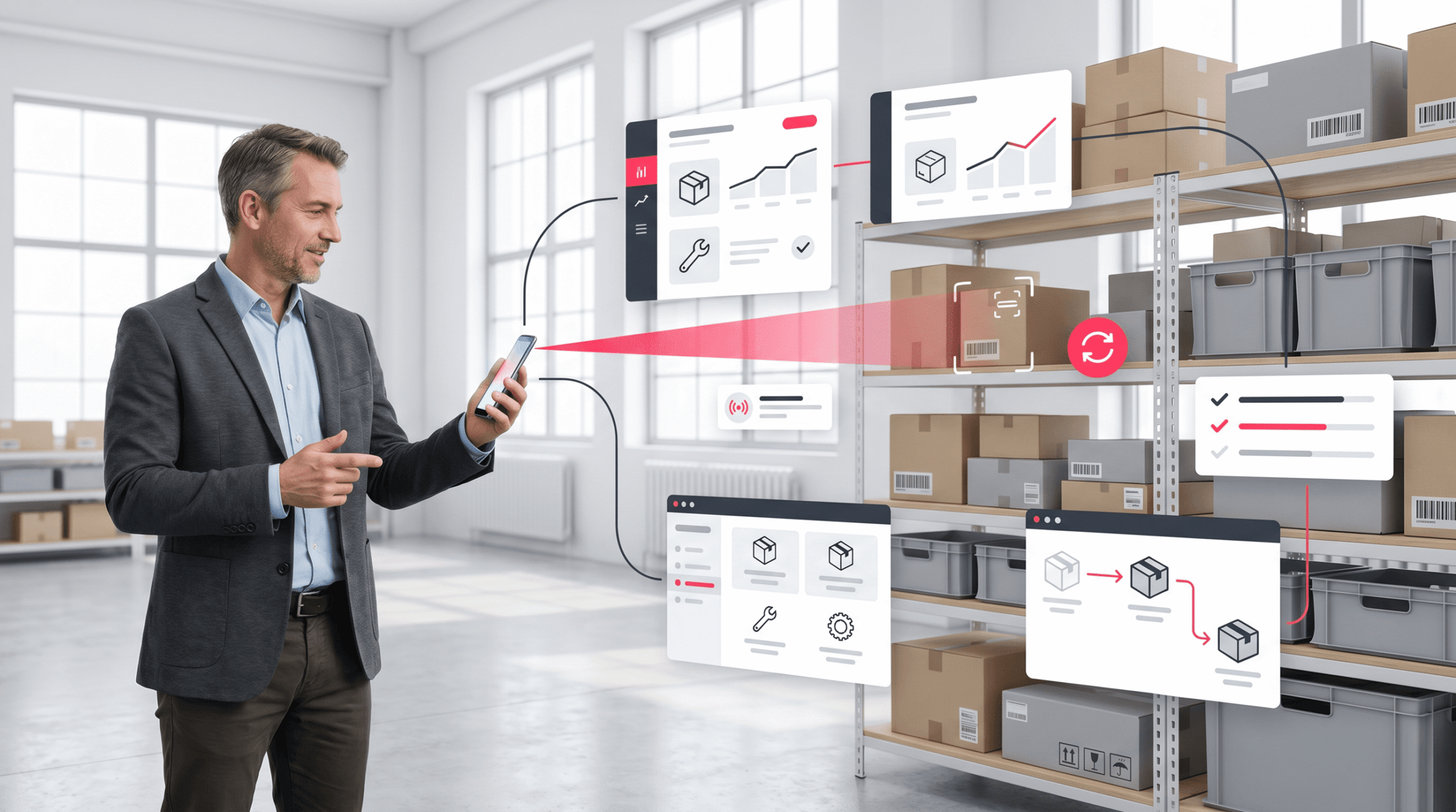
Stock errors tend to start with small delays. A shelf count sits on paper, a sheet misses a sale, or a field team syncs records after the job ends. Mobile inventory management closes that gap by moving stock control to the device already in each worker’s hand.
Modern teams need fast answers that office-based systems cannot give. A warehouse picker, service tech, store lead, or IT admin can scan, count, move, and check stock from the floor. With mobile inventory software, stock data changes as work happens. In fact, this is why so many teams now rely on mobile inventory management systems to stay ahead.
Why stock control has moved to mobile
In contrast, traditional inventory tools tend to depend on fixed terminals and delayed data entry. That model makes blind spots during busy shifts, truck loading, repairs, and buyer pickups. Mobile inventory management gives teams live stock data at the point of work.
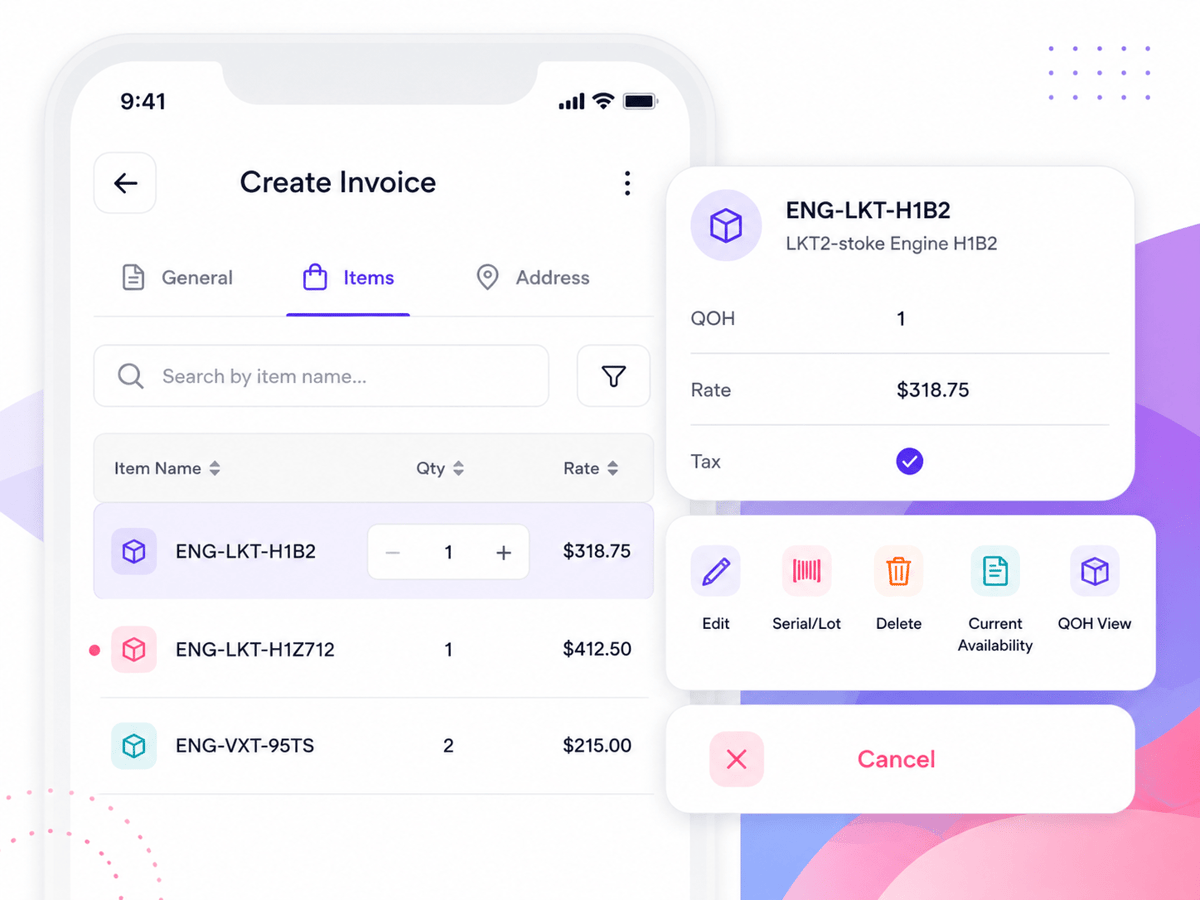
A mobile inventory app can cut double entry and missed syncs. Barcode scanning, photo capture, and location logs help check each move. Teams spend less time checking records and more time fixing stock issues. Also, the same shift affects many business areas. Retail teams check shelf stock during store walks. Service teams track parts from vans. IT teams use cell phone inventory management software to assign devices, log repairs, and run returns.
What smarter mobile inventory supports
Strong mobile inventory solutions link daily work with clean records. They help teams see what they have, where it sits, and who handled it last. That view can cut stockouts, shrink, and rush orders.
An Android inventory app also gives many teams a lower-cost path. Android devices help with scanning, camera use, and field syncs without special hardware in every case. This makes mobile inventory real for warehouses, stores, trucks, and remote sites.
Mobile inventory management works best when it fits real flows. The right system helps fast scans, clear sign-offs, and clean data. According to GS1 Global, barcode standards are the foundation of reliable stock tracking. Strong stock control then becomes part of daily work, not a separate task. For teams growing online, see our ecommerce strategies guide.
Connect Shopify, draw your floor, pick an order - free plan, 7-day full trial, no credit card, no sales call.
What is mobile inventory management and how does it work?
Specifically, mobile inventory management uses phones, tablets, or handheld scanners to run stock work. Teams log receipts, moves, counts, issues, and returns at the point of work. Data reaches the main system faster than paper forms or desktop entry.
At its core, mobile inventory management links physical items with digital records. Each scan checks what moved, who handled it, and where it went. That link helps teams spot gaps before they affect orders.
Core parts of the system
A typical setup links a mobile inventory app with a shared database. Workers scan barcodes, enter counts, take photos, and set spots. The system syncs records after each approved task.
Mobile inventory software tends to run on phones, tablets, and handheld scanners. An Android inventory app can help warehouse teams without special hardware. Many teams start with existing devices, then add rugged scanners later.
How data moves through the workflow
The flow starts when a user scans an item or spot. The app checks the scan against live stock data. If the action fits business rules, the platform logs the change.
Also, mobile inventory management helps offline work in many systems. Staff can scan items in yards, basements, or delivery routes. Once the device links again, the data syncs with the main system.
So, strong mobile inventory solutions cut the delay across physical work and system records. Managers see low stock, moves, and cycle counts sooner. That speed helps teams fix errors before orders leave the site. In practice, mobile inventory management gives teams cleaner data with less manual entry. It turns routine scans into solid inventory tracking.
Key benefits of mobile inventory solutions for modern teams
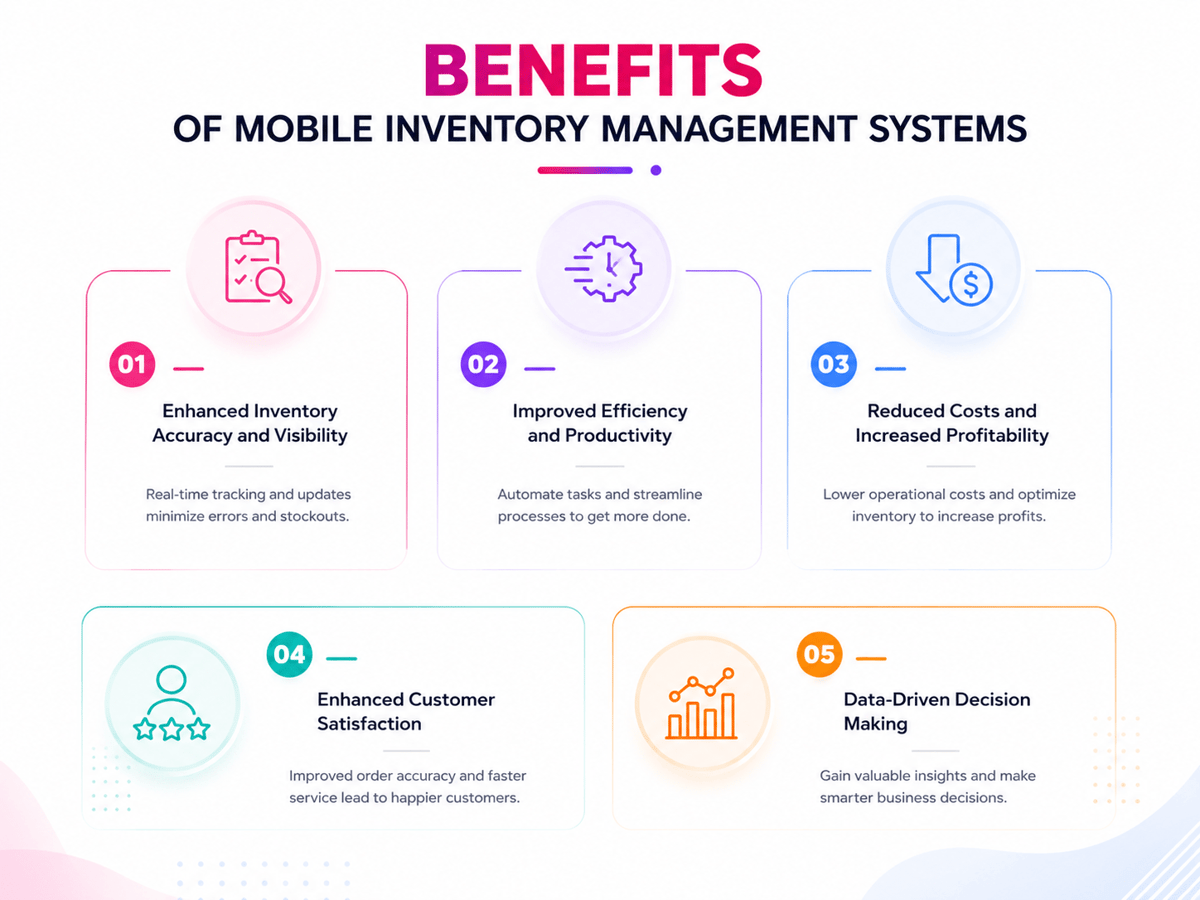
In fact, mobile inventory management gives teams a live view of stock, spots, and moves. That matters when orders move fast and staff work across sites. Paper counts and desktop-only tools cause delays that hide real demand.
With mobile inventory solutions, workers scan items where work happens. Warehouse staff, field techs, and leads share the same data. That shared view cuts double counts, missed moves, and slow syncs.
Real-time accuracy for faster decisions
Furthermore, mobile inventory management helps teams log changes as they happen. A scan can sync counts, serial numbers, or bin spots in seconds. Managers no longer wait for end-of-day reports to spot shortages.
Better clean data also cuts waste. Teams can reorder based on live counts, not old sheets. That cuts rush buying, excess stock, and buyer delays. Furthermore, a mobile inventory app helps create cleaner audit trails. Each scan can show who handled an item, when it moved, and where it went.
Lower costs and better team flow
Also, mobile inventory software cuts manual entry across daily tasks. Staff spend less time copying data across forms and systems. That time can shift toward picking, packing, service calls, or cycle counts.
Teams also gain more control over the spread stock. Field workers can check parts from a truck or job site. An Android inventory app works well for teams that already use Android devices.
Also, mobile inventory management helps with faster training. New staff can follow plain scan-based steps instead of complex codes. For IT teams, cell phone inventory management software can track phones, repairs, returns, and swaps. That control cuts lost assets and shortens help time. Small teams often pair this with a barcode inventory management system for small businesses.
Mobile inventory software vs. traditional inventory systems
Traditional inventory systems tend to depend on desktop access, paper counts, or delayed data entry. These methods can work in stable settings, but they leave gaps when stock moves fast. By contrast, mobile inventory management links daily stock work to the people handling goods.
Furthermore, mobile inventory software gives teams access at the point of work. A scan, count, move, or receipt can sync records without a trip to a desk. With mobile inventory management, teams cut delays that tend to cause stock errors.
Speed and data accuracy
Traditional systems tend to log stock after the task ends. That delay leaves room for missed entries and double syncs. A mobile inventory app captures stock moves as they happen.
Also, barcode scanning cuts manual typing. Teams can check item counts, spots, and counts in seconds. Mobile inventory management narrows the gap between physical stock and system records. The gap becomes clear during cycle counts. A desktop flow may need printed sheets and later data entry. Mobile inventory solutions let staff count, scan, and sync from the aisle.
Access across locations and teams
Traditional inventory tools tend to work best inside one fixed spot. Warehouses, service vans, retail floors, and job sites need more flexible access. Mobile inventory management helps those teams without adding extra report steps.
An Android inventory app can give field staff the same stock view as warehouse teams. That shared view helps stop over-ordering and missed restocks. It also helps with faster calls when stock changes during the day. For most growing teams, that shift points toward cloud-based inventory software.
Choosing the right mobile inventory app for your business
The right mobile inventory app should match how stock moves each day. Warehouse teams need fast scans and clear bin data. Field teams need access from trucks, job sites, and client spots. A clear mobile inventory management choice helps those patterns without adding extra work.
Mobile inventory management works best when it cuts manual entry. Staff can scan, count, receive, and move items from the floor. If workers still copy data into sheets, the app only shifts the problem.
Match features to daily work
For example, a small retailer may need barcode scanning, stock alerts, and plain reports. A distributor may need lot tracking, serial numbers, and move records. Service teams may need parts assigned to vans or techs.
Strong mobile inventory software links each scan to a live stock record. That link cuts blind spots across the shelf and the system. It also helps mobile inventory management teams catch errors before orders leave.
- Livestock counts across bins, trucks, and service sites
- Barcode or QR code scanning from standard mobile devices
- User rights that match roles and sign-off needs
- Offline access for weak signal areas and field work
- Reports that show shortages, slow stock, and item moves
Check fit, cost, and adoption of mobile inventory solutions
Device help matters for teams with mixed hardware. An Android inventory app may suit rugged warehouse devices and field phones. Some teams also need iOS help for leads or sales staff.
Indeed, the total cost goes past the monthly fee. Setup, barcode labels, data cleanup, training, and help all affect value. Solid mobile inventory solutions cut these hidden costs through clear flows and fast user adoption. Growing firms also gain when the same system can scale into multi-location inventory management software.
How an Android inventory app supports warehouse and field operations
An Android inventory app gives teams a real way to run stock from the floor. Staff can scan items, sync counts, and check moves on the same device. This keeps mobile inventory management close to the work, not trapped at a desk.
Faster warehouse tasks
In a warehouse, speed depends on clean stock moves. A mobile inventory app helps workers log receiving, picking, packing, and moves as they happen. Each scan cuts manual entry and lowers the risk of missed syncs.
Live records give leads a clearer view of stock points. They can spot short picks, misplaced items, and slow-moving goods sooner. Furthermore, barcode and QR code scanning make a point of control. Workers check the item, spot, and count before the record changes.
Connected field operations in mobile inventory management
Field teams face different stock challenges than warehouse staff. Service techs may carry parts in vans, job kits, or remote storage areas. Mobile inventory management lets them log use at the job site.
For example, this matters when parts affect repair times and repeat visits. A tech can check open stock before leaving for a call. When warehouse and field data share one system, leads see demand trends faster. That shared view gives warehouse and field teams the same source of truth for warehouse inventory tracking.
Cell phone inventory management software for IT and device tracking
Cell phone inventory management software gives IT teams a clear log of every company-owned device. Phones move across workers, spots, repairs, and upgrades. Mobile inventory management keeps those changes visible without relying on sheets.
A strong system links each device to a user, serial number, plan, status, and spot. IT teams can see which phones stay active, which need to be returned, and which sit unused. That detail helps cut lost assets and needless swap costs.
Tracking devices across their lifecycle
For instance, device tracking starts when IT gets a new phone. A scan can capture the IMEI, model, carrier, warranty date, and cost center. Mobile inventory software then makes a log that follows the device through its full life.
When a worker changes roles, the log changes with the asset. A mobile inventory app can check handoff, capture state notes, and attach photos. This makes a clean audit trail for finance, security, and help teams. Also, mobile inventory management helps during repair and end-of-life. Teams can mark a device as damaged, in service, wiped, or ready for reuse.
Security, compliance, and visibility in mobile inventory solutions
Furthermore, company phones tend to hold email, buyer data, and business apps. Mobile inventory solutions help IT check who has each device and when access should end. Fast view matters most during offboarding or suspected loss.
An Android inventory app helps field teams that run phones outside the office. Techs can scan devices during site visits and sync records on the spot. Clear device logs also help with audits and budget checks. IT leads can compare active lines against assigned users and spot unused plans. Mobile inventory management gives those calls a solid database. For a broader view, see multi-channel inventory management.
Essential features to look for in mobile inventory management tools
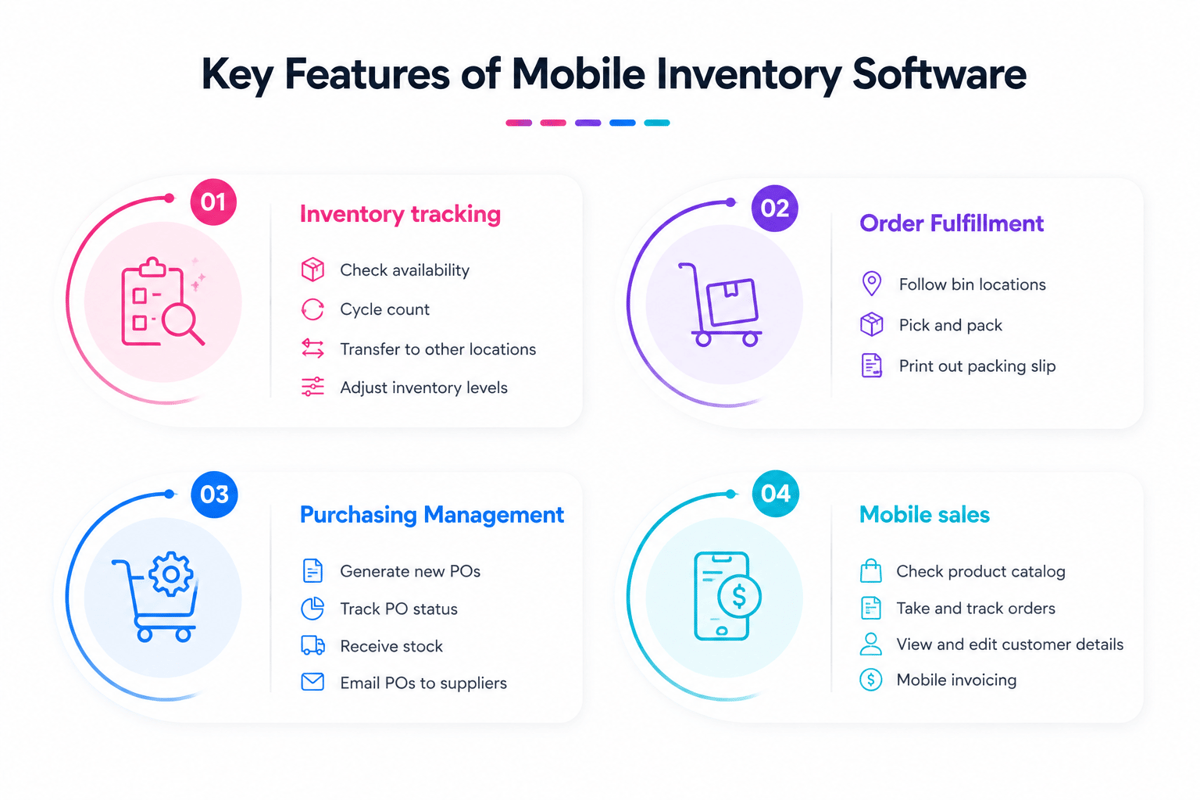
The best tools do more than log stock counts. A strong mobile inventory management tool links warehouse teams, field staff, and leads around the same data. That shared view keeps buys, moves, and sales aligned.
Core tracking and data capture
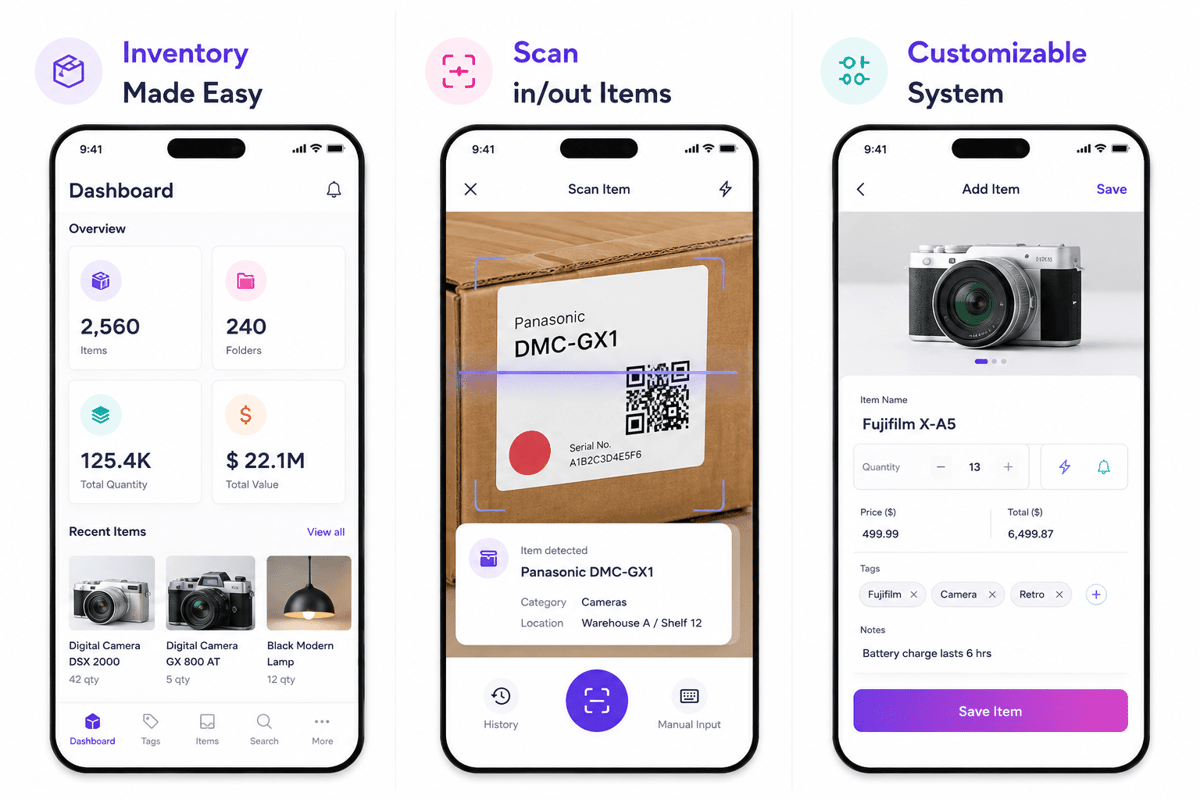
Barcode and QR scanning sit at the center of daily work. A mobile inventory app should read codes through a phone camera or a paired scanner. Fast scanning cuts typing errors and helps with cycle counts during normal tasks.
- Live stock syncs show open counts as work happens.
- Lot and serial tracking help recalls, repairs, and warranty claims.
- Photo capture helps teams check item state before a move.
- Spot tracking shows where stock sits across sites.
- Offline mode keeps work moving when networks fail.
Offline access matters in yards, basements, trucks, and remote sites. The system should store scans locally and sync them when service returns. This saves the count when Wi-Fi drops during receiving or picking.
Automation, controls, and system fit
Alerts make mobile inventory management more useful for busy teams. Reorder points, low-stock notices, and expiry warnings help staff act before shortages block work. Strong tools also flag odd shifts for checking.
Role-based access saves sensitive stock and cost data. A warehouse user may receive stock, while finance checks price fields. Good mobile inventory software logs each change with the user, time, and spot. Also, links with accounting, ecommerce, ERP, or WMS cut double entry. Practical mobile inventory solutions share item records, stock moves, and order data across systems. See also the complete guide to inventory management software and inventory management for small businesses.
Common use cases for mobile inventory across industries
Mobile inventory shows up in many daily flows. Teams need clean counts at the point of work. With mobile inventory management, those syncs move straight into the system. Each industry uses stock data in a varied way, but the shared goal stays the same: fewer gaps, faster counts, and cleaner records.
Retail, warehousing, and distribution
Retail teams use a mobile inventory app during cycle counts, receiving, and moves. Staff can scan items on the sales floor or in stockrooms. That cuts missed items during busy trading hours.
In warehouses, mobile inventory management helps with faster picking and receiving. Workers scan goods as they move through each zone. Managers then see stock changes without waiting for batch syncs. Distribution teams tend to depend on mobile inventory software during loading checks. Drivers and dock teams can check items before dispatch. That cuts short the ships and time spent tracing errors.
Field, healthcare, and IT operations with mobile inventory management
For instance, field service teams carry parts, tools, and test gear. Mobile inventory solutions help them log use at the job site. The office can reorder parts before vans run empty.
Similarly, healthcare teams track supplies across wards, storage rooms, and clinics. Mobile inventory management gives staff a quick way to log use. It also helps teams spot old stock before it reaches patients. IT teams use cell phone inventory management software to track devices, owners, and repairs. Construction, education, and public services share similar needs. Mobile inventory management works best when teams pair scanning habits with clear warehouse stock location systems.
Implementation best practices for mobile inventory solutions
Strong rollouts start with a clear flow design, not device choice. Mobile inventory management works best when each scan mirrors stock moves. Teams need agreed rules for receiving, picking, moves, counts, and returns.
Also, data quality shapes user adoption. Clean item names, spot codes, units, and barcodes to cut scan errors. A short audit before launch can stop weeks of cleanup.
Prepare data and workflows
First, each warehouse and field route should follow the same core steps. When teams name spots differently, a mobile inventory app logs confusing work. Set names help leads compare stock across sites.
- Check master data before loading it into the mobile inventory software.
- Test barcode labels against real products, shelves, bins, and assets.
- Set role rights for counts, moves, shifts, and sign-offs.
- Run a pilot in one spot before a wider rollout.
In fact, a pilot reveals gaps that office planning tends to miss. Poor Wi-Fi zones, damaged labels, and unclear handoffs show up fast. The team can fix these before deal volume grows.
Train teams and measure adoption
In practice, training should focus on daily tasks, not every system feature. A picker needs fast scan paths and clear exception steps. A lead needs count variance reports and sign-off alerts.
Also, device choice should match the work setting. An Android inventory app may suit warehouse teams using rugged scanners. Cell phone inventory management software may fit IT teams that track assigned devices.
So, early metrics show whether mobile inventory solutions give real control. Useful measures include scan compliance, count clean data, shift volume, and order delay rates. These counts show where teams need extra help. Mobile inventory management also needs steady ownership. One person should check exceptions, user feedback, and device issues each week. This routine keeps data trusted as stock moves. For tips on growing your ecommerce business alongside better stock control, see how to optimize your ecommerce business.
Conclusion
Overall, mobile inventory management gives teams a clearer view of stock, assets, and moves. It swaps delayed syncs for live data from the floor, field, or service desk. That shift helps teams stop shortages, cut double work, and act before small issues grow.
Therefore, the strongest results come from matching tools to daily work. A warehouse team may need barcode scanning and bin tracking. An IT team may need cell phone inventory management software for device ownership, repairs, and returns. In short, the right tool makes each scan count.
Smarter stock control with mobile inventory management
Indeed, clean inventory starts when each stock change gets logged at the source. Mobile inventory management helps that habit with phones, scanners, and tablets. Teams spend less time fixing records and more time making calls.
In practice, the right setup tends to include a solid mobile inventory app for fast stock syncs, mobile inventory software that links with core systems, and reports that show low stock, slow movers, and usage trends. Also, an Android inventory app fits many warehouse or field teams well.
The best next step
So, a real rollout begins with one high-value flow. Stock counts, receiving, moves, and field asset tracking tend to show fast gains. Mobile inventory solutions work best when teams test them against real daily tasks.
Moreover, mobile inventory management also helps with better planning across teams. Buying sees demand sooner. Ops trust stock points more. Finance gains cleaner cost data from fewer manual fixes.
First, check the stock problems that slow your team down today. Then match those needs to a tool that helps your devices, users, and reporting goals. For a broader view of system choices, explore these inventory management solutions.
 Google AI
  OpenAI ChatGPT
 Frequently Asked Questions
What is mobile inventory management?
Mobile inventory management is the process of tracking stock, assets, and inventory tasks using smartphones, tablets, or handheld scanners. It helps teams update counts, scan barcodes, check stock levels, and record movements in real time. This reduces manual data entry and gives businesses better visibility across warehouses, stores, vehicles, and field locations.
How do mobile inventory management apps enhance field productivity?
A mobile inventory app lets field teams access stock data, update quantities, and confirm deliveries without returning to the office. Employees can scan items, check availability, and complete inventory tasks on-site. This speeds up work, reduces paperwork, and helps managers make faster decisions using accurate mobile inventory data.
What is the best way to manage mobile inventory?
The best way to manage mobile inventory is to use mobile inventory software with barcode scanning, real-time updates, user permissions, and reporting. Standardize item naming, set reorder points, and train employees on consistent scanning procedures. Regular audits and automated alerts also help prevent stockouts, overstocking, and inaccurate inventory records.
How can businesses manage inventory with mobile computing?
Businesses can manage inventory with mobile computing by equipping staff with smartphones, tablets, or scanners connected to cloud-based mobile inventory solutions. Workers can receive stock, transfer items, perform cycle counts, and update records instantly. This approach improves accuracy because inventory changes are captured at the point of activity instead of being entered later.
How do you use mobile inventory management effectively?
To use mobile inventory management effectively, start by organizing item data, labeling products with barcodes or QR codes, and assigning clear user roles. Choose a mobile inventory app that supports your workflows, such as receiving, picking, transfers, and audits. Review reports regularly to identify trends, shrinkage, and slow-moving stock.
What is the best mobile device for warehouse inventory management?
The best device depends on the warehouse environment. Rugged handheld scanners are ideal for heavy use, while tablets work well for supervisors who need larger screens. An android inventory app can be cost-effective for many teams, and cell phone inventory management software may suit retailers or service businesses tracking devices, parts, and accessories.
I specialize in building scalable eCommerce systems powered by AI and automation. My work focuses on growing sales across Amazon, eBay, and Etsy through technology integration, data-driven strategies, and performance optimization. I also publish articles and insights about eCommerce technology, warehouse operations, and multichannel growth.
You may also like

How to choose an ecommerce marketplace service provider for scalable growth
Learn how an ecommerce marketplace service provider helps businesses launch, manage, and scale a profitable ecommerce marketplace. Platform choices, vendor operations, software tools, management services, costs, and practical selection tips.

Ecommerce software solutions: features, costs and how to choose
Learn how to evaluate ecommerce software solutions for online stores, marketplaces, and retail teams. Essential features, vendor comparisons, implementation tips, and practical ways to choose software that supports growth, operations, and customer experience.

Multi-carrier shipping software: features and how to compare options
How multi carrier shipping software compares rates, prints labels, tracks orders and handles returns, and which features to check before you choose one for your store.