
Warehouse Labor Management System: Improve Productivity, Accuracy, and Cost Control
 Emily Carter
·
· 14 min read
Emily Carter
·
· 14 min read 
Labor costs rise fast when volume swings by the hour. Small delays in picking or packing stack up. Supervisors often chase gaps with gut calls. That approach breaks when orders surge and staff change. A warehouse labor management system gives you clear, daily control. It sets work targets by task and travel. It tracks time by activity. Teams see where minutes go and why.
Many sites run a WMS, yet still miss labor waste. The WMS tracks inventory moves and order status. It rarely measures work pace and idle time. Warehouse labor management fills that gap with labor facts. Research like this study on WMS implementation in B2B warehouses shows that poor visibility and fragmented processes drive warehouse inefficiency.
Labor management system pressure points that warehouses face
Managers fight three problems at once each day. They need enough labor for each zone, must keep accuracy high under tight cutoffs, and also need clean numbers for payroll and costs.
Paper standards and spreadsheets drift out of date fast. New SKUs change travel paths and handling time. Slotting changes break old-time studies. A labor management system keeps standards current with real work data. This labor management system guide helps warehouse teams understand where outdated tracking methods create delays and reporting gaps.
Where the labor management system software fits in operations
Labor management system software ties tasks to people and time. It measures direct work, indirect work, and delay codes. Leaders spot bottlenecks by shift, zone, and process. They can move labor sooner and cut overtime hours.
Some buyers search for a labour management system in the UK. Others ask teams to define a labor management system before they buy. The goal stays the same across regions. Run labor with standards, feedback, and fair reporting. A practical labor management system guide also helps teams compare workflows, labor standards, and reporting accuracy before selecting software.
Labor Management System: What It Is and Why Warehouses Use It
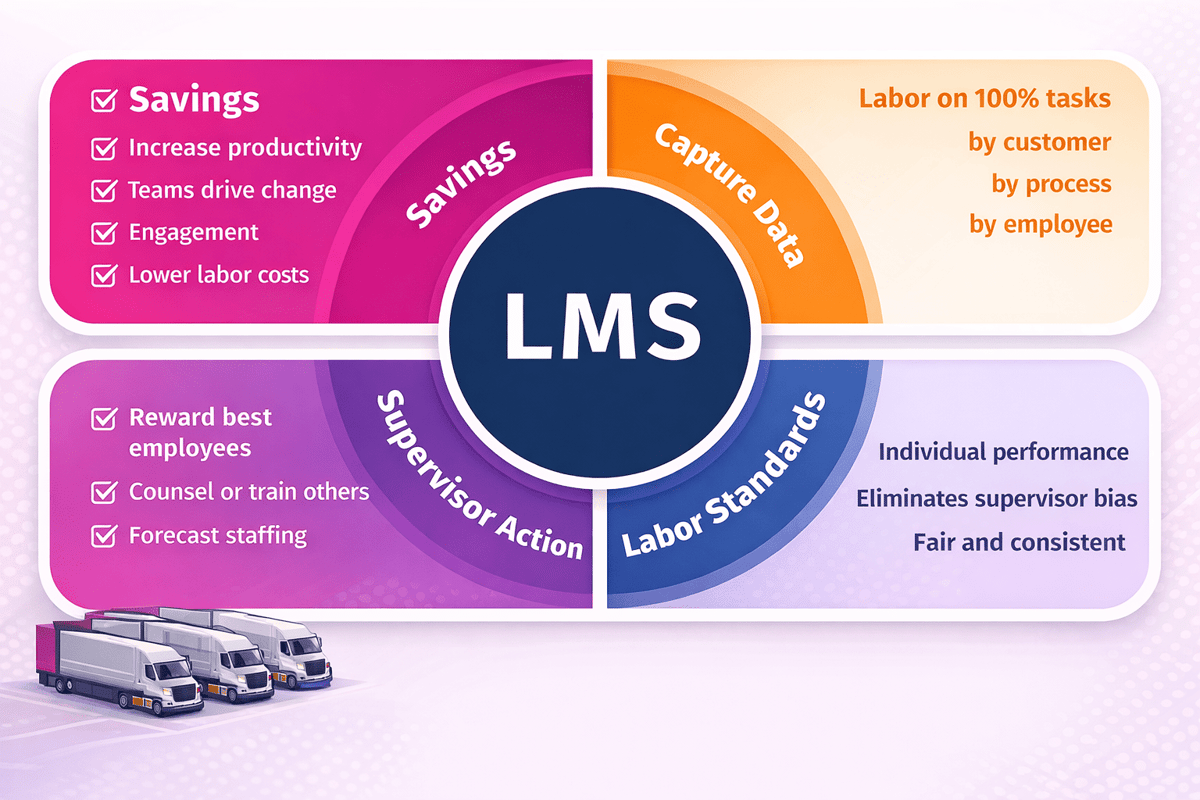
A labor management system tracks work and labor time. It links tasks to people, time, and expected output. Managers use it to set fair goals and spot delays. Teams use it to see priorities and finish work faster.
A warehouse labor management system focuses on floor execution. It measures work in picking, packing, receiving, and replenishment. The system compares planned time to actual time. Supervisors act on gaps during the shift.
What labor management system software does day to day
The labor management system software assigns work based on real demand. It builds a task list by zone, skill, and start time. The system records start, stop, and travel time. It also captures exceptions like stockouts or damage.
Most teams pair it with handheld scans and system events. Those scans create clean timestamps for each step. Reports show units per hour and idle time. Leaders use that view to rebalance labor quickly.
Why do warehouses invest in warehouse labor management
Warehouse labor management gives control over the biggest cost line. It helps cut overtime by matching staffing to volume. Clear standards reduce arguments about “fast” and “slow.” Pay plans also work better with trusted numbers.
Warehouses use it to raise accuracy through better processes. The system flags repeat errors by task type. Coaches target the root cause in days, not weeks. Fewer mis-picks mean fewer returns and rework.
Warehouse Labor Management: Core Workflows, Roles, and Performance Metrics
Warehouse labor management starts with clear, repeatable daily flows. Leaders map work from inbound to outbound. They set priorities by ship times and dock schedules. A warehouse labor management system then ties tasks to people.
Core workflows in a warehouse labor management system
Receiving teams unload, count, and label each pallet. Putaway drivers move stock to the right bin. Replenishment keeps forward pick slots from running empty. Picking and packing finish the order and stage it for shipping.
Supervisors assign work in waves or in real time. They balance travel time against congestion in aisles. They also manage exceptions like shorts and damaged cases. The labor management system software records each step as work happens.
Roles that run a labor management system
Operations managers set goals and staffing plans. Team leads, coaches, and clears blockers on the floor. Engineers keep slotting and paths aligned with demand. Analysts review reports and fix weak process steps.
HR and payroll teams track time, breaks, and job codes. Safety leads watch fatigue and high-risk tasks. IT keeps scanners, Wi-Fi, and user access stable. Many firms call the same tool a labour management system.
Performance metrics that matter
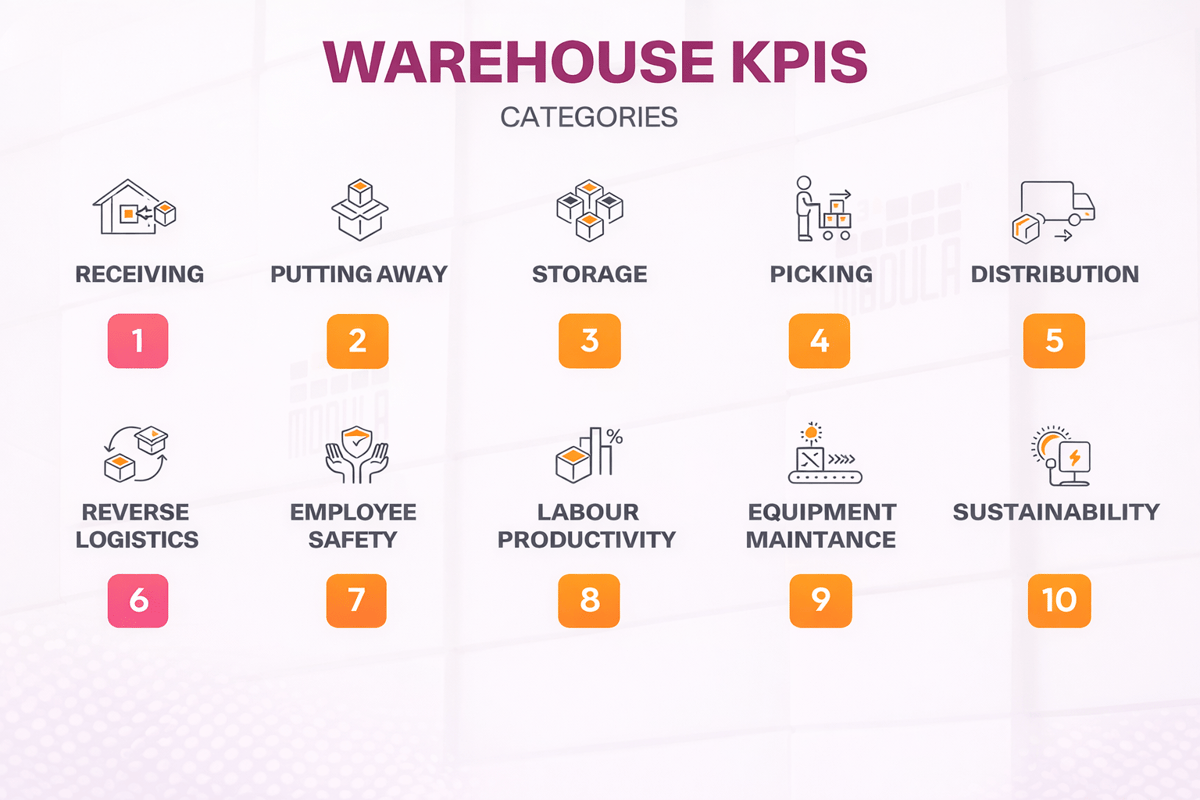
Start with units per hour by task and zone. Track travel time, idle time, and indirect time. Measure pick accuracy, short picks, and rework minutes. Watch overtime hours and cost per line shipped.
Most teams also track adherence to engineered standards. If you need to define labor management system success, use trends, not one-day spikes. Tie metrics to coaching, not punishment. Pair labor data with slotting and stock data from inventory software for the warehouse.
Connect Shopify, draw your floor, pick an order - free plan, 7-day full trial, no credit card, no sales call.
Labor Management System Software: Key Features to Look for
Good labor management system software turns daily work into clear numbers. It sets fair goals for each task and shift. Managers see where time goes and act fast.
Labor management system goals and standards
Strong systems let you define labor management system standards by task type. You can set goals for pick, pack, and putaway. The tool should support engineered standards and real travel time.
Real-time visibility for warehouse labor management
Dashboards should show work queues, progress, and labor gaps. Alerts should flag missed rates and late waves. Supervisors need drill-down views by person and area.
Accurate time capture in a labor management system
Look for clean time capture from scans, logins, and device events. The system should track indirect time with clear reason codes. You avoid disputes when the data matches the floor.
Task assignment and balancing in a warehouse labor management system
A warehouse labor management system should assign work based on skill and priority. It should support cross-training rules and labor pools. Better balancing cuts overtime and idle time.
Incentives, coaching, and fairness controls
Incentive pay needs clear rules and audit trails. Coaching tools should store notes, goals, and follow-ups. Fairness controls should adjust for congestion and equipment delays.
Reporting that supports a labour management system business case
Reports should show cost per line, unit, and order. You also need trend views by week and peak day. A good labour management system exports data to payroll and finance.
Choose tools that connect to WMS data and handheld scans. Confirm the vendor supports your sites, languages, and peak volumes. Ask for proof from live customers with warehouse inventory tracking.
How to evaluate vendors
Ask vendors how they set engineered standards. Check how they handle travel time and indirect work. Review how they track exceptions like damage and rework. Confirm they support local terms in screens and reports.
Look for proof in real warehouse data. Request sample dashboards and a week of export files. Make sure the labor management system fits your pay rules. If the vendor also sells WMS tools, confirm ties to order fulfillment software.
Warehouse Labor Management System Benefits: Productivity, Accuracy, and Labor Cost Control
A warehouse labor management system turns work into clear tasks. It sets fair time goals for each job. Supervisors see progress by person, zone, and shift. Teams spend less time waiting for the next assignment.
Productivity gains with a labor management system
Managers use a labor management system to balance work across the floor. The system routes labor to the busiest areas first. Workers get fewer trips and fewer empty walks. Pick rates rise because travel drops.
Engineered standards set a steady pace for each task. You can spot slowdowns during the shift. Leads can move help before backlogs grow. That keeps overtime from becoming the default fix.
Accuracy improvements from labor management system software
Labor management system software ties work to scans and confirmations. Each step leaves a time stamp and a user ID. Errors show up as patterns, not one-off stories. Trainers can target the exact step that causes misses.
Clear task prompts cut guesswork for new hires. Audits take less time because the data stays complete. Damage claims drop when handling steps stay consistent. Returns fall when picks match the order.
Labor cost control in warehouse labor management
Warehouse labor management needs strong cost signals each day. A labour management system tracks time by activity. You can compare plan versus actual by area. That makes staffing talks less emotional and more factual.
If you want to define the value of a labor management system, start with labor dollars. You can cut overtime hours and missed shipments. You can also reduce temp spend during peak weeks. Pair labor data with demand signals from order management software.
Labor Management System and WMS Integration: Data Sources, Standards, and Real-Time Visibility
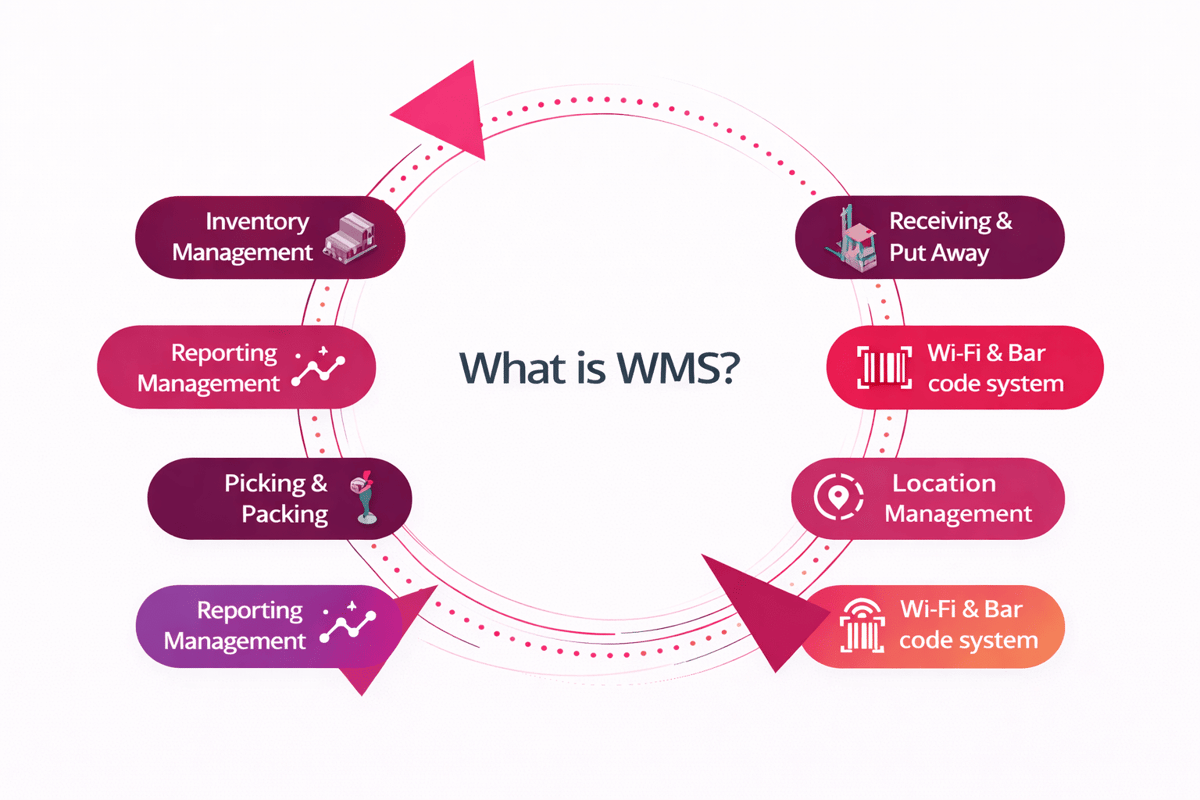
A warehouse labor management system needs clean WMS data. The WMS sends tasks, locations, and order priority. It also sends item master data and slot rules.
Time data matters as much as task data. Scans from RF guns confirm starts and ends. Badge events can fill gaps for breaks.
Labor management system data sources that drive fair standards
Start with the same events your team already records. Pick confirms, pack scans, and putaway drops create time stamps. Equipment feeds add travel time and idle time.
Engineered standards need stable inputs from the WMS. Slotting, carton rules, and wave logic shape expected time. Keep those rules current or standards drift.
Integration approach for labor management system software
Most sites connect through APIs or flat files. APIs suit near real-time updates and exception alerts. Flat files fit batch updates and simple scorecards.
Map every task to one labor activity code. Keep units of measure consistent across systems. Agree on time zones and shift cutoffs.
Warehouse labor management visibility in real time
Supervisors need live views of work and capacity. The WMS shows what work sits in each queue. The labor view shows who can take it next.
Real-time alerts prevent small issues from growing. Flag missing scans, short picks, and long travel time. Teams fix the cause during the shift.
Many buyers ask to define the labor management system value in one line. The answer comes from joined data and clear rules. A labour management system works best when it shares the same truth as the WMS and the order management system.
Use Cases for Warehouse Labor Management System: Picking, Packing, Receiving, and replenishment
Picking drives most labor hours in many warehouses. A warehouse labor management system sets fair time goals per pick type. Supervisors see travel time, idle time, and exception codes. Teams then fix slotting, batching, and zone balance.
Picking with system software
Labor management system software tracks each assignment from release to confirmation. It compares actual time to engineered standards. Managers spot slow aisles, long walks, and repeat short picks. They can shift labor fast during order spikes.
Packing and audit
Packing needs a steady pace and clean quality checks. A labor management system measures pack rates by carton type. It also tracks rework, void fill use, and scan misses. Leaders coach with facts, not guesswork.
Receiving and putaway
Receiving work changes by vendor, pallet build, and labels. Warehouse labor management sets targets by unload method and count type. It flags long dwell time at the dock. Teams clear bottlenecks before they hit storage space.
Replenishment rules
Replenishment prevents pick faces from going empty. A warehouse labor management system tracks travel, lift use, and drop size. It ties urgent tasks to service risk and picks waves. Planners reduce emergency moves and missed lines.
Some sites call it a labour management system, but the use cases stay the same. If you need to define labor management system value, start with these four areas. They show clear gains in time, errors, and labor spent. The same data also supports automated fulfillment.
How to Choose a Labor Management System: Requirements, Vendor Questions, and ROI Model
Start with your goals for warehouse labor management. Pick two or three outcomes you can track. Common picks include lines per hour and cost per order. Add error rate and overtime hours if they hurt you.
Requirements to define a system fit
Write a one-page scope before you talk to vendors. Use it to define labor management system needs by process. List each work area, task types, and travel zones. Note peak volume, shift patterns, and temp labor use.
Set rules for how you measure time. Decide on engineered standards or historical baselines. Call out any union rules and break policies. Confirm device needs for scanners, voice, or tablets.
Vendor questions
Ask how the labor management system software gets data. Confirm it reads tasks from your WMS in near real time. Request a demo with your own pick paths and cartons. Push for proof on multi-site support and role security.
Dig into reporting and coaching tools. Check if supervisors can edit exceptions with notes. Ask how the system handles indirect work and meetings. If you search for a labour management system, confirm the same product terms.
ROI model
Build the ROI from three buckets: productivity, quality, and labor cost. Use your last 13 weeks as the baseline. Model a 5% to 15% gain in direct labor hours. Add fewer errors, fewer re-picks, and less overtime.
List all costs for the labor management system. Include licenses, devices, training time, and support. Add internal time for data cleanup and change work. Close the model with a payback target that fits your budget, then connect it to ecommerce fulfillment automation.
Implementation Best Practices: Change Management and Adoption
Start with clear goals and a tight scope. Pick two or three workflows first. Use baseline numbers for units per hour and errors. Keep the first launch small and controlled.
Change management for system rollouts
Explain what will change and what will not. Tell teams how standards get set. Share how you will handle exceptions and delays. Managers must repeat the message every shift.
Choose floor leaders as champions, not just supervisors. Give them early access and real tasks. Ask them to log friction points daily. Fix those issues before wider rollout.
Set standards with worker input
Build engineered standards from real work samples. Include travel, scans, and equipment waits. Review the first standards with top performers. Adjust for slotting and zone layout differences.
Write clear rules for indirect time and paid breaks. Train leads to code time the same way. Audit time codes each week for drift. Clean data keeps trust in the numbers.
Training and adoption
Train by role and keep sessions short. Use hands-on work in the live area. Give each worker a one-page job aid. Test skills with a short checklist on day one.
Make coaching part of daily start-up meetings. Focus on one metric per week. Tie feedback to actions workers can control. Keep scoreboards simple and visible on the floor.
Align terms and expectations
Some teams use different names for the same tool. Set one label in training and reports. If leaders ask to define the labor management system, keep it practical. Say it tracks work, sets standards, and supports coaching.
Run a 30-day stabilization window after go-live. Watch exceptions, time codes, and missed scans. Hold weekly reviews and assign fixes with due dates. Keep the focus on steady habits in a pick and pack fulfillment center.
Conclusion
A warehouse labor management system turns work data into daily control. Teams see where time goes, by task and zone. Supervisors act sooner, not after the shift ends. Managers cut paid hours that do not move orders.
Clear standards drive fair coaching and better pacing. Workers know what “good” looks like each hour. You track travel time, idle time, and rework. That visibility supports stronger warehouse labor management decisions.
System outcomes that matter
When you define labor management system goals, keep them measurable. Start with lines per hour, error rate, and overtime. Tie each number to a real cost. Use the same scorecards across shifts and sites.
Choosing system software that fits
Good labor management system software matches your processes and data flow. It pulls tasks from your WMS and time system. It supports engineered standards and direct labor tracking. Reports must answer questions in minutes, not days.
Aligning the system needs
Some teams search for a labour management system by region. Others ask for a labor management system by function. Focus on outcomes, not spelling. Ask vendors for proof in similar warehouse profiles.
Next step: map five high-volume tasks and their time drivers. Then review three weeks of labor and order data. Build a short requirements list from that review. Request demos that show those exact workflows end-to-end.
 Google AI
  OpenAI ChatGPT
 Frequently Asked Questions
What is a warehouse labor management system?
A warehouse labor management system is a tool that measures and improves workforce performance in warehouse operations. It tracks tasks, time, and productivity against engineered labor standards, then reports results by employee, team, or shift. Businesses use it to reduce labor costs, increase throughput, and support fair, data-driven coaching.
How does labor management system software work in a warehouse?
Labor management system software connects to your WMS and operational data to capture work activities such as picking, packing, replenishment, and loading. It compares actual performance to standards, highlights exceptions, and recommends actions like rebalancing work or adjusting staffing. Many systems support real-time dashboards, mobile workflows, and performance reporting.
How do you define labor management system standards and productivity?
To define labor management system standards, companies typically use engineered standards, time studies, or historical performance data to set expected time per task under normal conditions. Productivity is then calculated by comparing actual time and output to those standards. A good labor management system also accounts for travel time, delays, and task complexity.
What are the main benefits of warehouse labor management?
Warehouse labor management helps improve labor planning, productivity, and service levels by matching staffing to workload. It provides visibility into performance by activity, supports consistent work methods, and reduces overtime. It can also improve employee engagement through clear expectations and fair incentive programs based on measurable results.
What features should you look for in a warehouse labor management system?
Look for engineered labor standards, real-time performance tracking, configurable KPIs, and exception alerts. A strong warehouse labor management system should integrate with your WMS/ERP, support multiple facilities, and provide role-based dashboards. Useful extras include incentive pay management, forecasting, mobile task capture, and reporting that’s easy to audit.
What is the difference between a labour management system and a WMS?
A WMS focuses on inventory control and warehouse processes such as receiving, putaway, picking, and shipping. A labour management system (also called a labor management system) focuses on people performance—measuring time, productivity, and adherence to standards. Many organizations use both together to improve operational efficiency and labor cost control.
I am an eCommerce expert with a strong focus on marketplaces like Amazon, eBay, and Etsy. Over the past decade, I have helped both startups and $1M+ revenue brands scale their sales through listing optimization, marketplace SEO, and AI-driven strategies. I also share articles and insights about eCommerce growth, marketplace operations, and multichannel selling.
You may also like

Enterprise Parcel Shipping Software: A Practical Guide to Multi Carrier Shipping
Choosing the right enterprise parcel shipping software lowers logistics costs, boosts delivery performance, and simplifies complex carrier operations at scale. Explore the essential features, benefits, and selection criteria to optimize your multi-carrier strategy today.

Warehouse Order Fulfillment Software: A Practical Guide for Faster, Smarter Operations
Warehouse order fulfillment software helps businesses streamline inventory, picking, packing, shipping, and returns from one connected platform. This brief outlines key benefits, features, use cases, and buying criteria for choosing fulfillment software that scales.

Inventory Management Cloud for Smarter Stock Control
An inventory management cloud helps businesses track stock, automate workflows, reduce errors, and make faster decisions from anywhere. Benefits, use cases, selection criteria, and practical steps for adopting cloud-based inventory tools with confidence.