
Business accounting and inventory management software: how to choose
 Fiftify Team
·
· 14 min read
Fiftify Team
·
· 14 min read
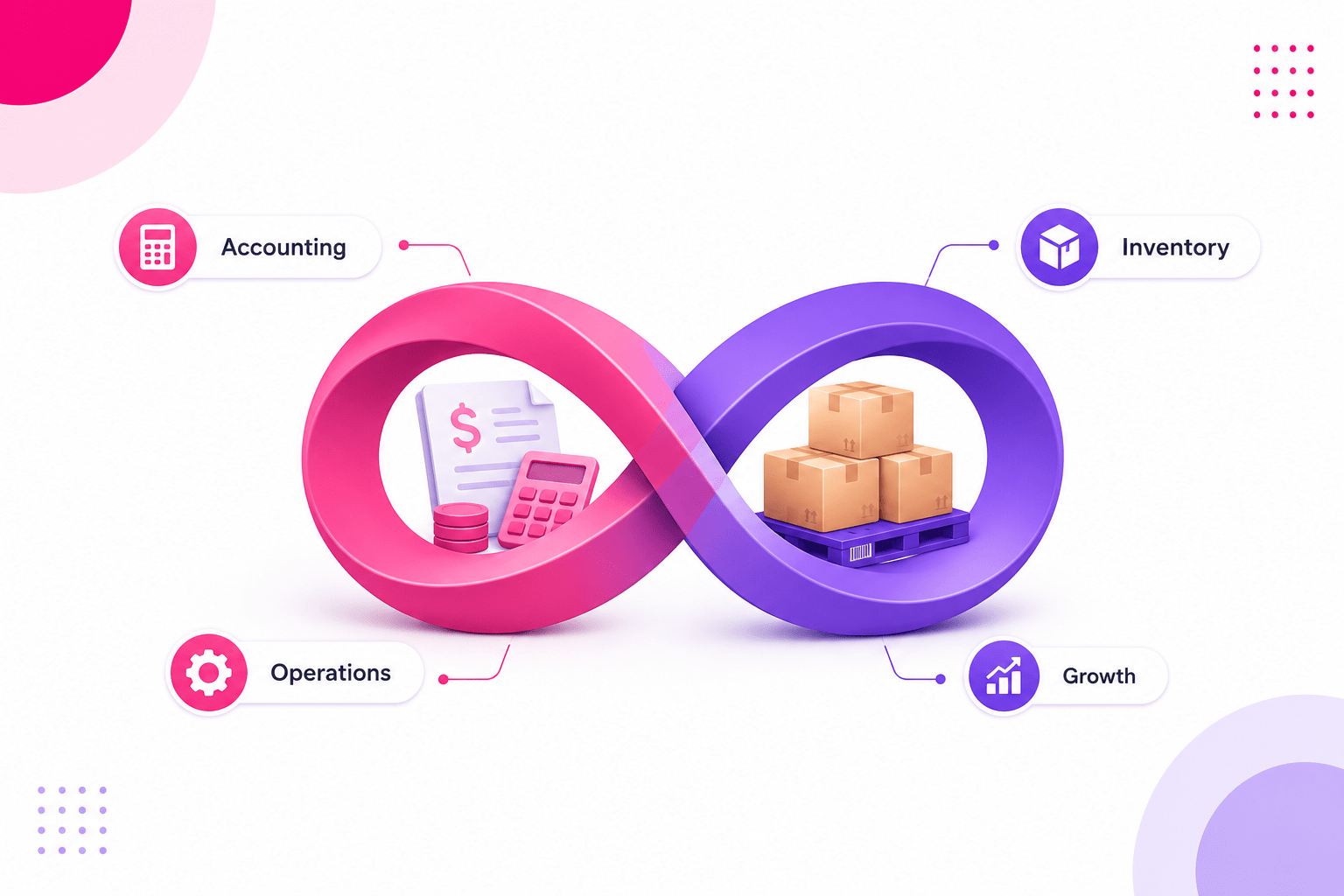
Running a firm means keeping two sets of counts in sync: what you sell and what you spend. When those live in split tools, errors grow fast. Business accounting and inventory management software links both in one place. As a result, teams can see cash flow and stock levels before making daily calls.
Manual syncs across accounting and stock tools create gaps. A sale may post in one system but not cut stock in the other. Firms that track stock and accounts together tend to save up to 30% on carrying costs. So linked accounting with inventory management software pays back fast.
Why split tools create hidden costs
Many small firms use one tool for accounts and a sheet for stock. That setup works until order volume grows. Then syncs happen late, counts drift, and month-end becomes a long manual fix. In fact, a stockout can cost sales while a buying team still shows plenty on hand in the accounting view.
Also, split tools make it hard to see true profit per sale. The cost of goods sold may not include freight, handling, or returns. A linked small business accounting and inventory management software catches those details as each order closes. So finance gets cleaner margin data with less cleanup work.
One platform for better decisions
A strong business accounting and inventory management software setup gives owners and managers one live view. Stock levels, open orders, payables, and receivables all update as work happens. Teams stop waiting for month-end reports to know if cash is tight.
Furthermore, inventory management and accounting software helps with audit trails and tax prep. Every stock move links to a financial event. So accountants spend less time chasing receipts and correcting stock entries. For a wider look at top tools, see the best inventory tracking software for 2025.
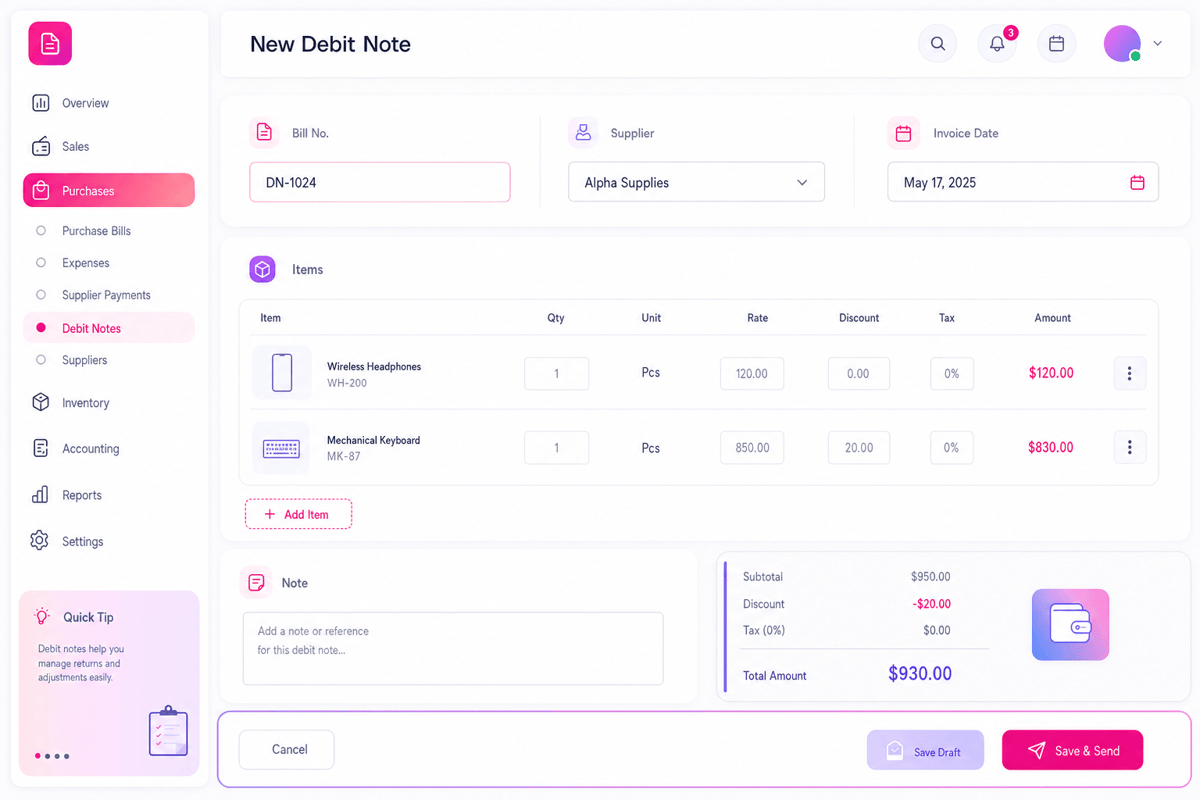
What business accounting and inventory management software does
Business accounting and inventory management software links the financial and stock sides of a firm. It connects buys, sales, stock moves, and financial records in one shared log. When you buy stock, the system updates both the stock count and the accounts payable. When you sell, it cuts stock and posts the sale and cost of goods at once.
That linked view removes the main source of end-of-month errors. Also, it gives buyers, finance, and ops teams the same facts. So they stop arguing over which report to trust.
Core tasks covered by business accounting and inventory management software
A strong platform handles both sides of daily ops. On the stock side, it tracks receipts, issues, returns, transfers, and cycle counts. On the finance side, it posts sales, cost of goods sold, payables, and receivables.
- Stock receipts create both a stock entry and an accounts payable
- Sales create both a stock cut and a revenue post
- Returns reverse both the stock count and the financial impact
- Period-end reports reflect actual stock value with no manual input
Also, small business accounting and inventory management software tend to include buy order tools. Buyers can create orders, link them to receipts, and match vendor bills. That three-way match catches billing errors before payment goes out. As a result, firms overpay vendors far less.
How the software links financial and stock data
Inventory management and accounting software uses a shared data model. Each stock item links to a cost, a stock account, and a revenue account. When a sale happens, the system posts to all three at once. So the income statement, balance sheet, and stock log all stay live.
That link matters most in fast-moving periods. A promo spike may push hundreds of orders through in a day. Business accounting and inventory management software handles those volumes with no end-of-day manual patches. Teams see live margin data even during the busiest trading hours.
Also, cost methods affect financial output. Many firms use FIFO or weighted average cost. The right accounting with inventory management software applies those rules on each stock move. So the reported margin always matches the chosen cost method. That saves hours of audit prep every quarter.
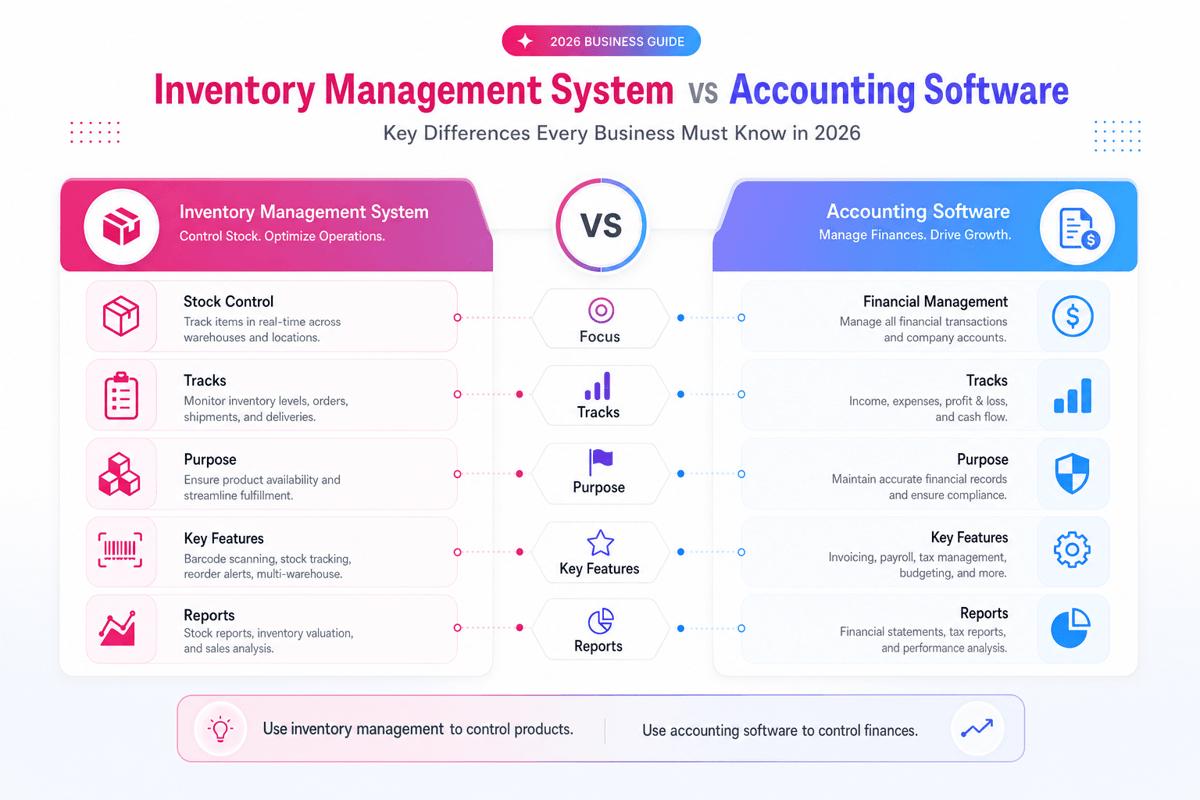
Connect Shopify, draw your floor, pick an order - free plan, 7-day full trial, no credit card, no sales call.
Key benefits of accounting with inventory management software
Many small firms do not know their true margin until month-end. By then, it is too late to fix a bad buying call. Accounting with inventory management software puts live margin data in front of owners and buyers every day. So they can act on cost trends before they turn into profit leaks.
Firms that link stock and accounts tend to catch problems sooner. A stock shrink shows up in the accounts as a loss the day it happens, not weeks later. Business accounting and inventory management software creates that link by design. As a result, ops and finance work from the same facts all month.
Fewer end-of-month surprises with business accounting and inventory management software
Month-end close tends to create stress when stock and finance are split. The accounting team waits for stock counts, stock counts wait for adjustments, and adjustments wait for sign-offs. Inventory management and accounting software remove that queue.
Each stock move already carries a financial post. So the accounts reflect the true stock position every day. Also, stock value on the balance sheet stays live. Finance can check asset value between periods without running a special count. In practice, that kind of live data can cut close time from three days to one.
Better cash flow planning through stock and finance alignment
Cash tends to get tight when firms buy too much stock. But buying too little leads to stockouts and missed sales. Small business accounting and inventory management software shows both risks in one view. Owners can see days of stock on hand next to their cash position.
That view helps smarter buying calls. If cash is tight and stock is high, the team can pause orders. If demand spikes and stock drops, they can reorder with a clear view of how it affects cash. Furthermore, linked tools help better vendor payment timing. Teams can see which vendor bills are due next to which stock receipts are expected. So they can match cash out with stock in more closely.
Cleaner data for tax and audit prep
Tax prep gets much harder when stock and account records do not match. Auditors check stock value, cost of goods sold, and sales receipts against each other. Accounting with inventory management software keeps those three always in sync.
Also, year-end stock counts become a check step, not a panic. The system already holds the expected count. A physical count just checks it. Any gap shows up as a shrink or surplus that gets posted and explained. As a result, tax work moves faster and with less risk of errors that trigger follow-up checks.
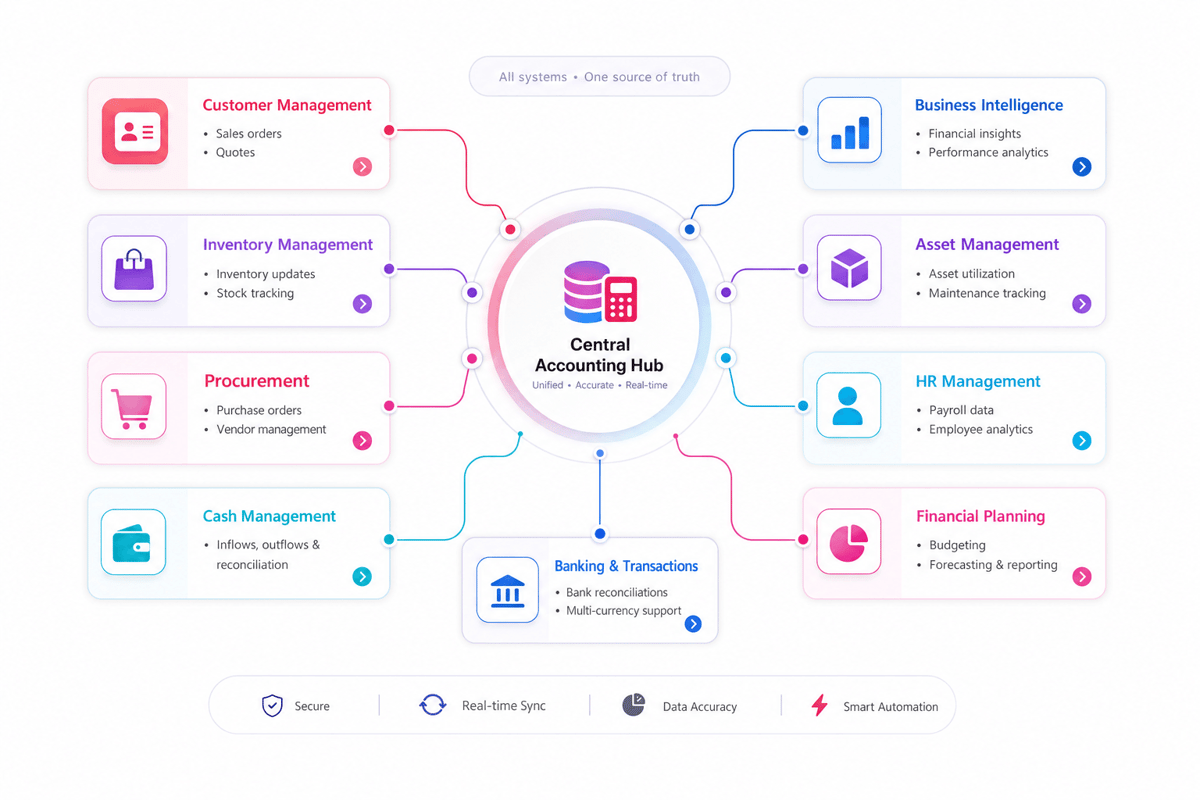
Choosing the right small business accounting and inventory management software
The right tool depends on how your firm buys, stocks, and sells. A retail shop needs point-of-sale links. A maker needs bill-of-materials and production order tools. A distributor needs multi-warehouse stock and carrier links. Small business accounting and inventory management software should match your real daily flow, not just look good in a demo.
Start by listing the stock tasks that cause the most pain. Late vendor bills, wrong stock counts, or unclear margins all point to a specific fix. A clear gap list helps you compare platforms on the features that matter most to your firm.
What to look for in business accounting and inventory management software
Feature depth matters, but daily ease of use matters more. A strong business accounting and inventory management software setup should feel plain after the first week. Staff who find it slow or confusing will create workarounds that break the linked data model.
- Linked stock and financial posts that happen on each transaction
- Buy order matching that checks stock receipts against vendor bills
- Cost method support (FIFO, weighted average, or specific ID)
- Reports that show stock value, margin, and turnover in one view
- Role-based access so finance and warehouse staff see what they need
Also, check link depth with your other tools. If you sell on an ecommerce site, the platform should pull orders and update stock on its own. If you use a separate payroll tool, the accounts should sync cleanly. Furthermore, check how the vendor handles syncs and support. A bug when peak trading can cost sales and create account errors that take hours to fix.
Comparing top platforms for accounting and inventory management
Every platform makes similar claims in demos. The real test is daily use during busy periods. A tool that feels smooth when order volume is low may show friction during peak months. So always test with realistic order counts and product mixes before you sign.
Several platforms lead the market for small business accounting and inventory management software. Each has varied strengths. Some lead on ease of use for small teams. Others give deeper stock control for firms with many SKUs or spots.
QuickBooks Online with stock tracking suits firms that need plain accounts and basic stock control. Xero with apps like Unleashed or Dear suits firms that need deeper stock control. NetSuite suits larger firms that need full ERP-level links across finance, stock, and ops. Cin7 and DEAR Inventory offer strong mid-market inventory management and accounting software with multi-channel sell support. For a comparison of top picks, see the top 5 inventory management software options.
In practice, the best pick is the one your team will use every day. Ask vendors for a demo with your actual data. Test the stock receipt flow, a sale, a return, and a period-end report. Those four steps show most of the daily friction points before you commit.
Inventory management and accounting software for different business types
Not every firm tracks stock the same way. A retailer moves finished goods. A maker converts raw parts into products. A service firm may track tools or consumables. Each model needs a varied business accounting and inventory management software setup.
Retail and ecommerce needs for small business accounting and inventory management software
Retailers need fast sales sync, clear cost of goods, and multi-channel stock control. When a sale happens at a POS or on a website, the system should cut stock and post the sale and margin at once. Small business accounting and inventory management software with channel links gives retail owners a live view of stock and cash across all sales points.
Returns are also a key retail challenge. A returned item must go back to stock (or not, if damaged), and the refund must hit the accounts correctly. A strong accounting system with inventory management software handles both sides of the return in one step. So the stock log and the accounts stay clean. Also, promotions can distort margin if not tracked well. The system should post the promo price and the cost of goods correctly so margin reports show the real impact.
Makers and distributors using business accounting and inventory management software
Makers face a unique cost challenge. The value of raw parts changes as they move through production. A barrel of resin may be worth one amount when it arrives and another when it becomes a finished product. Business accounting and inventory management software that tracks those cost changes helps makers price their goods correctly and protect margins across each batch.
Makers need bill-of-materials support. When a product is built, the system should cut raw material stock and raise the finished good count. The cost of the raw parts rolls into the cost of the finished item. Inventory management and accounting software that handles this well saves hours of manual cost tracking each week.
Distributors tend to manage stock across many warehouses. The system must track which warehouse holds each item and route orders to the best spot. Also, vendor lead times affect both stock planning and cash flow. A business accounting and inventory management software that links buy orders with expected cash out helps buyers plan smarter.
Firms that also use third-party logistics partners need clean data links. For that, see our guide to 3PL warehouse management systems.
How to implement business accounting and inventory management software
A good rollout starts with clean data. Before you move to business accounting and inventory management software, check your item codes, costs, and stock counts. Messy input data creates messy output reports. In practice, a simple item cleanup before launch can save weeks of correction work afterward.
Setup steps that prevent common errors
First, map each stock item to the right accounts. Decide which items use FIFO and which use weighted average cost. Then set reorder points and safety stock levels. Those rules let the system alert buyers before stock runs out.
- Clean item codes and costs before data import
- Assign each item to the right accounts and cost method
- Run a physical count before going live to set a clean opening balance
- Test the sale, buy, return, and adjustment flows before launch
- Train the finance and stock teams together so they understand each other’s view
Also, set user roles before launch. Finance staff may need to see costs that warehouse staff should not edit. Role-based access in accounting with inventory management software protects data while giving each team what they need.
Managing the transition from split tools to linked software
One key risk is double data entry right after launch. If staff still update the old sheet while also using the new system, the data will split fast. So pick a clean cut-over date. On that date, the old sheet stops and the new system starts. Brief the full team before the switch so nobody falls back on old habits.
Moving from split tools to small business accounting and inventory management software needs a clear plan. Set a go-live date and run both systems in parallel for the first few weeks. That overlap lets you catch sync errors before they create accounting gaps.
Furthermore, get buy-in from both teams early. Finance staff may worry about losing control of accounts. Warehouse teams may worry about new scan steps. Show each group how the linked system makes their own work easier, not harder. A clear internal rollout plan helps both teams take on the change faster. As a result, you get clean data sooner and fewer errors in the first month.
Conclusion
Stock and accounts belong in the same system. When they split, every end-of-month becomes a data chase. Business accounting and inventory management software removes that chase by linking each stock move to a financial post as it happens. Teams gain live margin data, cleaner cash flow views, and faster audit prep.
The best platform depends on your firm size, stock type, and sales channels. But the core need stays the same: one trusted source of truth that keeps stock and finance in sync. Also, linked tools grow with your firm. When sales channels, warehouses, or vendor counts rise, the system handles the add with no manual repatching.
Also, check our guide to manufacturing inventory management software if your firm also handles production work.
What the right business accounting and inventory management software delivers
The first gain tends to show up at the end of the first week. Staff who used to email each other for stock counts or account codes now check the same screen. That small change cuts a lot of daily back-and-forth. Over time, the gains compound. Fewer errors mean less cleanup. Less cleanup means faster close. Faster close means better cash planning.
A strong business accounting and inventory management software setup saves time across the firm. Finance closes faster. Buyers plan smarter. Ops spots stockouts before they affect sales. Owners see real margin, not just top-line revenue. In short, better linked data means fewer surprises and faster growth.
Furthermore, inventory management and accounting software builds a base for growth. As order volume rises, the system scales. As your team adds new sales channels or warehouses, the data still flows cleanly. The right pick is the one that makes daily work easier across every team. Start with the gap that costs you most right now. Then compare platforms on how well they close that gap.For a wider look at your options, explore these inventory management solutions.
 Google AI
  OpenAI ChatGPT
 Frequently Asked Questions
What is business accounting and inventory management software?
Business accounting and inventory management software combines financial tools with stock control features. It helps businesses track income, expenses, invoices, purchase orders, inventory levels, and product costs in one system. This reduces manual data entry, improves reporting accuracy, and gives business owners a clearer view of cash flow and available stock.
Why do small businesses need inventory and accounting software?
Inventory and accounting software for small businesses helps owners manage sales, stock, billing, and financial records more efficiently. Instead of using separate spreadsheets, teams can update inventory automatically when items are sold or purchased. This helps prevent stockouts, reduce errors, and make better decisions about purchasing, pricing, and profitability.
What features should I look for in accounting software with inventory management?
Look for accounting software with inventory management that includes invoicing, expense tracking, purchase orders, stock level alerts, barcode support, cost tracking, and financial reporting. Good accounting software with inventory tracking should also support multiple locations, tax settings, and integrations with ecommerce, POS, or payment systems used by your business.
Is QuickBooks compatible with inventory management software?
Yes, many businesses use inventory software compatible with QuickBooks to improve stock control while keeping accounting data organized. Some tools offer native QuickBooks integration, while others sync sales, invoices, purchase orders, and inventory updates. Choosing inventory management software integrates with QuickBooks can help reduce duplicate entry and keep financial records accurate.
What is the best accounting software for inventory management?
The best accounting software for inventory management depends on your business size, industry, budget, and workflow. Some businesses need simple inventory and billing software, while others require advanced accounting and stock management software with batch tracking, warehouse tools, or manufacturing features. Compare ease of use, reporting, integrations, and scalability before choosing.
How does business accounting and inventory management software improve profitability?
Business accounting and inventory management software improves profitability by showing which products sell well, which items tie up cash, and where costs are increasing. With accounting software with inventory control, businesses can avoid overstocking, reduce lost sales from stockouts, track margins more accurately, and make smarter purchasing and pricing decisions.
Sync inventory in real time, manage orders, and run warehouse operations across Amazon, eBay, Etsy, Shopify, and other sales channels. From barcode scanning to organized storage and faster fulfillment, Fiftify helps reduce errors, prevent overselling, and support business growth. Explore our articles for insights on warehouse management, inventory control, and multichannel operations.
You may also like

How to choose an ecommerce marketplace service provider for scalable growth
Learn how an ecommerce marketplace service provider helps businesses launch, manage, and scale a profitable ecommerce marketplace. Platform choices, vendor operations, software tools, management services, costs, and practical selection tips.

Ecommerce software solutions: features, costs and how to choose
Learn how to evaluate ecommerce software solutions for online stores, marketplaces, and retail teams. Essential features, vendor comparisons, implementation tips, and practical ways to choose software that supports growth, operations, and customer experience.

Multi-carrier shipping software: features and how to compare options
How multi carrier shipping software compares rates, prints labels, tracks orders and handles returns, and which features to check before you choose one for your store.