
Shipping and receiving software: key features and use cases
 Emily Carter
·
· 16 min read
Emily Carter
·
· 16 min read
Shipping and receiving software gives teams one place to track shipments, receipts, labels, and stock syncs. Manual logs and sheets reach their limit as order volume grows. So the right software keeps dock work clean and fast.
Small errors spread fast in a busy site. A missed scan may cause a stock gap, a wrong label, or a late buyer order. Also, split tools put extra pressure on teams. Staff may check email, carrier sites, sheets, and stock records before one shipment moves.
Why manual shipping breaks down
Also, paper flows slow daily calls. Leads may not see late inbound freight until storage fills up. Shipping and receiving programs cut those gaps. The system records each scan, receipt, pick, pack, and ship event. In fact, that shared record helps teams spot problems sooner. A receiver can flag damaged goods before stock goes into open counts.
What the right shipping and receiving software changes
Growing brands often need better control before adding more staff. Strong shipping and receiving software cuts repeat work, lowers data entry, and speeds dock work. It also supports cleaner handoffs across teams. Purchasing sees inbound goods, sales sees order status, and site teams see carrier cutoffs. Furthermore, the best systems do more than replace paper. They create repeat flows that hold up under higher order volume.
What is shipping and receiving software?
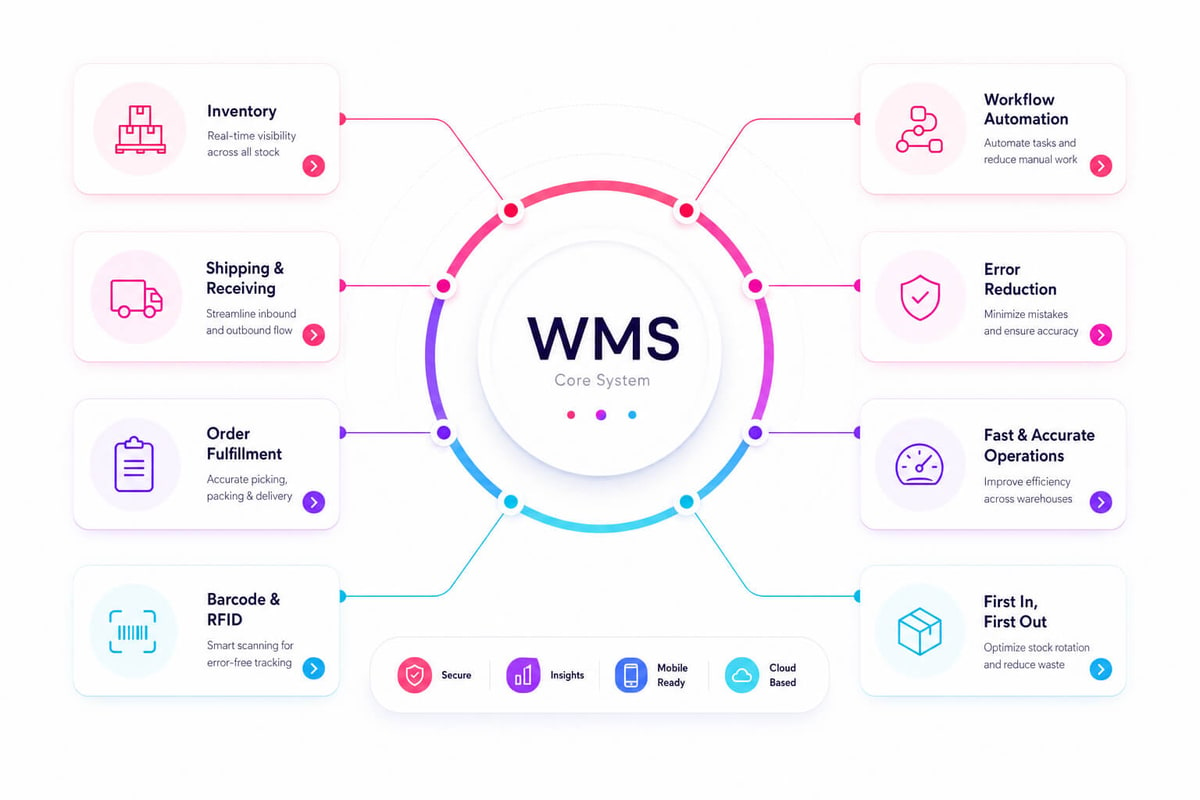
Shipping and receiving software is a system that manages inbound and outbound site moves. It tracks items from arrival to put-away, pick, pack, and ship. The software links site work with orders, carriers, stock records, and staff tasks. Growing brands often start with sheets, email, and carrier sites. Those tools work at low order volume. As order counts rise, teams need one shared record of what arrived, what shipped, and what still needs action.
How the system works
Shipping and receiving software captures each key event as work happens. Staff can scan a barcode, confirm a count, print a label, or log a damaged item. So, each scan syncs the system, and teams see live stock and ship status. The receive side helps teams match inbound goods to buy orders. It can flag shortages, overages, and wrong items before stock enters storage. That early check cuts stock errors that later cause backlog or missed ships.
The ship side supports carrier pick, label print, pack checks, and ship tracking. Many systems compare rates across carriers and service levels. Also, rising buyer ship needs make manual flows harder to defend.
Where it fits in operations
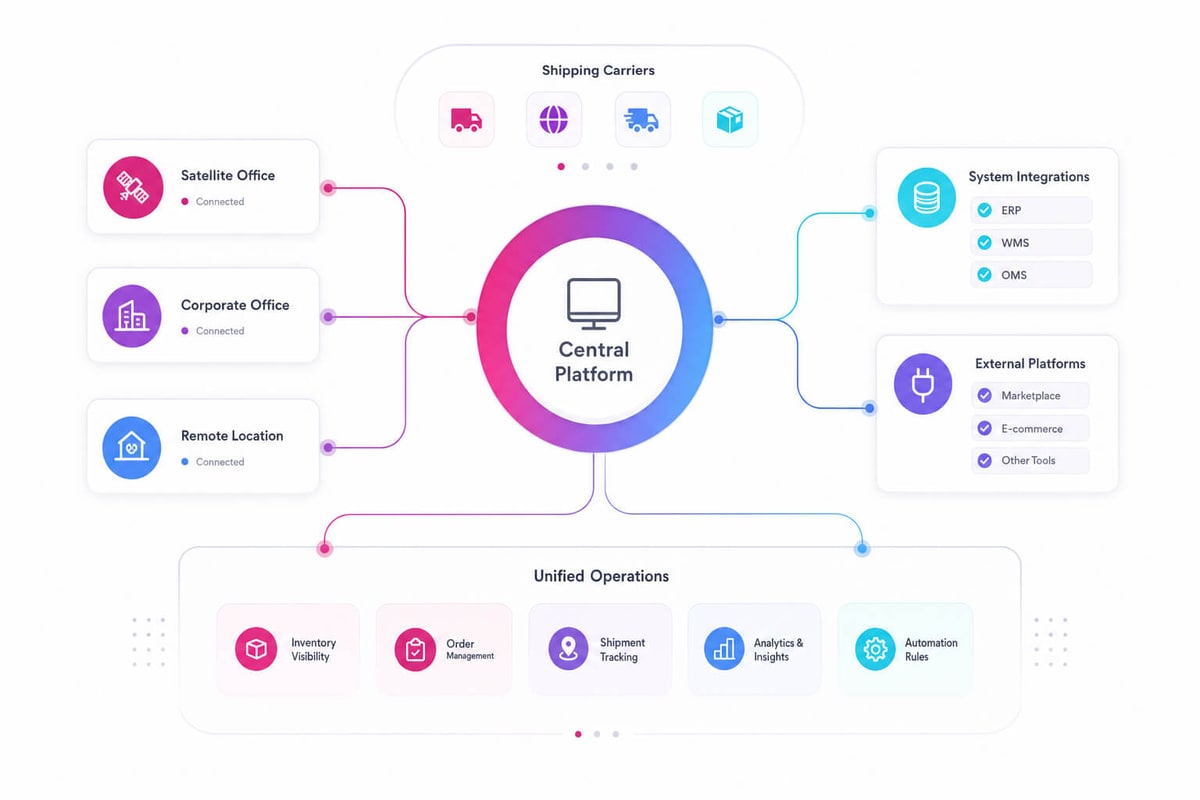
Shipping and receiving programs often sit between stock systems, order systems, and carrier networks. They pass ship data to account, service, and sales teams. That shared data cuts manual syncs and double entry. For site teams, shipping and receiving software creates a clear work record. Leads can see who received goods, when orders shipped, and where delays occurred. This makes daily planning cleaner at busy times. For buyers, the system supports faster confirmations and fewer ship errors. Clean receiving protects open stock counts. Clean shipping protects ship dates. As needs grow across carriers, regions, and service levels, the same base can grow into enterprise parcel shipping software.
Connect Shopify, draw your floor, pick an order - free plan, 7-day full trial, no credit card, no sales call.
Key features of shipping and receiving software
The right features depend on order volume, site layout, and sales channels. Strong shipping and receiving software solves the same core problems: late syncs, manual entry, missing stock, and slow dock work. Growing brands also need systems that scale with no added steps. So, a good platform captures each move once and shares that data across stock, orders, buying, and finance.
Inventory view and receiving control
Live stock tracking sits at the center of strong shipping and receiving software. Barcode scans, mobile devices, and lot tracking help teams confirm what arrived, where it sits, and whether it matches the buy order. Receive tools should support part receipts, damaged goods, overages, and shortages. These details matter as one missed gap can distort stock counts for days.
- Buy order matching helps teams compare ordered, shipped, and received counts
- Barcode and QR scanning cuts typing errors at inbound and outbound work
- Lot, serial, and end-date tracking supports recalls and regulated items
- Put-away guidance sends stock to the right bin or zone
Advanced shipping and receiving programs also support cross-dock and staged receiving. These features keep fast-moving items from sitting in storage when outbound orders already need them.
Shipping execution and system links
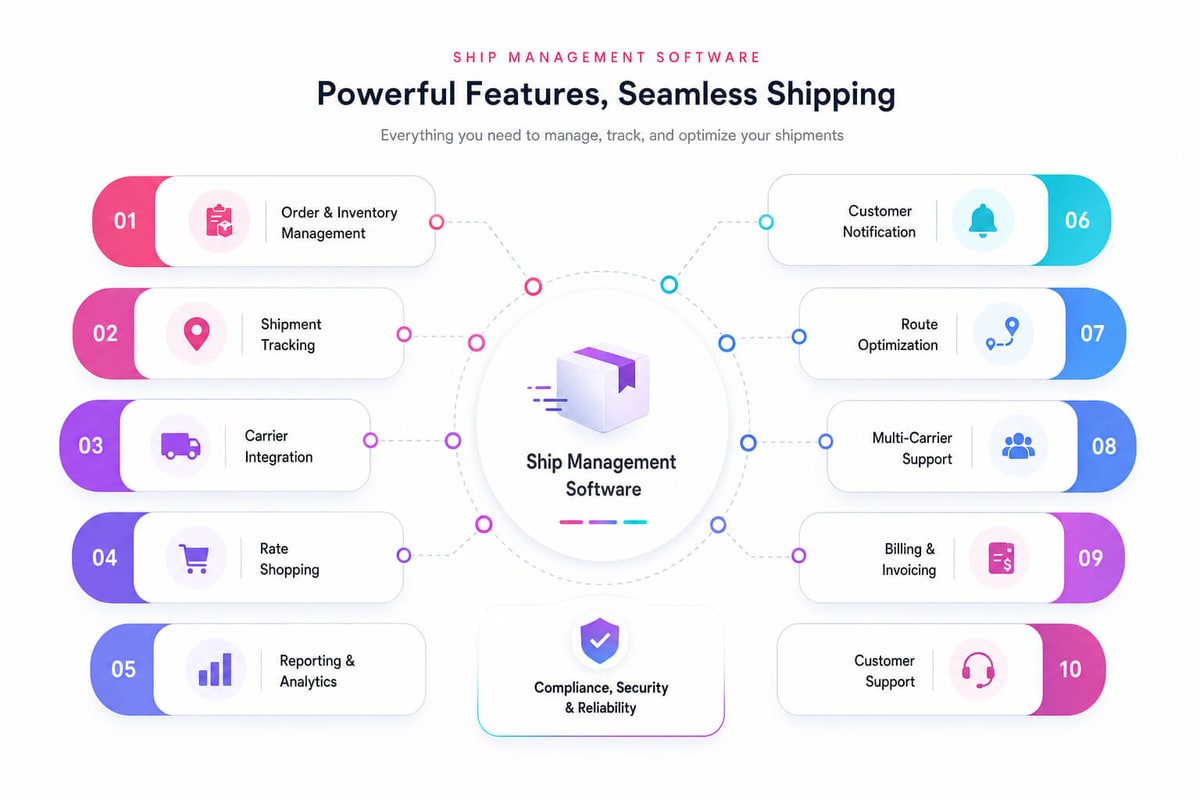
Outbound tools should cover carrier pick, label print, pack slips, and ship confirm. Effective shipping and receiving software compares rates, service levels, and ship dates before the team prints a label. Gap alerts give leads faster notice when work falls behind. A late pick, failed scan, or missed carrier cutoff can trigger an alert before buyers feel the delay. Link quality often splits basic tools from reliable shipping and receiving software. The system should connect with ecommerce, ERP, account tools, site systems, and carrier sites with no double entry. Reports turn daily events into useful calls. Teams can check receive clean data, dock cycle time, order lead time, freight spend, and carrier results. The best shipping and receiving software also connects cleanly with broader logistics management software solutions.
How shipping and receiving software improves warehouse efficiency
Growing sites lose time when teams depend on paper, sheets, and habit. Shipping and receiving software replaces those handoffs with shared data and guided flows. Dock teams see what arrived, what must ship, and which tasks need action. Also, efficiency lifts as the system links dock work with stock records. Each scan syncs counts, spots, and order status in real time. Leads spend less time chasing answers and more time clearing blocks.
Faster dock and inventory flow
Receive teams can check buy orders against real deliveries as goods arrive. The software flags shortages, overages, and wrong items before stock reaches shelves. That early catch stops downstream picks from starting with bad data. On the ship side, shipping and receiving programs guide pack, label, and carrier pick. They cut rework by matching orders with rules for service levels, pack, and docs. Many sites also connect these tools with logistics IT systems for cleaner ship data across carriers and partners.
Furthermore, barcode scanning adds speed and control. Shipping and receiving software helps teams confirm each move at the point of work. Errors drop when workers scan the item, spot, and order before moving ahead.
Better labor planning and fewer delays
Site leads need live work queues, not end-of-day reports. Shipping and receiving software shows inbound loads, outbound orders, gaps, and carrier cutoffs in one view. That view helps leads shift labor before a dock door backs up. Also, the same data supports better plans at busy seasons. Teams can see which vendors arrive late, which carriers miss pickup windows, and where orders stall. Shipping and receiving programs turn these patterns into useful staff calls. In fact, small delays often start as missing labels, unclear spots, or late status syncs. Shipping and receiving software removes many of those gaps by logging events as they happen. Over time, the site gains a more stable flow and a stronger base for warehouse order fulfillment software. Also see tips to boost productivity at our warehouse efficiency tips guide.
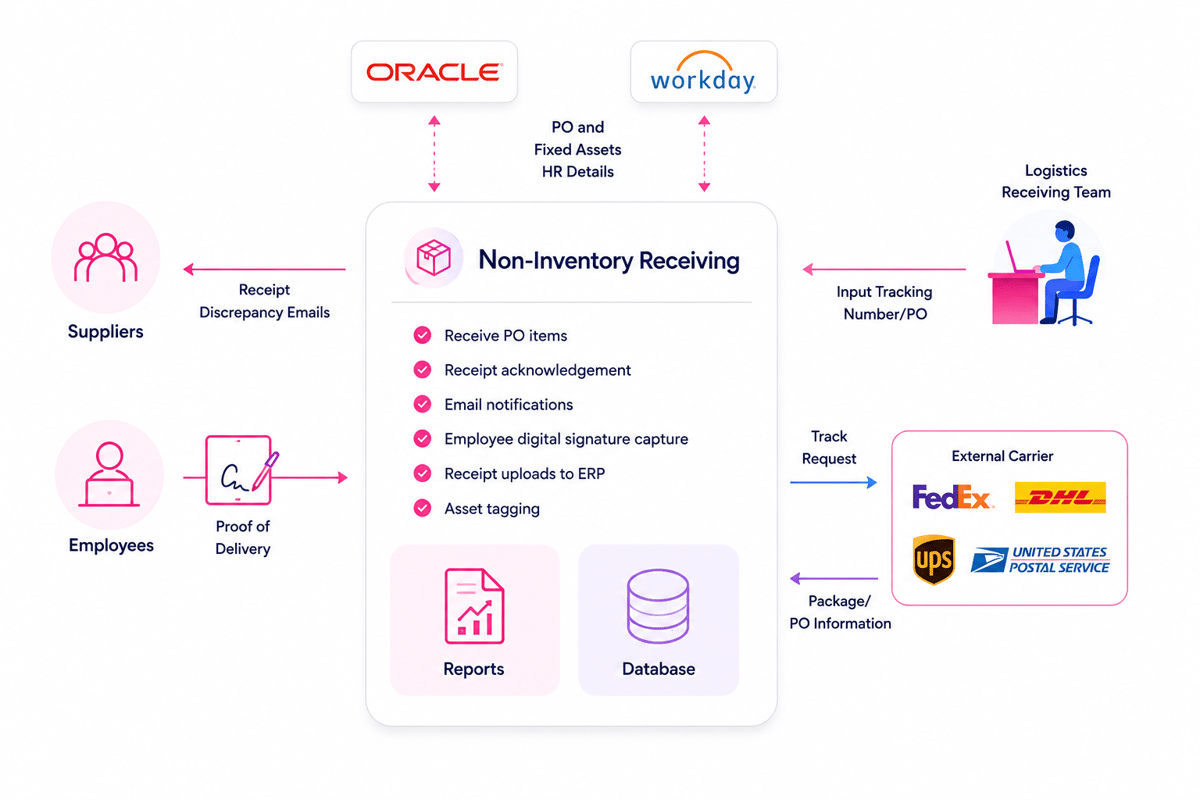
Benefits of shipping and receiving software for business ops
Shipping and receiving software gives growing brands tighter control over daily site work. Teams gain one shared view of inbound goods, outbound orders, carrier work, and stock moves. Also, that shared view cuts guesswork across buying, sales, and ops. Staff can confirm what arrived, what shipped, and what still needs action with no checking paper logs.
Better cost control and accuracy
Manual ship and receive work often hides small errors. A missed scan, wrong label, or late sync can create returns, delays, and extra freight costs. Shipping and receiving software lowers those risks by tying each task to a clear record. Teams can match receipts to buy orders, check counts, and catch gaps before they reach buyers. Warehousing workforce data shows how many brands still rely on skilled staff to move goods well. Strong systems help those teams process more volume without adding avoidable manual steps. Also, clean records support better cost checks. Leads can compare carrier rates, track extra fees, and see where rework affects margins.
Faster calls across operations
Shipping and receiving programs help leaders make calls with live data. Stock status, ship timing, and receive delays become visible in the day. In fact, that speed matters when teams manage backlog or rush asks. Sales can give buyers real dates, while buying can act before stockouts grow.
- Receiving teams can flag damaged or short shipments sooner
- Ship teams can cut bad picks through barcode checks
- Leads can spot carrier delays before they affect service levels
Shipping and receiving software also creates a cleaner audit trail. Each scan, status change, and ship record supports checks, vendor claims, and buyer service reviews. As order volume grows, split tools usually create more friction. The biggest benefit often comes from linking site work with sales demand. That link turns daily ship data into a base for order fulfillment software. Also, see our guide to ecommerce fulfillment automation for the next step.
Common use cases for shipping and receiving software
Growing brands often adopt shipping and receiving software when daily volume outgrows sheets, email, or paper logs. The software gives teams one place to confirm shipments, receipts, gaps, and carrier work. Manual checks can work at low volume, but errors rise fast. When teams scan goods at each touch point, they cut missed items, wrong counts, and late syncs. Leads also gain a clear record when orders need checking.
Retail and order fulfillment with shipping and receiving software
Retail teams use shipping and receiving software to match incoming stock with open buy orders. Rapid online retail growth often shows weak handoffs between receive, pick, and pack. A shared system helps teams move goods from dock to shelf faster. Bulk sellers rely on shipping and receiving programs to handle large orders and carrier pickups. The system can group orders by route, carrier, or buyer. That structure cuts dock pressure at busy ship windows. Makers use shipping and receiving software to control raw parts and finished goods. Receive teams can check part counts before work starts. Ship teams can confirm lot counts and buyer needs before release.
Inventory control and compliance
Multi-spot brands need steady stock data across sites, stores, and service spots. Shipping and receiving software syncs stock records as teams receive, move, or ship goods. This helps planners spot shortages before they affect orders. Also, regulated fields need proof of what moved, when, and by whom. Scan records, time stamps, and user logs support checks with no long document searches. Teams can trace a ship issue back to a specific receipt or transfer. The strongest fit depends on order volume, stock risk, and report needs. These needs often shape the short list for the best warehouse management software.
How to compare shipping and receiving software vendors
Vendor check works best when it starts with ops fit. The right platform should match order volume, SKU count, carrier mix, and receive pace. Growing brands need shipping and receiving software that supports today’s work and future growth. Also, a useful short list connects features to measurable site tasks. Scan-based receiving can cut typing errors, while rate shopping can lower parcel spend. Strong vendors explain these gains with real flows, not broad claims.
Evaluate fit and daily use of shipping and receiving programs
The best shipping and receiving software feels plain on the site floor. Screens should guide fast calls at receive, pick, pack, and ship. Teams gain value when the system cuts steps, not just records them. Vendor demos reveal how well the platform handles daily press. A useful demo follows real orders, real gaps, and real carrier rules. This shows whether shipping and receiving programs can support normal work with no manual fixes.
- The system should handle part receipts, damaged goods, and backlog
- Mobile scanning should work well in busy site aisles
- Carrier links should support labels, rates, tracking, and returns
- Reports should show delays, error trends, and ship costs
Link quality deserves close check. Shipping and receiving software should swap clean data with ERP, ecommerce, account, and carrier systems. Weak links often create double entry and slow month-end reports. Learn more about warehouse management meaning to see how ship and receive fit the broader site picture.
Compare costs, support, and proof for shipping and receiving software
Pricing should show the full cost of control. Plan fees tell only part of the story. Setup, training, devices, carrier links, and support can change the final budget. Support models also split strong vendors from weak ones. Growing sites need fast answers when labels fail or receive queues build. A vendor with site experience can solve issues faster than a general help desk. In fact, proof matters more than polished sales material. References from similar brands can show how the system performs under real volume.
Also, contract terms should leave room for growth. Seat limits, event caps, storage fees, and upgrade rules can affect scale. The best shipping and receiving software vendors make these limits clear before buy. System fit also depends on nearby site tools. Many teams compare vendors while planning barcoding, cycle counts, and stock moves. A vendor with stable mobile scanning and open data links will connect more cleanly to a barcode warehouse management system.
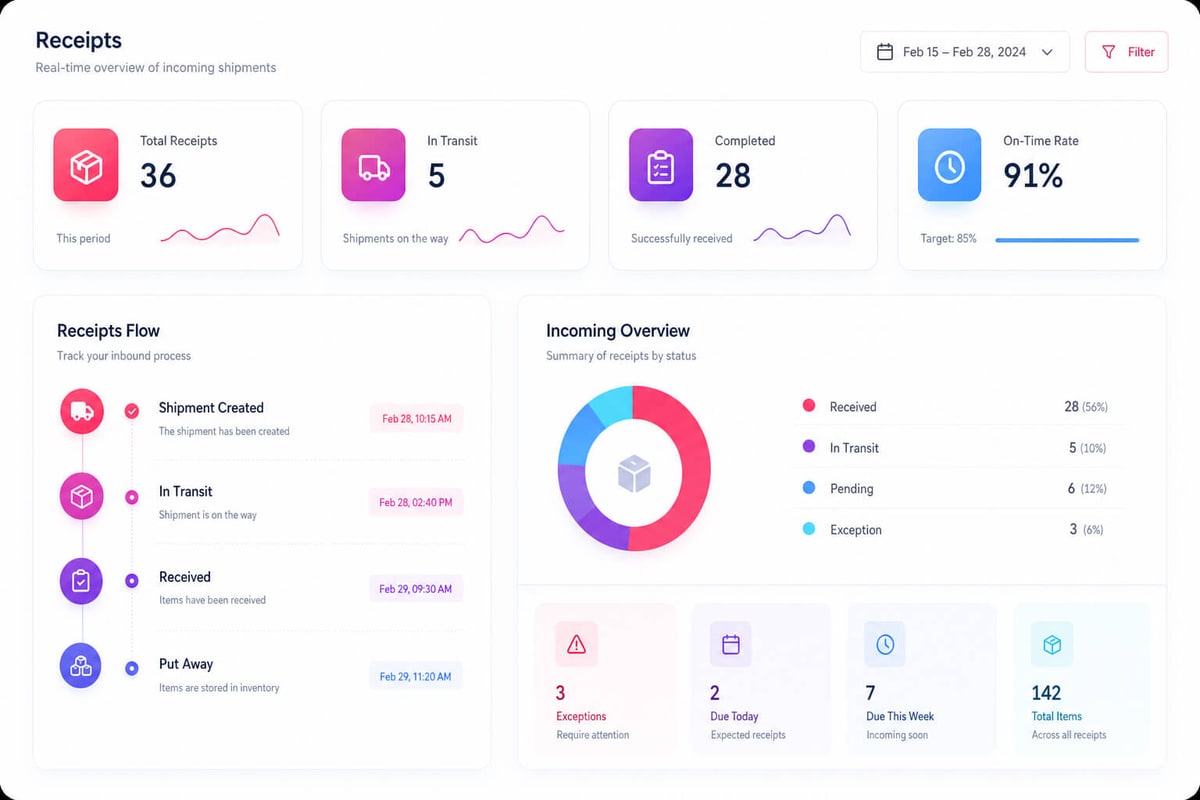
Implementation tips for shipping and receiving software
A strong rollout starts with site reality, not software settings. Teams gain faster results when they map how orders, receipts, holds, and returns move today. That map shows where shipping and receiving software must match daily work. In fact, growing brands often find hidden manual steps during this check. Double entry, shared logins, and handwritten counts create slowdowns. The right shipping and receiving software should remove these gaps without adding extra clicks.
Practical rollout planning
The first site should prove the flow before wider use. A single dock, item group, or shift gives teams enough work to test. That controlled start limits risk while workers learn the new flow. A phased plan also keeps support focused. Leads can watch scan rates, label errors, and receive delays each day. When patterns appear, the team can adjust screens, rights, or alerts fast.
- Start with high-volume flows that affect order speed
- Test gap paths, including overages and damaged goods
- Assign floor leads who can answer common process questions
- Track error types during the first two weeks
Prepare data and devices
Clean master data cuts confusion on launch day. Item counts, units of measure, bin spots, and carrier rules need to be checked before the first shift. Poor data makes shipping and receiving software look unreliable, even when the setup works. Also, device testing matters as site work depends on speed. Barcode scans, label formats, scale reads, and print queues should match real order volume. A short stress test can reveal weak Wi-Fi zones and slow print steps.
Furthermore, training works better when it follows real tasks. Pickers, receivers, and leads need role-specific practice with live examples. Shipping and receiving software becomes easier to adopt when screens reflect known calls. Post-launch checks help teams protect early gains. Daily checks can compare receipts, orders shipped, fixes made, and cycle time. Strong shipping and receiving software pairs these checks with reliable printers, scales, mobile devices, and scanners for inventory.
Measuring ROI from shipping and receiving software
ROI starts with a clear base before the system goes live. Current labor hours, ship errors, order cycle times, and return rates show the real cost of manual work. Shipping and receiving software creates value when those counts move in clear ways. Faster dock work, fewer bad picks, and lower freight rework costs often produce the first visible gains.
Metrics that show financial impact
The strongest ROI counts connect site work to direct cost savings. Growing brands often track these areas first:
- Labor hours per order, compared before and after rollout
- Receive time per ship at each dock door
- Ship error rates, including wrong items and late orders
- Stock fixes caused by missed scans or data entry errors
- Carrier fees, extra charges, and avoidable reships
Shipping and receiving software also helps teams measure capacity gains. A site may handle more orders with the same staff, which delays hiring needs and cuts overtime. Also, some returns trace back to site mistakes. When shipping and receiving programs cut those errors, savings appear in freight, labor, swap stock, and service time.
Building a practical ROI model
A useful ROI model compares total savings against total system costs. Costs include software fees, hardware, setup support, staff training, and any flow changes. Shipping and receiving software usually pays back through several smaller gains. In fact, a five-minute receive improvement may look minor, but it matters across thousands of ships. In fact, clean data gains can carry more value than speed. Better scan controls cut stockouts, stop double buys, and lift order promise dates. Many brands review ROI at 30, 60, and 90 days. This timing shows early wins while giving teams enough data to spot deeper trends. The best review links site results to sales, service, and cash flow. That wider view connects shipping and receiving software results with ecommerce order management.
Conclusion
Shipping and receiving software gives growing brands better control over daily moves. Teams gain clearer records, faster handoffs, and fewer missed details. The right system connects orders, stock, carriers, labels, and receiving tasks. That link turns site work into data leads can trust.
Where the value comes from
Strong shipping and receiving software cuts manual entry across busy flows. It also gives staff one place to confirm status, scan items, and fix gaps.
- Stock counts stay closer to real levels
- Receive teams process inbound goods with fewer checks
- Ship teams print labels and docs with less rework
- Leads track cycle times, error rates, and carrier results
Shipping and receiving programs also create value through repeat flows. So, standard steps cut training time and limit workarounds at peak times. See our guide to warehousing and shipping services for help choosing the right partners.
Your next step with shipping and receiving software
A good buy flow starts with current site pain points. The strongest case often comes from late ships, stock errors, or wasted labor hours. From there, a short vendor list can match needs to system fit. Shipping and receiving software should support current volumes and future growth. Choose a platform that fits real site work, not just a feature list. Ask for proof around links, reports, mobile scanning, and support. Shipping and receiving software works best when teams trust the flow behind it. Start with one workflow, measure the results, and grow from there. Also see our best shipping software for ecommerce guide for a wider view. For a wider view of ship ops, explore how ecommerce shipping logistics shapes faster fill networks.
 Google AI
  OpenAI ChatGPT
 Frequently Asked Questions
What are the key features of shipping and receiving software?
Key features of shipping and receiving software include shipment tracking, barcode scanning, inventory updates, carrier management, receiving documentation, and reporting. Many systems also support purchase order matching, label printing, and real-time status updates. These tools help businesses reduce manual errors, improve warehouse visibility, and keep shipping and receiving processes organized.
What software should be used for trucking shipping and receiving?
For trucking operations, businesses should use shipping and receiving software that supports freight tracking, dock scheduling, bill of lading management, carrier communication, and delivery confirmation. The right system should also integrate with dispatch, inventory, and accounting tools so teams can manage inbound and outbound freight more efficiently.
How do shipping and receiving programs improve warehouse efficiency?
Shipping and receiving programs improve efficiency by automating routine tasks such as order verification, shipment labeling, inventory updates, and delivery tracking. They help warehouse teams process goods faster, reduce paperwork, and minimize data entry mistakes. Better visibility into incoming and outgoing shipments also helps managers plan labor, space, and carrier schedules more effectively.
Can shipping and receiving software integrate with inventory systems?
Yes, many shipping and receiving software solutions integrate with inventory management, ERP, and warehouse management systems. This allows stock levels to update automatically when goods are received or shipped. Integration helps prevent overselling, improves order accuracy, and gives teams a clearer view of product availability across locations.
What types of businesses need shipping and receiving software?
Businesses that handle frequent inbound or outbound shipments can benefit from shipping and receiving programs. This includes manufacturers, distributors, retailers, wholesalers, warehouses, and logistics providers. Any company that needs better control over deliveries, inventory movement, carrier activity, or receiving documentation can use these tools to improve accuracy and productivity.
How do you choose the best shipping and receiving software?
To choose the best system, compare features, ease of use, integration options, reporting tools, and scalability. Look for software that matches your shipment volume, warehouse workflow, and carrier requirements. It is also important to consider implementation support, user training, and total cost so the solution fits both current and future business needs.
I am an eCommerce expert with a strong focus on marketplaces like Amazon, eBay, and Etsy. Over the past decade, I have helped both startups and $1M+ revenue brands scale their sales through listing optimization, marketplace SEO, and AI-driven strategies. I also share articles and insights about eCommerce growth, marketplace operations, and multichannel selling.
You may also like

How to choose an ecommerce marketplace service provider for scalable growth
Learn how an ecommerce marketplace service provider helps businesses launch, manage, and scale a profitable ecommerce marketplace. Platform choices, vendor operations, software tools, management services, costs, and practical selection tips.

Ecommerce software solutions: features, costs and how to choose
Learn how to evaluate ecommerce software solutions for online stores, marketplaces, and retail teams. Essential features, vendor comparisons, implementation tips, and practical ways to choose software that supports growth, operations, and customer experience.

Multi-carrier shipping software: features and how to compare options
How multi carrier shipping software compares rates, prints labels, tracks orders and handles returns, and which features to check before you choose one for your store.