
Mail Order Manager Software: A Practical Guide for Growing Order Operations
 Fiftify Team
·
· 9 min read
Fiftify Team
·
· 9 min read 
Order teams rarely outgrow spreadsheets in one dramatic moment. The cracks show through late shipments, duplicate entries, and angry calls. Mail order manager software matters when small mistakes become daily costs.
A growing catalog business can look stable from the outside. Inside, staff copy orders between systems before lunch. One missed SKU can delay thirty packages by evening.
Why Manual Order Work Breaks
Manual order flow works while volume stays predictable. Seasonal spikes expose every weak handoff. A call center agent updates one file, while shipping sees another.
The first fix often adds more checks. That feels safe, but it slows every order. Teams gain control on paper and lose speed on the floor.
What Growing Teams Need
A practical mail order manager connects orders, stock, payments, and shipping. Staff stop retyping customer details across three screens. Managers see the backlog before customers start calling.
Tools from freestyle software and similar platforms serve this gap. The best fit depends on order sources, warehouse rules, and reporting needs. A clean system cuts errors before they reach customers.
The goal is not just faster order entry. Reliable order operations protect margins, service promises, and staff focus. When data matches the warehouse, decisions become much easier.
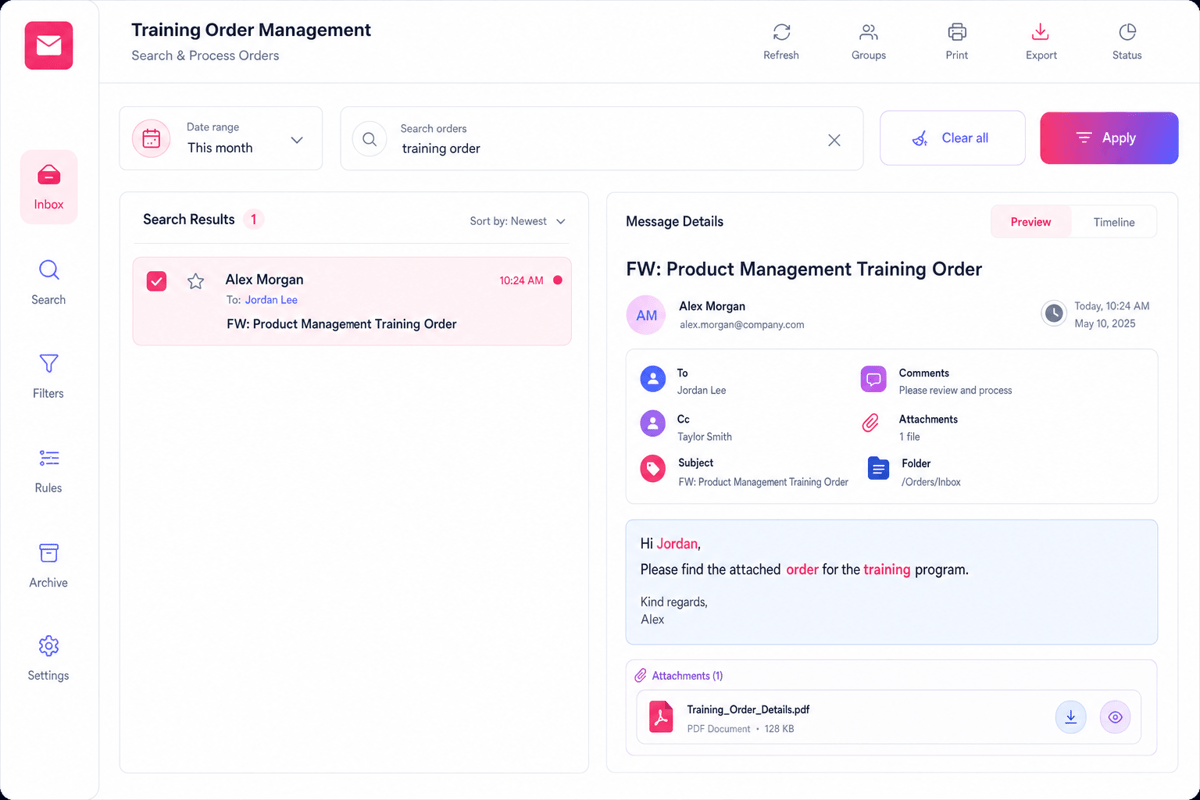
What Mail Order Manager Software Does for Modern Businesses
Growing order teams rarely break from one big mistake. They break from dozens of small handoffs. A note missed on Monday becomes a refund on Friday.
That is where mail-order manager software earns its keep. It connects orders, stock, payments, shipping, and customer records. Teams stop chasing spreadsheets and start seeing live work.
From Order Entry to Shipment
Modern orders arrive from more than catalogs. Phone reps, web stores, marketplaces, and email all feed demand. A good system keeps those channels in one queue. Without that queue, teams copy details by hand. Staff misspell names, lose discounts, and miss shipping rules. The customer sees delay, not the back-office mess.
Mail order manager software checks each order against stock. Staff release clean orders and hold risky ones. That single check prevents awkward calls after shipment promises.
Where Daily Control Gets Easier
The best tools do more than store orders. They show which orders need attention today. Simple rules can cut approval steps from five to two.
- Payments match orders before teams pack boxes.
- Pick tickets reflect current stock, not yesterday’s export.
- Returns link back to original customer notes.
- Reports show margins by channel and product.
A mail-order manager also protects tribal knowledge. When one veteran leaves, rules stay in the system. New staff learn the workflow from real prompts.
That matters when order volume doubles after a campaign. Manual work may survive slow weeks. That pressure proves the value of order management software.
Connect Shopify, draw your floor, pick an order - free plan, 7-day full trial, no credit card, no sales call.
Freestyle Software and Other Mail Order Manager Options Compared
Choosing the wrong system rarely hurts on day one. It hurts when volume doubles, and shortcuts break. Mail order manager software must match how orders really arrive. Catalog calls, web carts, checks, and returns all behave differently.
Where Freestyle Software Fits
Freestyle Software built its name around catalog and direct order workflows. That matters when phone orders still drive revenue. Older teams often know the screens by memory. New hires may find the layout harder to learn.
The strength lies in order entry, customer records, and batch processing. The tradeoff often appears during integrations and reporting. A dedicated mail-order manager can protect proven daily habits. It can also preserve workarounds nobody wants to question.
How Other Options Compare
Modern SaaS tools usually win on connections and cleaner dashboards. They link stores, carriers, and payment tools with less custom work. That speed brings limits for complex catalog rules. Kits, backorders, exchanges, and house accounts can expose weak spots.
ERP platforms go deeper across finance, purchasing, and inventory. They cost more and need stronger internal ownership. Ecommerce order tools suit brands that sell through marketplaces. Call centers often need faster customer lookup and payment handling.
The best choice depends on friction, not feature count. A real order test exposes the answer quickly. That path shows the right choice: mail order manager software or order fulfillment software.
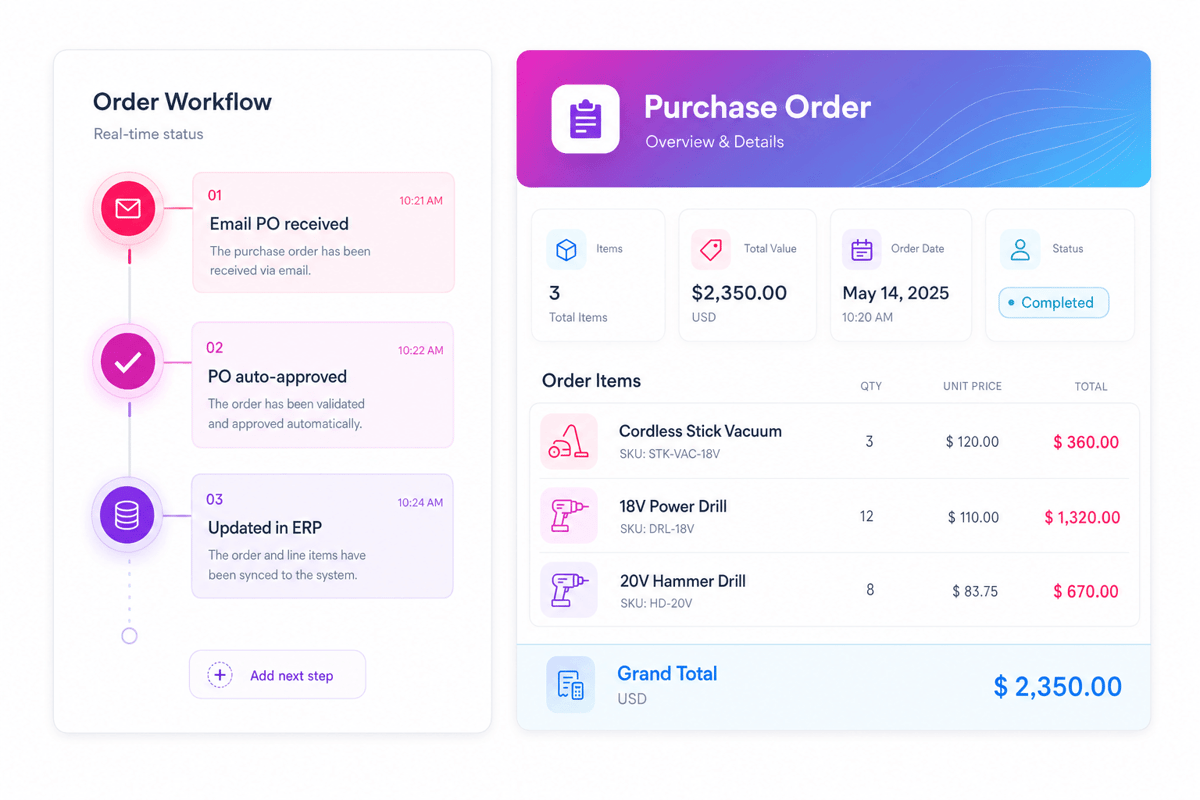
Mail Order Manager Software: Key Features to Look for in Mail Order Manager Software
Feature lists can look almost identical across vendors. The difference shows up during busy order days. Good mail-order manager software keeps small errors from spreading.
One missed address change can trigger a reshipment. One wrong stock count can cancel a profitable order. The right features catch those problems early.
Order Capture and Inventory Control
A strong system pulls orders from phone, web, catalog, and marketplaces. It should keep the order record clean and complete. Staff should not retype customer details twice. Inventory needs more than a daily sync. Fast sellers can disappear before the next batch update. Real-time stock checks prevent promises the warehouse cannot keep.
Backorder handling deserves close attention in growing operations. Weak tools hide delays until customers call. Better tools show expected dates and split shipments clearly.
Fulfillment, Customer History, and Reporting
Pick, pack, and ship screens need warehouse logic. The best tools group orders by location and carrier. That cuts walking time during heavy shipping days. Customer service teams need full order history fast. A good mail order manager shows notes, returns, credits, and tracking. Agents can solve calls without opening four screens.
Reporting should answer operational questions, not just show charts. Which SKUs create the most returns? Which channel sends the most address corrections? Older tools, including some Freestyle Software setups, may still run core workflows. The risk comes from disconnected add-ons and manual exports. Those gaps create errors during growth spurts.
The strongest choice connects orders, stock, shipping, and service. It gives teams one record they can trust. It feels less like a patch and more like sales order software.
Mail Order Manager Software: Use Cases for Catalog, Ecommerce, and Call Center Order Management
Catalog, ecommerce, and phone orders rarely behave alike. Each channel creates different mistakes, delays, and customer questions. Good mail order manager software keeps those differences visible.
The danger starts when teams force one workflow everywhere. Catalog buyers need offer history and source codes. Ecommerce teams need fast updates across every store.
Catalog Orders With Long Memory
Catalog orders often arrive weeks after mailing. That delay makes pricing and inventory messy. A strong mail order manager connects source codes, promotions, and stock. Without that link, agents guess during every call. One wrong discount can erase the order margin. Repeated mistakes also hide which catalog actually worked. The better setup records each order source once. Reports then show which books drove profit. Teams can drop weak mailings before another print run.
Ecommerce and Call Center Coordination
Online orders move faster than warehouse teams expect. A flash sale can drain stock before noon. Delayed updates create oversells and angry support tickets. Tools like Freestyle Software matter when channels multiply. The system should pull web, phone, and marketplace orders together. Agents then see the same status that customers see.
Call centers need speed, but they also need context. A returning buyer expects notes, credits, and past issues. Missing history turns a two-minute call into ten. The best operations connect every channel before problems grow. That shared view protects cash, stock, and customer trust. It also gives managers a cleaner fulfillment business process.
Implementation Tips for Choosing and Migrating to a Mail Order Manager
Software selection gets messy when teams chase feature lists. The better starting point sits inside daily order pain. Late shipments, split invoices, and stock gaps reveal real needs.
Good mail-order manager software should reduce those failures. Many growing teams compare Freestyle Software with newer systems. The choice comes down to fit, data, and daily habits.
Start With the Messy Work
Before demos, map how orders move today. Follow one catalog order from call to shipment. Then follow one web order through returns.
Comparison tables miss the handoffs where mistakes happen. A saved note may protect a refund dispute. A missing SKU rule may delay hundreds of orders.
- Record the top ten order exceptions from last month.
- Check how each system handles those exceptions.
- Ask staff where they still use spreadsheets.
- Price the cleanup work, not only licenses.
The strongest shortlist often looks smaller after this work. Some tools handle complex catalogs better than marketplaces. Others sync ecommerce channels but struggle with phone orders.
Mail Order Manager Software: Treat Migration as an Operations Project
Data quality decides whether migration feels calm or chaotic. Old customer records often carry duplicate names and addresses. Bad history creates bad reports on day one. Clean records before the final import. Product codes need special care during this step. One changed SKU can break kits, bundles, and backorders.
Run a test migration with real order history. Fake samples hide the problems that matter. Real data exposes tax, shipping, and payment edge cases. Keep the first cutover narrow and measurable. Many teams move every workflow at once. That choice turns small errors into all-day firefights.
Parallel runs help when order volume stays manageable. Staff compare totals before they trust the new flow. A two-week overlap often catches silent mapping mistakes. The best mail-order manager rollout feels almost boring. Orders move, staff ask fewer questions, and reports match reality. That same discipline protects every pick and pack fulfillment center.
Conclusion: Mail Order Manager Software
Growing order teams rarely need more screens. They need cleaner handoffs, fewer rekeys, and trustworthy stock data. The right mail order manager software gives that daily control. Freestyle Software and similar platforms work best with clear rules. Weak processes only move faster inside better software. That mistake creates missed shipments and confused agents.
Choose the Work
A strong mail-order manager matches real order flow. Catalog teams need clean call notes and payment handling. Ecommerce teams need fast imports, status updates, and returns. The best choice also fits warehouse habits. If pickers still print batches, support that workflow first. Change too much at once, and accuracy drops.
Make the Next Move
Start with three pain points your team feels weekly. Look for problems that cost time or create refunds. Those issues reveal the software requirements that matter.
Ask vendors to show those exact scenarios. A polished demo means little without your edge cases. Real fit appears when messy orders still move cleanly.
What slows your order operation down today? Share your experience, or map one broken workflow first. For a broader next step, compare these inventory management solutions.
 Google AI
  OpenAI ChatGPT
 Frequently Asked Questions
Is mail order management software the same as SAP?
No. SAP is a broad enterprise resource planning system used for finance, operations, supply chain, and more. Mail order management software is usually more focused on order entry, inventory, shipping, customer service, and catalog or ecommerce fulfillment. Some businesses may integrate both systems, but they are not the same type of solution.
What is mail order manager software?
Mail order manager software helps businesses process orders received through catalogs, phone, mail, ecommerce stores, or marketplaces. It typically manages customer records, inventory, payment status, shipping, returns, and reporting in one system. The goal is to reduce manual work, improve order accuracy, and support faster fulfillment.
Who uses mail order manager software?
Mail order manager software is commonly used by catalog retailers, direct-to-consumer brands, wholesalers, subscription sellers, and ecommerce businesses that handle a high volume of orders. It is especially useful for teams that need centralized control over customer data, product availability, invoices, packing slips, and shipping workflows.
What features should a mail order manager include?
A good mail order manager should include order processing, customer management, inventory tracking, payment handling, shipping integration, returns management, and reporting. Many systems also support ecommerce integrations, barcode scanning, purchase orders, and marketing lists. The best choice depends on your order volume, sales channels, and fulfillment process.
How is Freestyle Software related to mail order management?
Freestyle Software is known for solutions connected to mail order, inventory, and order management workflows. Businesses evaluating freestyle software or similar platforms should compare features such as order automation, warehouse tools, customer service functions, integrations, and reporting. The right system should match both current operations and future growth plans.
Why is mail order management software important for growing businesses?
As order volume increases, manual spreadsheets and disconnected tools can lead to errors, delays, and poor customer experiences. Mail order management software helps standardize workflows, keep inventory accurate, and give staff better visibility into each order. This can improve fulfillment speed, reduce mistakes, and support more efficient business operations.
Sync inventory in real time, manage orders, and run warehouse operations across Amazon, eBay, Etsy, Shopify, and other sales channels. From barcode scanning to organized storage and faster fulfillment, Fiftify helps reduce errors, prevent overselling, and support business growth. Explore our articles for insights on warehouse management, inventory control, and multichannel operations.
You may also like

Sustainable Packaging in E-Commerce: Why Retailers Are Switching to Reusable Shopping Bags
Sustainable packaging is becoming an important part of modern e-commerce and retail. Reusable shopping bags help businesses reduce packaging waste while creating a practical and visible extension of their brand. This article explores why retailers are adopting reusable bags, how bulk and custom options support different business needs, and what to consider when building a more sustainable packaging strategy.
Hardware Inventory Software: Smarter IT Asset Management
Choosing the right hardware inventory software helps teams track devices, control costs, improve compliance, and plan upgrades with confidence. Read on to discover key benefits, use cases, selection criteria, and best practices for smarter IT asset management.
Material Inventory Software: A Practical Guide to Smarter Stock Control
Learn how material inventory software helps businesses track raw materials, reduce waste, prevent stockouts, and connect purchasing with production. Benefits, key features, use cases, comparisons, and practical selection tips for teams ready to improve inventory control.