
Computer inventory tracking software for hardware and licenses
 Daniel Brooks
·
· 9 min read
Daniel Brooks
·
· 9 min read

IT teams tend to know their biggest devices. The real risk sits in the ones nobody checks. A laptop moves teams, a vendor keeps an old tablet, and a license keeps renewing on a machine nobody uses. Computer inventory tracking software closes those gaps by giving teams one live view of every device, user, and license.
Per Gartner, most firms pay for 20-30% more software seats than they actually use. Strong IT asset tracking software turns that waste into savings fast. Also, a clean device log protects against audits, security gaps, and lost swaps.
Why manual tracking breaks down
A sheet works when a team owns twenty computers. It starts to fail when staff change roles, devices move, and licenses renew. Nobody notices the errors until costs rise or an audit starts. In fact, one missing laptop may seem minor. Ten missing devices can mean wasted spend, security risk, and failed checks. So the real cost tends to hide in poor records.
A computer inventory system keeps those records live. It shows who has each device, what runs on it, and when it needs attention. That view helps IT teams cut waste before it builds up. Also, a computer inventory management system helps security teams act faster when unknown devices appear.
What smarter asset control looks like
A good computerized inventory system does more than list equipment. It links hardware data with software use, warranty dates, and license status. That turns scattered notes into useful daily calls. IT teams can spot unused machines before buying new ones. They can also find expired software before checks flag it.
The best results come from clear device inventory management. A computer inventory management system helps teams replace guesswork with live asset data. That shift changes how IT plans budgets and protects devices. For a wider view of how these tools fit into a broader plan, see the complete guide to inventory management software.
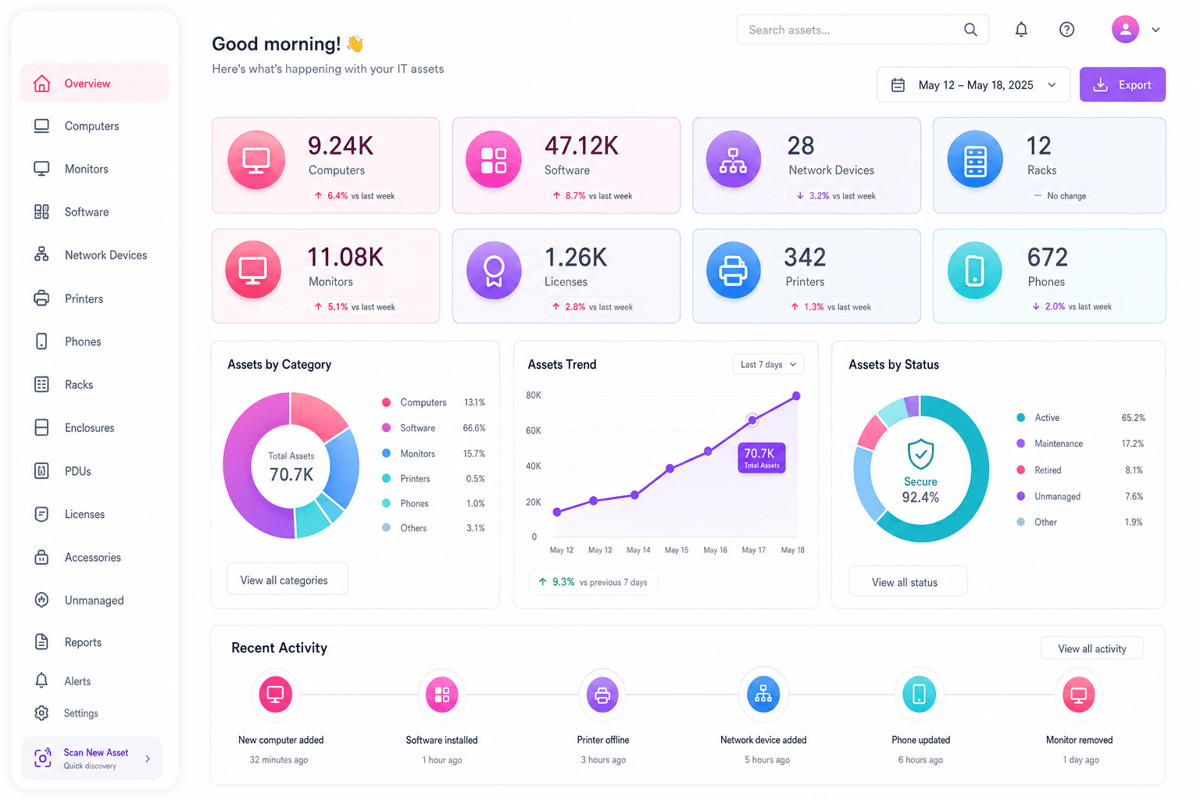
What computer inventory tracking software does for modern businesses
Modern IT teams rarely lose devices in big ways. Laptops disappear through small gaps in daily work. A new hire gets one; a vendor returns none. Computer inventory tracking software closes those gaps with live records. It shows who has each device today, along with its condition, location, age, and owner.
Turning device lists into reliable records with computer inventory tracking software
A sheet looks fine until people stop updating it. One missed handoff can hide a costly laptop. Ten missed handoffs turn into budget noise. A solid computer inventory system records changes as work happens. IT can scan a tag when issuing or returning. The record changes before the device leaves the desk.
This matters during audits, repairs, and staff exits. Teams stop chasing email threads for basic facts. Finance gets cleaner value loss data with no weekly cleanup. Also, a pc inventory program can send alerts when a device goes missing, or a warranty expires soon.
Connecting hardware data to daily decisions
A computerized inventory system does more than count machines. It links asset data to real choices. Should IT repair, replace, or reassign that laptop? Good device inventory management shows patterns across the fleet. Battery failures may cluster in one model. Old desktops may slow down one support queue. So the same data helps security teams act faster when unknown devices appear.
Many teams expect computer inventory tracking software to save time. The bigger win tends to come from better timing. Renewals, warranties, and refresh plans stop arriving late. When the data stays live, IT spends less time guessing. Buying buys fewer extras and support finds devices faster.
That control also lifts software planning through a clean application inventory.
Connect Shopify, draw your floor, pick an order - free plan, 7-day full trial, no credit card, no sales call.
How a PC inventory program supports software, hardware, and license tracking
A laptop list rarely tells the full story. The real risk sits inside each machine. Computer inventory tracking software links devices, apps, and licenses in one place. That link matters when audits and refresh cycles. Also, a missing charger costs little. Twenty untracked laptops can delay a whole rollout.
Hardware records that stay useful
A good pc inventory program tracks more than serial counts. It records owners, spots, buy dates, and warranty status. Support teams stop guessing before they assign repairs. Hardware data gets messy after staff changes. People swap monitors, docks, and spare laptops quietly. A strong computer inventory system catches those moves through set scans. The result feels plain when a help desk call. The technician sees the device history at once. That cuts back-and-forth messages and wasted desk visits. For teams that manage devices on the go, mobile inventory management adds a further layer of control.
Software and license control
Software tracking usually shows the biggest surprise. Teams tend to pay for apps nobody opens. A computerized inventory system shows installs against actual license counts. This view stops two common problems. First, unused seats keep draining the budget. Second, unlicensed apps increase audit risk.
One firm found 180 unused design licenses. Their old sheet looked clean every quarter. The scan showed renewals nobody had checked. A strong computer inventory management system ties license records to real devices. It shows which machine runs each paid tool. Finance can cancel waste before renewal dates arrive. For a full breakdown of features to compare, see the top 5 inventory management software options.
Device inventory management: where records break and how to fix them
Device tracking fails when ownership changes faster than records. A laptop moves teams, but the sheet stays quiet. Computer inventory tracking software closes that gap with live records. Each device carries a clear owner, spot, status, and history.
Where device records break
Most gaps start with small daily handoffs. Someone swaps a monitor or reimages a laptop. Without a strong computer inventory management system, those changes disappear fast. Finance still sees assets, but IT loses control. The real pain shows during audits and incidents. Teams hunt serial counts while tickets keep growing. So clean records matter most when time pressure is highest.
What reliable computer inventory tracking software delivers
A working computer inventory system tracks each device through its life. It covers buying, assigning, repairing, returning, and removing. Good device inventory management also links hardware to people. When a staff member leaves, recovery becomes a plain checklist.
Some teams use a computerized inventory system only for stock counts. That misses software installs, warranty dates, and risk signals. The better setup links asset records with service tickets. A technician sees a device’s age before approving repairs. This context changes repair calls fast. A three-year-old laptop may need repair. A six-year-old laptop usually needs a swap. For more on tracking the right IT assets, see IT inventory tracking software.
A pc inventory program can handle small teams well. Larger teams need role access, approval trails, and auto scans. The goal is not more data. The goal is trusted data at call time.
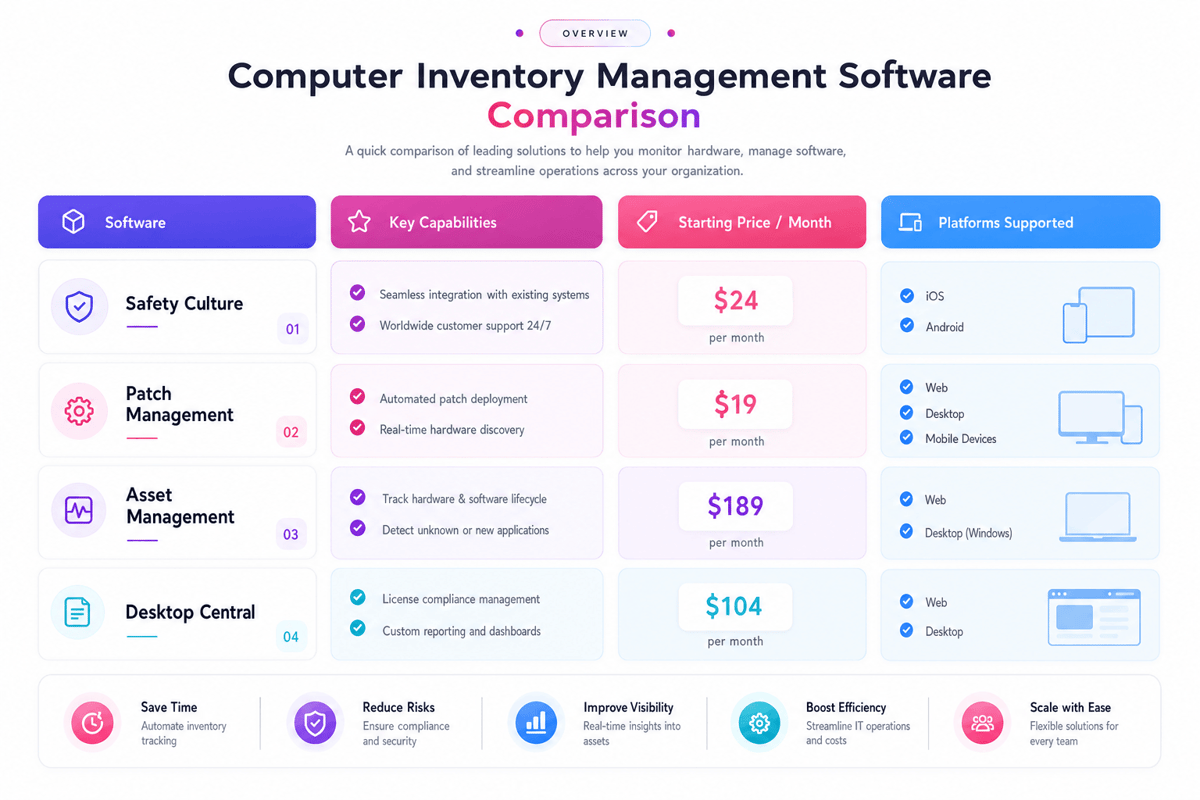
How to compare the best computer inventory tracking software
The best platform rarely wins on feature count alone. It wins when the data stays correct after rollout. Strong computer inventory tracking software should answer plain questions fast. Who has this laptop, what runs on it, and when does its license expire?
Start with daily IT work to choose computer inventory tracking software
Most demos look clean as test data behaves well. Real IT data comes from rushed tickets and missing handoffs. A strong computer inventory system matches that reality. It records checkouts, repairs, returns, and staff changes with no extra sheets. Also, watch how the platform handles one common laptop swap. If the flow needs five screens, technicians will skip steps.
Compare data quality, not dashboards
Pretty charts hide weak records better than most teams expect. The real test comes from matching records against actual devices. Good device inventory management flags missing agents and duplicate machines. It also spots software that appears outside approved lists.
- A pc inventory program should scan hardware changes on its own
- A computerized inventory system should track license counts cleanly
- A computer inventory management system should help audit exports fast
Link depth matters more than connector logos. Teams learn more from sync failures than sales slides. Also, a nightly sync can miss same-day hires and urgent repairs. Real-time syncs matter when devices move across teams.
Price also needs a plain view. Cheap tools turn costly when audits take three days. The right pick cuts cleanup work every month. It also gives finance cleaner renewal and value loss data. Try the system with messy, live asset records first. For a broader look at asset tracking, check how IT inventory tracking software stacks up in varied use cases.
Special use cases for computer inventory tracking software
Computer inventory tracking software works across many settings beyond standard IT. Some industries carry extra risk when device records drift.
Healthcare and medical device tracking
In healthcare, device logs touch patient safety. A missing tablet or out-of-date software can create a direct care risk. A strong computer inventory management system tracks each device by unit, ward, and last service date. Also, compliance audits tend to happen. Live records make those checks fast and low-stress. For teams in this space, our guide to free medical device inventory management software covers the key tools to compare.
Office supply and workplace device inventory management
IT assets rarely sit alone. Desks, phones, monitors, and shared gear all need clear owners. A computerized inventory system that covers both devices and office assets cuts ownership disputes. When a staff member leaves, recovery becomes a plain checklist with no manual search.
Furthermore, device inventory management works best when it links to HR and onboarding tools. A new hire can get their device, software, and access set in one flow. That link cuts first-day delays and IT back-and-forth. For smaller firms still choosing a first tool, explore these inventory management solutions.
Conclusion
Good asset control starts with clean, live data. Computer inventory tracking software gives teams one trusted place for that data. Without it, small gaps become missing laptops and wasted licenses.
The right computer inventory system tracks hardware, software, users, and changes. A plain pc inventory program can work for small teams. Growing teams need stronger device inventory management and license control.
Tools matter less than the habits around them. Teams fail when they treat audits as a yearly cleanup. Also, clean data lifts when every move syncs the record. A strong computer inventory management system shows who has each device and what runs on it. That view cuts guesswork when it comes to repairs, renewals, and security checks.
Start with the pain you tend to feel most. Maybe laptops disappear after staff exit. Maybe software renewals keep surprising the finance team. Then compare your options and pick computer inventory tracking software that fixes real daily problems. Nice dashboards mean little when records still drift.
 Google AI
  OpenAI ChatGPT
 Frequently Asked Questions
What is computer inventory tracking software?
Computer inventory tracking software helps businesses record, monitor, and manage computers, laptops, hardware components, and installed software. It provides a central view of device ownership, location, configuration, warranty status, and lifecycle stage. This makes it easier for IT teams to control assets, reduce manual work, and keep accurate records.
Why does a business need a computer inventory system?
A computer inventory system helps businesses understand what devices they own, where they are, and how they are being used. It supports better budgeting, faster audits, and improved security. By keeping hardware and software data organized, companies can avoid duplicate purchases, track maintenance needs, and plan replacements more effectively.
What features should I look for in computer inventory tracking software?
Look for computer inventory tracking software with automated device discovery, software license tracking, hardware details, reporting, alerts, and user assignment features. The best inventory platforms for software and hardware should also support integrations, role-based access, and audit history. These features help IT teams manage assets accurately and respond quickly to changes.
How is a computerised inventory system different from a manual spreadsheet?
A computerised inventory system updates records faster and reduces the risk of human error compared with spreadsheets. It can automatically collect device data, track changes, and generate reports. Spreadsheets may work for very small teams, but a growing business usually needs a more reliable computer inventory management system to maintain accurate asset information.
Can computer inventory software help with software license compliance?
Yes. A pc inventory program can track installed applications, license counts, versions, and usage across devices. This helps businesses identify unused licenses, prevent over-installation, and prepare for vendor audits. Strong device inventory management also improves security by showing which computers may have outdated or unauthorized software installed.
Who should use a computer inventory management system?
A computer inventory management system is useful for IT departments, managed service providers, schools, healthcare organizations, and any business with multiple computers to manage. It is especially valuable for teams responsible for asset tracking, compliance, procurement, security, and support. Centralized records help decision-makers manage technology costs and reduce operational risk.
I specialize in building scalable eCommerce systems powered by AI and automation. My work focuses on growing sales across Amazon, eBay, and Etsy through technology integration, data-driven strategies, and performance optimization. I also publish articles and insights about eCommerce technology, warehouse operations, and multichannel growth.
You may also like

Reusable shopping bags: why retailers switch for sustainable packaging
Sustainable packaging is becoming an important part of modern e-commerce and retail. Reusable shopping bags help businesses reduce packaging waste while creating a practical and visible extension of their brand. This article explores why retailers are adopting reusable bags, how bulk and custom options support different business needs, and what to consider when building a more sustainable packaging strategy.
Hardware inventory software vs manual IT asset tracking
Choosing the right hardware inventory software helps teams track devices, control costs, improve compliance, and plan upgrades with confidence. Read on to discover key benefits, use cases, selection criteria, and best practices for smarter IT asset management.
Material inventory software for tracking raw materials in production
Learn how material inventory software helps businesses track raw materials, reduce waste, prevent stockouts, and connect purchasing with production. Benefits, key features, use cases, comparisons, and practical selection tips for teams ready to improve inventory control.