
How to Choose Barcode Inventory Management System for Small Business with Barcode Inventory Control Software
 Fiftify Team
·
· 15 min read
Fiftify Team
·
· 15 min read 
Running a small firm means you juggle sales, buyers, and stock at the same time. Inventory errors can quietly drain cash through overselling, stockouts, and wasted time. A barcode inventory management system for small businesses keeps you in control. It turns each scan into a clean, live sync with accurate tracking.
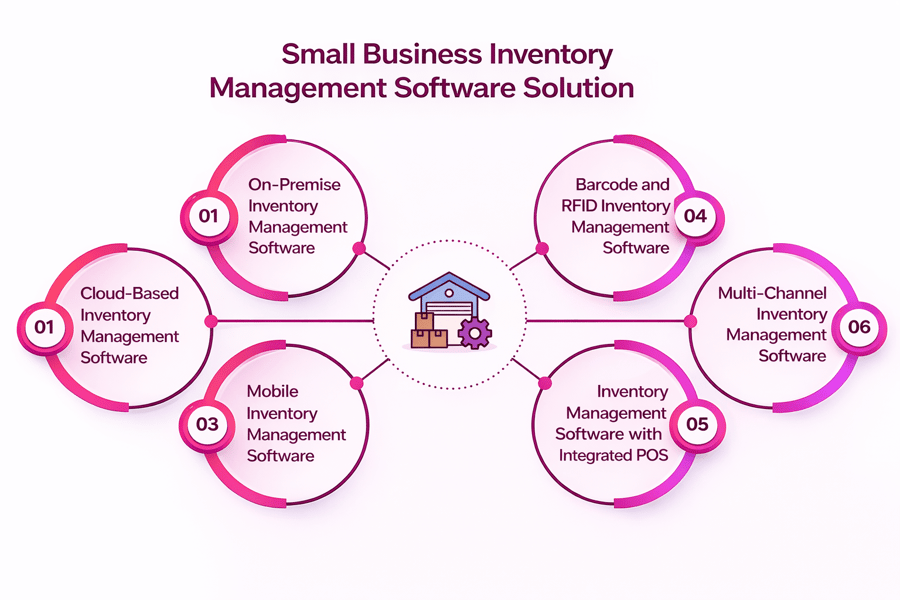
Not every setup looks the same. A retail shop may need fast receiving and plain counts. A small warehouse may need spots and picking. So we will compare tools like barcode inventory management tools, scanner apps, barcode systems, and full systems. That way, you can match tools to your flow and improve stock management.
We also cover the key details that matter most: setup time, label print, training, and links to other apps, including point of sale systems. By the end, you will know how to pick the best barcode inventory management system for a small business for your needs. Your team can scan items and trust the numbers they see with accurate tracking.
What a Barcode Inventory Management System for Small Businesses Does
A barcode inventory management system for small businesses tracks every item you buy, store, and sell. It links barcodes to product records. So you scan and sync stock in seconds. You spend less time counting. You spend more time with buyers.
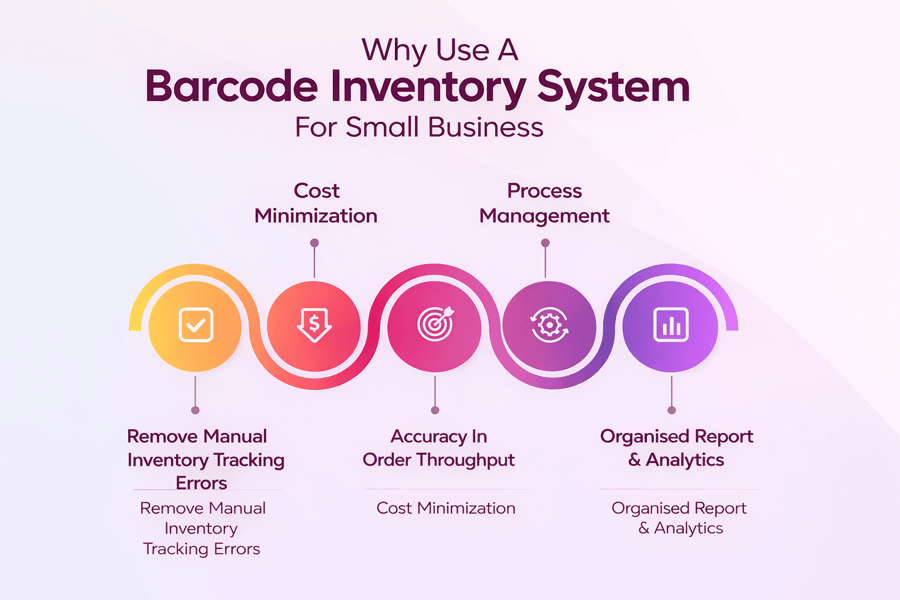
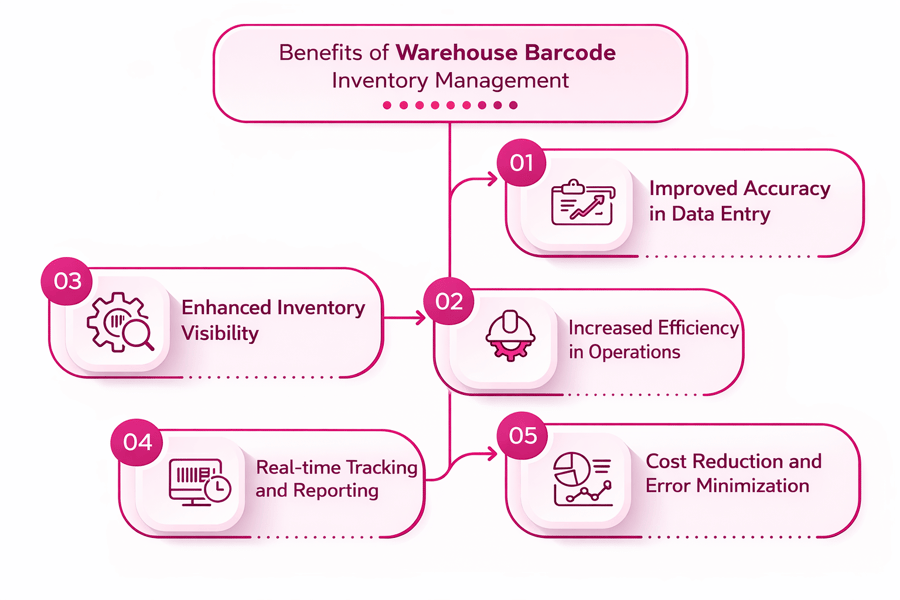
These barcode inventory management tools cut manual entry, reduce errors, and prevent stockouts. They keep your counts clean across all channels. That matters whether you sell in one store or across many sites.
What barcode inventory management tools do in plain terms
With an inventory system software with barcode scanner support, you scan items when they arrive. You scan when you move them. You scan when you sell them. The system then adjusts counts on its own. So you know what you have and where it is.
- Speeds up receiving, picking, and cycle counts
- Lifts clean data with live stock syncs
- Makes consistent labels and item IDs for smoother daily work
For a deeper look at how barcode tools work in practice, see our full guide to the barcode inventory system.
Why barcode inventory management for small businesses matters
Small teams feel inventory errors fast. But scanning cuts manual entry. It reduces wrong shipments and refund costs. So you protect cash flow and buyer trust.
Later sections compare scanner apps and full systems. You will also learn how to pick the best barcode inventory management system for a small business based on support, price, and ROI. The guide also covers growth needs, like a warehouse scanning system with spots and pick paths.
This helps your system work more smoothly. You can print barcode labels easily and sync stock after each deal. See also how barcode tools pair with a full barcode warehouse management system.
Core Features to Look for in Barcode Inventory Management Tools
Compare inventory system software with barcode scanner options. Focus on tools that save time each day. The right barcode inventory management tools cut errors, speed up receiving, and keep counts clean. So your team spends less time fixing errors. They spend more time selling and shipping.
Fast scanning and clean data in barcode inventory management tools
First, look for a fast scan speed with solid lookups, even at high volumes. Strong inventory scanning software should let you make items fast, add many barcodes, and support variants like size or color. Also, it should handle returns and shifts with no confusing steps.
Many owners search for barcode inventory software for small businesses as they want plain screens and fewer taps. So put clear item details, searchable lists, and smart defaults first. If your staff can learn it in one shift, you will see better use.
Live stock syncs with a barcode inventory management system for small businesses
Next, pick a barcode inventory management system for small businesses that syncs counts at once across users and channels. This matters even more if you run a store and a back room. A solid inventory scanning system for small businesses tracks moves across spots. It stops negative stock, too.
Reports, alerts, and app links
Good scanner inventory software should include reorder points, low-stock alerts, and plain reports you can act on. But do not ignore links to POS, ecommerce, and accounting, since manual exports waste time.
- Mobile scanning with offline mode and fast sync
- Role-based rights and an audit trail for changes
- Batch receiving, barcode label print, and kit/bundle help
- Easy setup for inventory software for a small business with scanner tools
When these core tools align, you get cleaner counts, faster ops, and solid inventory tracking. Check also our list of the top inventory management software options for small businesses for a wider view.
Connect Shopify, draw your floor, pick an order - free plan, 7-day full trial, no credit card, no sales call.
Inventory Scanning Software vs Scanner Inventory Software: Key Differences
People tend to use the terms inventory scanning software and scanner inventory software as if they mean the same thing. But they point to two varied buying goals. When you know the gap, you can pick tools that fit your flow and budget.
Inventory scanning software: the app that runs the process
Inventory scanning software usually means the software layer that controls how you scan, count, and move items. It runs barcode rules, item records, and scan checks. Also, it tends to help cycle counts, receiving, transfers, and shifts from a phone or handheld.
This option matters when you want to set flows across staff. For example, an inventory scanning system for a small business should guide users with prompts and cut errors. As a result, you spend less time fixing wrong counts.
Scanner inventory software: the bundle centered on hardware
The vendor may focus on pairing, drivers, and quick setup. So it can feel plain at first, above all if you need a fast launch.
That said, hardware-first bundles can limit flexibility. If you later switch devices, you may need new licenses or extra setup. So check fit before you commit.
How to decide which term matches your needs
- If you want a full platform with reports and controls, start with inventory system software with barcode scanner tools
- If you mainly need solid scanning on day one, compare inventory software for small businesses with scanner bundles
- If you track many sites or bins, check the help for a warehouse scanning system
- If you shop for the best barcode inventory management system for a small business, check both the software flow and the hardware set
In practice, the best choice links strong scan flows with solid devices. Look for a system that scales without forcing a costly rebuild later. See our guide on inventory management for small businesses for more tips.
Inventory Scanning System for Small Business: Setup, Labeling, and Daily Work
A smooth setup makes your inventory scanning system for a small business easier to use each day. Start by listing every product, variant, and unit of measure. Then load your items into your inventory system software with a barcode scanner so the data matches what you sell.
Step 1: Set up users, spots, and item data
First, make user roles and rights, so staff only see what they need. Next, set up your stock spots, even if you only have a sales floor and a back room. As a result, your counts stay set when you receive, move, and sell items.
Step 2: Pick a labeling plan that stays readable
Good labels stop scan errors and save time at checkout and during counts. If items now have UPCs, scan and keep them. If not, print internal labels with a clear SKU, a scannable barcode, and a short name that matches your inventory scanning software.
- Use solid labels for cold storage, heat, or high-touch items
- Place labels where staff can scan them with no opening of packaging
- Test scan speed with your scanner inventory software before you print in bulk
Step 3: Build daily flows your team will follow
Daily habits turn your inventory scanner system for a small business into a routine. For receiving, scan each item, check counts, and add notes for damaged goods. Also, use cycle counts by aisle or type, which keeps clean data high with no shutdown of ops.
If you manage bins and shelves, a light warehouse scanning flow can help. Label spots and scan moves. Track transfers across rooms or vans. You can then find the best barcode inventory management system for a small business that fits your process and budget for affordable inventory management software.
Barcode Inventory Management Tools: Hardware Options and Compatibility
Picking the right hardware matters as much as picking the barcode inventory management system for a small business. If the scanner does not link well, your counts slow down and errors rise. So start by listing where you scan most: at the counter, on the sales floor, or in the back room.
Common scanner types and when they fit
Most teams do well with one of three options. The best choice depends on your items, labels, and daily volume. When you match the scanner to the job, your inventory scanning software feels faster and more solid.
- USB handheld scanners: plug-and-play for checkout desks and office PCs
- Bluetooth handheld scanners: flexible for aisles, stock rooms, and pop-up events
- Mobile computers: built for heavy scanning and drops — great for a full inventory scanning system for a small business
Fit checks you should not skip
Before you buy, check that the scanner works with your OS and app. For example, some tools help iOS cameras, while others need Android or Windows devices. Also, check if your scanner inventory software helps 1D and 2D barcodes, since QR codes show up more and more.
Also, look at the link and flow fit. If you run a small warehouse, you may need long-range scanning, tough cases, and Wi-Fi for a warehouse scanning system. So the same hardware can help you grow into the best barcode inventory management system for a small business without replacing all items later. The easiest way to stay fit over time is to pick devices that work with cloud-based inventory software. For a wider view of warehouse needs, see our guide to warehouse management for small businesses.
Best Barcode Inventory Management System for Small Business: Pricing and ROI
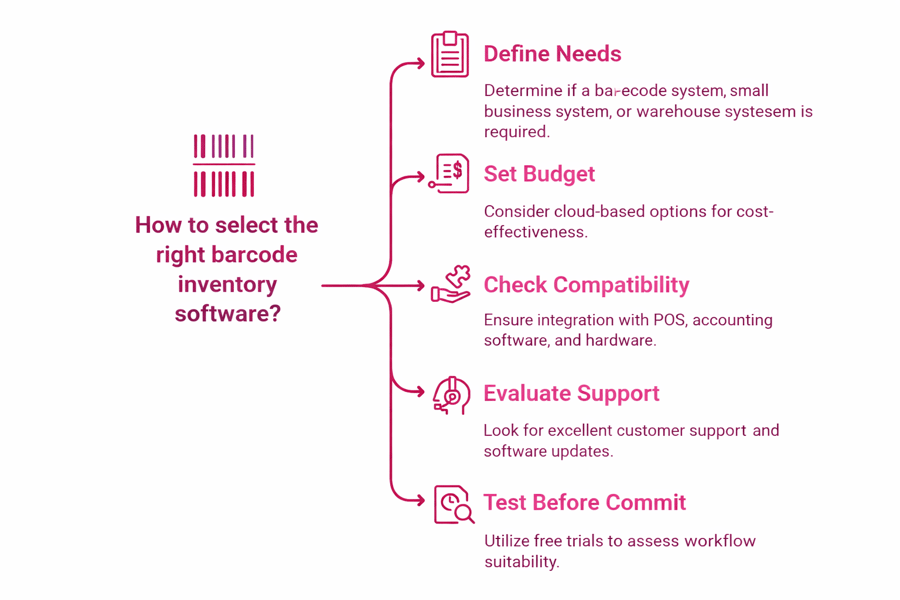
To find the best barcode inventory management system for a small business, compare more than the monthly price. You also need to check what you get for that cost, how fast you can launch, and how well the tool fits your flows. As a result, you skip paying for tools you will not use.
Compare pricing the right way
Start by listing every cost, not just the plan fee. Many tools charge extra for users, spots, or deep reports. Those fees add up fast. Also, check if the vendor caps scans or items. Caps can slow growth for an inventory scanning system for a small business.
- Software plan: does it include inventory system software with barcode scanner tools like receiving, transfers, and cycle counts?
- Hardware: check help for your phones, tablets, or a set scanner for scanner inventory software
- Setup: ask about onboarding, data import, and label print costs for inventory scanning software
Check support and training before you buy
Support quality tends to decide success, above all in the first month. So look for live chat or phone help, clear docs, and fast reply times. While you check label options, also compare tools like top barcode generator apps for small businesses to plan your rollout.
Calculate ROI with real numbers
Check how much time you save on receiving, picking, and counting when you move to inventory software for small businesses with scanner tools. Then set a cash value to fewer stockouts, fewer mis-picks, and faster reorders. If you run many storage areas, check that the tool can scale into a warehouse scanning system with no full migration.
Run a short trial with your real items. Test scans, returns, and shifts in an inventory scanner system for a small business, so you can check the barcode inventory management system for small business before you commit. Make sure it works as a mobile inventory management system too.
Warehouse Inventory Scanning System: Advanced Barcode Inventory Management Tools
A warehouse scanning system becomes key when your stock outgrows plain shelves and sheets. If your team wastes time finding items, you need spots, faster picking, and cleaner counts. In that case, a barcode inventory management system for small businesses should help warehouse-style flows, not just basic receiving.
Signs you need a warehouse barcode inventory management system for a small business
At first, you can scan items and sync counts with inventory scanning software. But once you store the same SKU in many spots, you also need bin-level tracking. As a result, you cut mis-picks, backorders, and phantom stock.
- You have more than one storage area (back room, shelves, racks, or many sites)
- Pickers walk too much as items are not set by spot
- Cycle counts take hours and still miss errors
- Returns, kitting, or bundles make frequent shifts
What advanced scanning should include
Look for inventory system software with barcode scanner help that runs zones, aisles, bins, and putaway rules. Also, the system should make pick lists that follow a smart route. Good scanner inventory software also lets you scan a spot first, then scan the item, so the app checks you are in the right place.
For clean data, pick an inventory scanning system for small businesses that helps cycle counts by spot and tracks lot or serial numbers when needed. When you compare the best barcode inventory management system for small business options, put live syncs, role-based rights, and clear audit trails first. These are the barcode inventory management tools that truly scale. Expand into multi-channel inventory management when you are ready.
Inventory Scanner System for Small Business: Barcode Inventory Management Links
An inventory scanner system for a small business works best when it links to the tools you now use. Links cut double entry, reduce errors, and speed up daily work. As a result, your team can scan items once and trust the numbers in every system.
If you pick a barcode inventory management system for a small business, put links near the top of your list. Even the best system will feel slow if it cannot share data. So look for plain, solid links that sync in near real time.
POS links: keep sales and stock in sync
With a POS link, every sale can cut stock on its own. Also, returns can add items back with no manual edits. This matters whether you use tablets, tills, or mobile checkout.
- Check that the POS can send SKU, count, tax, and discount data
- Check that barcode labels match the POS item codes
- Test scanning at checkout with your inventory system software with a barcode scanner
Ecommerce links: stop overselling
Online stores need clean stock counts. When inventory scanning software syncs the count after receiving and picking, your store should reflect it fast. So you avoid backorders and unhappy buyers.
- Make sure the system helps multi-channel listings and bundles
- Check two-way sync for items, variants, and images
- Ask how it handles part shipments and cancellations
Accounting links: cleaner books with less work
Accounting links help you track COGS, stock value, and buy orders. A solid scanner inventory software setup can push bills, invoices, and shifts to your accounting tool. But check which method it uses for value and whether it fits your tax needs.
If you also run a warehouse scanning system, put links first that help spots, picking, and transfers. The right inventory software for a small business with a scanner should link sales, online orders, and accounting while keeping your inventory scanning system for small businesses clean. See our full inventory management software guide for more.
Conclusion
Picking the right barcode inventory management system for a small business comes down to clarity, speed, and control. First, check the core tools you need: clean receiving, live stock counts, and plain reports. Then match those needs to your daily flow so your team can scan, move, and sell items with no delays.
Solid barcode inventory management tools cut manual entry and stop costly errors. Strong inventory scanning software makes it easy to label items, run cycle counts, and track shifts with a clear audit trail. Hardware and setup also matter. Pick inventory software for small businesses with scanner options that work with the devices you now own.
As you grow, spots and picking become more key. A good system scales with you. A solid inventory scanning system for a small business can scale into a warehouse scanning system. So you skip stockouts, cut overbuying, and lift fill speed.
Finally, link your system to the rest of your firm. The best inventory scanner system for small businesses links to POS, ecommerce, and accounting, so numbers match in every place.
Ready to choose?
- List your must-have flows (receiving, counts, transfers, picking)
- Check device fit and scan speed for your items
- Shortlist 2 to 3 systems and book demos with your real items and labels
Take the next step today: book demos, run a small test, and pick the barcode inventory management system for small businesses your team can use with trust each day.
 Google AI
  OpenAI ChatGPT
 Frequently Asked Questions
What is a barcode inventory management system for a small business?
A barcode inventory management system for small businesses tracks products using barcode labels and scans to update stock levels automatically. It replaces manual counts with faster, more accurate check-ins, sales deductions, and transfers. Most systems include inventory system software with barcode scanner support, reporting, and reorder alerts to help prevent stockouts and overstock.
How does barcode inventory software work with a barcode scanner?
You assign each item a barcode and scan it during receiving, picking, sales, or cycle counts. The scanner sends the barcode to scanner inventory software, which updates quantities and locations in real time. Many options support mobile devices, Bluetooth scanners, and integrations with POS or accounting tools, making inventory scanning software easy to adopt.
What features should I look for in the best barcode inventory system for a small business?
Look for fast scanning, simple item setup, multi-location tracking, and clear stock reports. Useful extras include batch/lot or serial tracking, purchase order management, and low-stock notifications. If you ship or store products, choose an inventory scanner system for a small business that supports bin locations and user permissions for better control.
Is a barcode inventory management system for a small business worth it for a small team?
Yes. A barcode inventory management system for a small business reduces time spent on counting, fixes data entry errors, and improves order accuracy. Even with one or two staff members, scanning can streamline receiving and fulfillment. It also provides reliable on-hand numbers, helping you buy smarter and avoid lost sales from stockouts.
Can barcode inventory systems handle warehouses or multiple locations?
Many tools scale from a backroom to a warehouse inventory scanning system by adding locations, bins, and workflows for receiving and picking. Choose inventory software for small businesses with scanner support that offers location transfers, cycle counting, and audit trails. This helps maintain accurate stock across stores, warehouses, and fulfillment areas.
How do I choose the right inventory scanning system for a small business?
Start with your workflow: retail POS, ecommerce, manufacturing, or wholesale. Confirm the inventory scanning system for small businesses supports your scanner type, item volume, and integrations. Compare setup time, training needs, and total cost. Trial the inventory scanning software to ensure scanning speed, reporting, and mobile usability fit your day-to-day operations.
Sync inventory in real time, manage orders, and run warehouse operations across Amazon, eBay, Etsy, Shopify, and other sales channels. From barcode scanning to organized storage and faster fulfillment, Fiftify helps reduce errors, prevent overselling, and support business growth. Explore our articles for insights on warehouse management, inventory control, and multichannel operations.
You may also like

Multi-Carrier Shipping Software: The Complete Guide to Smarter Ecommerce Shipping
Learn how multi carrier shipping software improves ecommerce fulfillment by comparing rates, automating labels, tracking orders, and simplifying returns. This brief outlines the key benefits, features, use cases, and buying criteria for growing online stores.

Top Ecommerce Fulfillment Companies: How to Choose the Right Partner for Growth
Choosing among top ecommerce fulfillment companies can improve delivery speed, inventory accuracy, and customer satisfaction. This brief outlines what business readers should look for, how to compare providers, and when to use U.S.-based fulfillment support.

Ecommerce Integration: A Practical Guide for Growing Businesses
This article brief outlines a practical guide to ecommerce integration for business readers. It covers platforms, software, ecommerce website integration, webshop integration, key benefits, use cases, selection criteria, implementation tips, and ways to measure long-term value.