
Application inventory: how to track every app your business uses
 Daniel Brooks
·
· 9 min read
Daniel Brooks
·
· 9 min read

Most firms own more software than anyone can name. A clear application inventory gives teams one trusted view of every tool in use. Finance sees invoices, IT sees tools, and security sees risk. With no shared record, nobody sees the same full picture.
That gap turns plain questions into long threads. Who owns this app? Why do we pay for it? Strong application inventory management links each tool to its owner, cost, and purpose. That context makes audits, renewals, and security checks faster and cleaner.
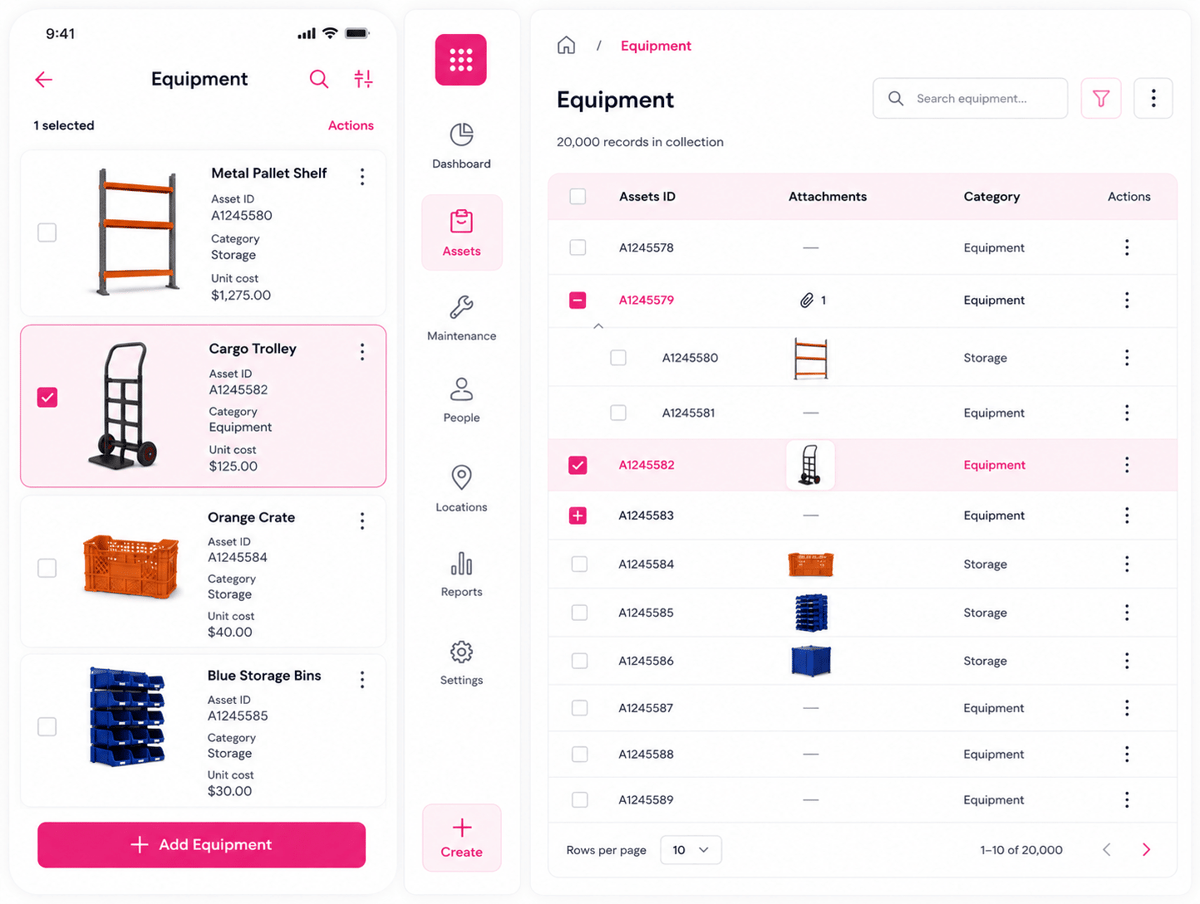
Why software lists break down without application inventory
Software lists tend to begin as sheets after an audit. They look good until the next buy cycle. Then new trials, renewals, and shadow tools appear.
In fact, people rarely hide apps with bad intent. They buy what helps them finish urgent work. The problem starts when nobody logs ownership, cost, or access. In fact, most application inventory gaps grow not from bad intent but from lack of habit.
Better visibility changes how teams make daily choices. For example, security can spot unused apps with active logins. Finance can challenge renewals before contracts roll over. Also, good application inventory management links each app to the real context owner, users, spend, data, and risk. Without it, every check starts from scratch.
What is an application inventory
In short, an application inventory is a live record of every software product in use. It shows who owns each app, what it costs, and why it exists. Without it, teams guess during audits, renewals, and incidents. Most teams think they know their software stack, then a renewal notice reveals three forgotten tools.
How software sprawl hides in plain sight
In practice, new apps rarely arrive through one clean path. A sales team buys a tool with a card. An engineer tests a platform and keeps it running. Those small choices build risk over time. Finance sees spend, but not value. Security sees logins, but not contract terms.
So, application inventory management links those separate views. The record connects users, owners, data types, and vendors. That context turns scattered tools into managed assets. Furthermore, the biggest surprise tends to come from duplication: two teams may pay for similar tools when one shared choice could cut licenses within weeks.
Why visibility changes decisions
A complete application inventory changes every day. Renewal meetings move from opinion to evidence. Teams can see adoption before signing another year.
Security teams gain the same clarity. They can spot apps that store customer data and trace owners during urgent checks. Good visibility does not need a perfect database. It needs solid ownership, live usage, and check habits. Indeed, that same discipline tends to start with IT inventory tracking software. For mobile-first teams, see also mobile inventory management for efficiency.
Connect Shopify, draw your floor, pick an order - free plan, 7-day full trial, no credit card, no sales call.
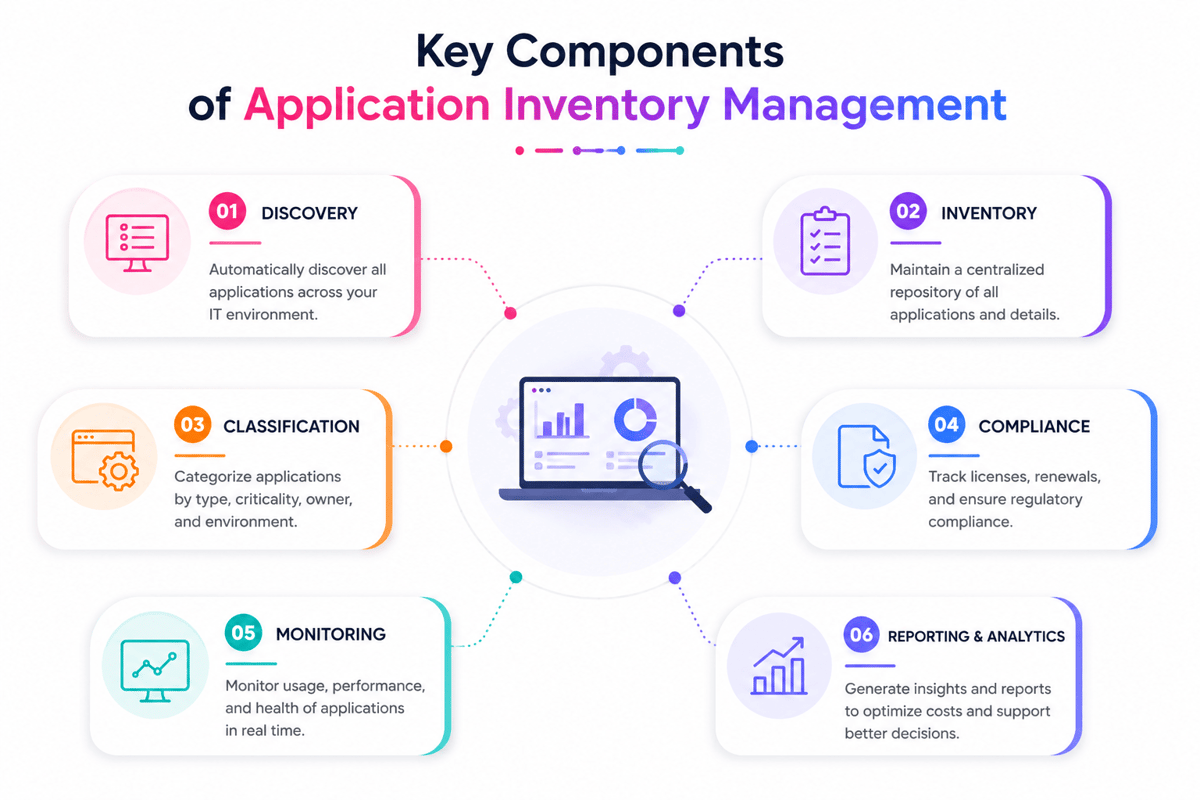
Key components of effective application inventory management
A good application inventory starts with one hard truth: most teams know their major platforms, not their full stack. Shadow tools hide in expense reports, browser extensions, and team budgets. Effective application inventory management turns that mess into good operating data.
Core data that matters in an application inventory
Each application needs a clear business purpose. Without that, teams keep tools that nobody can justify. The record should capture owner, department, vendor, cost, contract terms, and renewal date.
- Owner and department: who is responsible for each app
- Vendor and cost: what it costs and when it renews
- User count and access level: who can log in and at what rights
- Data type and risk level: what data the app holds or touches
These fields expose double tools before budgets bleed. Also, usage data matters more than license counts. A tool with 200 seats may have only 40 active users. That gap turns into wasted spend every month.
Discovery and risk signals
But manual entry works at first, then quietly fails. People leave, teams change, and renewals arrive too late. Discovery tools catch apps that finance and IT miss.
Furthermore, risk data deserves the same care as cost. Track single sign-on status, admin rights, risky data, and vendor checks. One unmanaged app can create a breach path. The best inventories connect with procurement, identity, finance, and security workflows. That connection keeps records live with no weekly chasing. Strong visibility turns the application inventory into a control point. See also business automation tools for linking these flows. For physical asset tracking, see warehouse stock location systems.
Business benefits of a complete application inventory
Indeed, a complete application inventory changes budget talks fast. Teams stop guessing which tools matter most. Without it, renewals arrive before anyone checks usage. That silence turns small subscriptions into lasting spend.
Lower software waste with application inventory management
Most firms find double tools within weeks. One team pays for forms, another for surveys, both collect the same data. A clean list exposes those overlaps before renewal season. Finance can cut seats for inactive users. Procurement enters talks with real usage counts.
Also, the savings tend to come from plain fixes. Remove inactive seats before cutting good tools. Teams accept cuts when the evidence feels fair. Also, application inventory management shortens audits. Evidence sits in one place, not ten inboxes. Auditors ask fewer follow-up questions. These habits also help with cleaner procurement data management.
Faster decisions with less risk
Moreover, security teams tend to chase risks across scattered records. An approved app list makes ownership clear fast. Someone knows who runs each tool.
The business value grows when data stays live. Stale records bring back the same guesswork. For teams that manage both software and physical assets, these habits pair well with mobile inventory management systems.
Application inventory use cases across IT, security, finance, and marketing
Software visibility tends to fail at every handoff across teams. A strong application inventory shows owners, costs, risk, and usage. That shared view turns scattered guesses into faster calls.
IT and security use cases for application inventory
In practice, IT teams feel the pain first. A server fails, and nobody knows the dependent apps. Good records connect apps to owners, vendors, users, data, links, and help dates. During incidents, that context cuts hours from triage.
Security teams need the same map for varied reasons. Unknown apps create missed patches, weak access, and forgotten data stores. For example:
- Teams spot old software before audits begin.
- High-risk vendors get checked before renewal dates.
- Unused admin accounts surface during access checks.
Finance and marketing use cases
Indeed, finance cares about one question first: why did software spending rise again? Application inventory management ties each subscription to usage, owner, renewal date, and contract terms.
Also, marketing tends to run more tools than anyone expects. Campaign platforms, analytics tools, plugins, and agencies stack up fast. One brand team may pay for reporting that another team already owns. The strongest programs make every team’s pain visible. Finance cuts waste, while marketing gains procurement insights and analytics.
How to build and maintain application inventory management processes
Most software lists look good on day one. Three months later, they already hide problems. New tools arrive, owners change, and renewals slip past. A strong flow starts with a clear baseline and stays good only when teams keep it alive. See how Microsoft defines it in their cloud app discovery guide.
Start with a trusted baseline for application inventory
First, the first pass needs more than software names. Good records connect each app to a real business owner.
For example, application inventory records should show owner, purpose, cost, risk, and renewal date. They should also include the user count and data type. These fields expose waste faster than long meetings. Discovery tools speed up the first scan. Finance data tends to catch tools that IT misses. Browser extensions and expense reports reveal shadow software fast.
Keep the inventory alive through steady habits
The usual failure starts after the first cleanup. Teams treat the list as a project artifact. A good application inventory management flow ties to daily work:
- Check new apps during procurement intake.
- Confirm owners during quarterly access checks.
- Match renewal dates against finance records.
- Remove retired tools from identity systems.
As a result, this rhythm catches changes before they spread. For example, one missed renewal can lock teams into bad contracts. One unknown app can store buyer data unprotected. Clean ownership also improves renewal and budget talks. Teams can compare software spend with the results each month. Those links give leaders cleaner inputs for financial performance software.
Conclusion
In fact, software sprawl rarely looks risky at first. A few unused apps feel harmless until renewal season. Then teams find double tools, unknown owners, and risky access. A strong application inventory turns that guesswork into clear facts. It shows what exists, who owns it, and why it matters.
Visibility changes daily decisions with the application inventory
Overall, good data changes small choices before they become costly. IT can retire tools nobody uses. Security can spot apps outside normal check paths. Finance gets cleaner counts during budget planning. Each team stops arguing over separate sheets.
In fact, the best results come from steady upkeep. So, a stale list makes the same problems again. Ownership, check dates, and usage checks keep the record good.
Start small and keep it honest
But most teams fail when they chase perfection first. Therefore, a working list beats a perfect model nobody syncs. Start with key systems, paid tools, and high-risk apps. Then link renewals, access checks, and onboarding flows. Furthermore, those moments reveal changes before records drift. That rhythm makes application inventory management part of normal work.
Ask one real question this week: which app would create the most confusion tomorrow? Start there, assign an owner, and check the details. For a broader view of system choices, explore these inventory management solutions.
 Google AI
  OpenAI ChatGPT
 Frequently Asked Questions
What is application inventory?
Application inventory is a structured list of all software applications used across an organization. It typically includes details such as application owner, business purpose, users, license status, costs, integrations, security risk, and lifecycle stage. This helps teams understand their technology environment and make better decisions about governance, cost control, and modernization.
Why is application inventory management important?
Application inventory management helps businesses reduce software waste, improve security, and support compliance. By maintaining accurate records of applications, IT and business leaders can identify duplicate tools, unused licenses, outdated systems, and critical dependencies. It also supports planning for cloud migration, vendor consolidation, audits, and digital transformation initiatives.
How do you create an application inventory?
To create an application inventory, start by collecting data from IT asset tools, finance records, procurement systems, access logs, and business teams. Record each application’s purpose, owner, users, vendor, cost, contract terms, integrations, and risk level. Then validate the data regularly so the inventory remains accurate and useful for decision-making.
How do biographical inventories differ from application forms?
Biographical inventories collect structured information about a person’s background, experiences, preferences, and behaviors, often for assessment or research purposes. Application forms are usually used to gather specific information needed for employment, enrollment, or approval. In contrast, an application inventory focuses on software assets, not personal applicant data.
Is a single-period inventory model applicable to application inventory management?
A single-period inventory model is generally used for physical goods with one selling or usage period, such as seasonal products or perishable items. It is not well suited to application inventory management because software applications have ongoing costs, changing usage, security risks, renewals, and lifecycle decisions that require continuous tracking.
How does an inventory application help manage software assets?
An inventory application helps centralize software data, automate discovery, track ownership, and monitor usage across the business. It gives IT teams better visibility into approved, redundant, or risky tools. When used for application inventory, it can improve budgeting, compliance, security reviews, vendor management, and application rationalization efforts.
I specialize in building scalable eCommerce systems powered by AI and automation. My work focuses on growing sales across Amazon, eBay, and Etsy through technology integration, data-driven strategies, and performance optimization. I also publish articles and insights about eCommerce technology, warehouse operations, and multichannel growth.
You may also like

Reusable shopping bags: why retailers switch for sustainable packaging
Sustainable packaging is becoming an important part of modern e-commerce and retail. Reusable shopping bags help businesses reduce packaging waste while creating a practical and visible extension of their brand. This article explores why retailers are adopting reusable bags, how bulk and custom options support different business needs, and what to consider when building a more sustainable packaging strategy.
Hardware inventory software vs manual IT asset tracking
Choosing the right hardware inventory software helps teams track devices, control costs, improve compliance, and plan upgrades with confidence. Read on to discover key benefits, use cases, selection criteria, and best practices for smarter IT asset management.
Material inventory software for tracking raw materials in production
Learn how material inventory software helps businesses track raw materials, reduce waste, prevent stockouts, and connect purchasing with production. Benefits, key features, use cases, comparisons, and practical selection tips for teams ready to improve inventory control.