
Perpetual inventory system software vs periodic counting
 Fiftify Team
·
· 9 min read
Fiftify Team
·
· 9 min read

Most stock problems start with trusted counts. The screen says ten units are in stock. The shelf tells a varied story. That gap is where perpetual inventory system software earns its place. It syncs stock after each sale, return, transfer, or receipt. That steady sync closes the gap before it hurts sales.
Manual tracking looks cheap until orders move fast. One missed scan leads to overselling, rush shipping, and unhappy buyers. A delayed receipt can hide stock that is already on hand. So the cost of not using perpetual inventory software tends to be higher than the cost of the tool itself.
Why perpetual inventory system software matters
Spreadsheets make the problem harder as volume grows. People copy old counts, skip syncs, and overwrite formulas. The report looks clean, but ops feel messy. In contrast, perpetual inventory software ties each move to the moment it happens. Sales cut stock. Receipts raise it. Transfers sync spots. Managers see live counts before making buy calls.
That clean data changes daily choices, not just reports. A buyer can reorder before a stockout hits. A warehouse lead can spot shrinkage before month-end. Good stock control does not come from software alone. It comes from clear flows and trusted data. The right perpetual inventory system software makes those habits easier to keep.
How perpetual inventory system software works
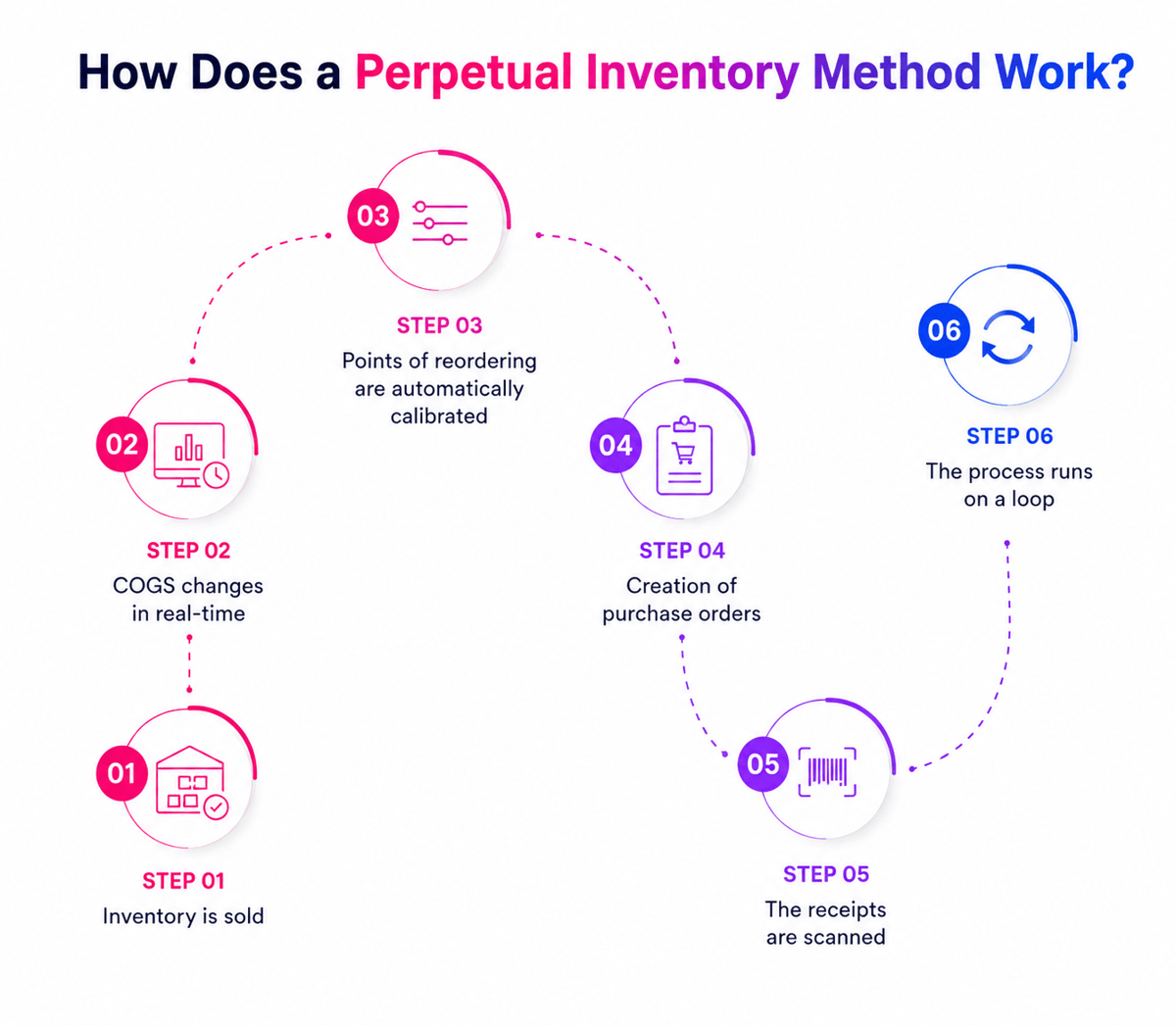
Perpetual inventory system software keeps stock logs moving as items move. Instead of waiting for a monthly count, it syncs stock after each deal. That sounds plain until orders start crossing channels. A web sale, store return, and vendor receipt can hit within minutes of each other.
The core idea behind perpetual inventory software
A perpetual inventory system links sales, buying, warehouse, and accounting data. Every sale, return, receipt, and transfer syncs the same log. So, teams stop asking which sheet holds the truth. The value comes from speed and shared counts.
Manual syncs tend to fail during busy periods. One missed receipt can create false shortages for days. In contrast, perpetual inventory system software links to barcode scanners, POS systems, and online stores. When staff scans an item, the system changes the stock counts at once.
How the software syncs stock
A plain flow looks like this:
- A buyer places an order — the system cuts open stock
- The warehouse picks and ships the item
- Accounting logs cost and revenue
- Buying sees when reorder points get close
In practice, the system looks clean only when the inputs stay correct. Bad item codes, skipped scans, and late receiving still create gaps. So, good teams treat the software as a live log. They also check gaps, failed scans, and odd stock shifts. The real gain comes from timing, not fancy screens. Per McKinsey, livestock control cuts ops waste fast. That live log turns daily stock control into solid inventory tracking.
Connect Shopify, draw your floor, pick an order - free plan, 7-day full trial, no credit card, no sales call.
Key benefits of perpetual inventory software for growing businesses
Growing firms rarely fail as demand surprises them. They fail as stock signals arrive too late. Perpetual inventory software closes that delay before it spreads. One missed sync can trigger three bad calls. Sales promises stock that the warehouse cannot find. Buying orders more, while slow stock keeps aging.
Faster calls from live stock data
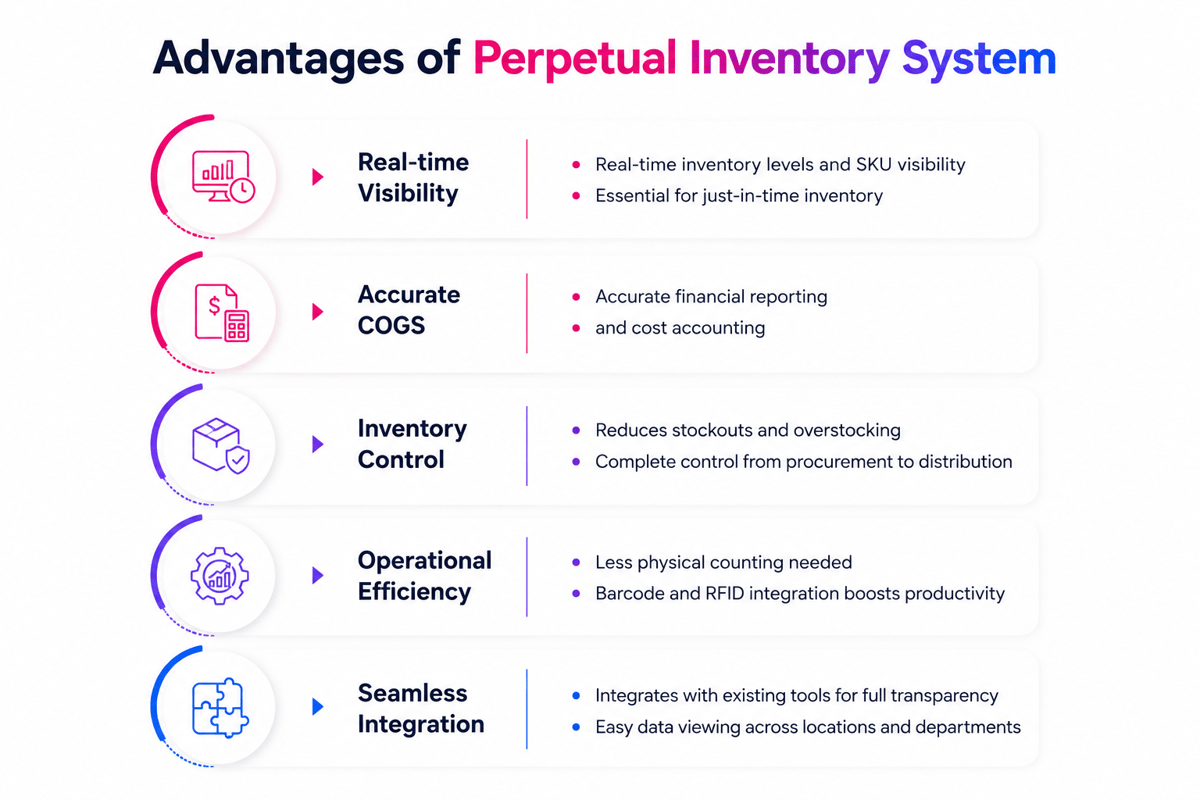
Perpetual inventory system software gives teams live stock counts. Managers stop waiting for month-end checks. A buyer can see which items move today. A warehouse lead can spot pick errors early. Finance gets cleaner counts before the week starts.
In fact, the biggest gain comes from fewer panic calls. Rush buys cost more and arrives with stress. Livestock data turns surprises into planned work. For more on how live data links to stronger order flows, see the top sales order software solutions.
Less waste and fewer stockouts
Most teams overbuy after one bad stockout. The shelf looks safe, but the cash gets trapped. Dead stock then hides behind strong sales counts. Perpetual inventory software shows demand trends while they happen. Also, slow movers stand out before storage costs climb. Fast movers trigger action before buyers leave.
Also, that balance matters when a firm adds channels. Online orders, stores, and bulk sales all pull stock. Manual logs fall apart under that pressure fast. Teams stop arguing over which sheet looks right. Growth feels steadier when every deal feeds one inventory database.
Perpetual inventory system software vs. periodic inventory methods
Periodic stock can look plain at first. The team counts stock weekly, monthly, or each quarter. Across counts, everyone works from estimates. Perpetual inventory system software changes that rhythm. Each sale, return, receipt, and transfer syncs stock at once. The gap across the system counts, and shelf reality shrinks fast.
Where periodic counts break down
Periodic methods work when the stock moves slowly. A small parts room may get by with monthly checks. Busy stores and warehouses tend to outgrow that fast. The problem shows up when normal ops, not audits. An item sells out on Tuesday. The report still looks fine until Friday’s count. Teams then make calls with old counts. Buyers reorder late, and sales teams promise items that are not there. Buyers wait, cancel, or send back full orders.
Why perpetual inventory software wins
Perpetual inventory software logs each move as it happens. Staff scans incoming goods, picks, returns, and shifts. Managers see stock points with no stopping ops. That speed changes daily by calls. Reorder points fire before shelves run empty. Slow movers stop hiding behind old reports. Also, live data shows flow problems faster. Repeated shifts tend to reveal pick errors. Frequent negative stock points to receiving delays.
However, periodic stock still has a place. Some teams use cycle counts to check system clean data. The software handles daily control across those checks. So, the best choice depends on stock speed and risk. If errors cost sales, real-time tracking pays back fast. That choice tends to start with a barcode inventory management system.
Essential features to look for in perpetual inventory system software
The feature list can look strong when demos. Daily use tells a varied story. Perpetual inventory system software must protect stock clean data under pressure. In short, fast teams need fewer screens, not more reports. A picker, buyer, and accountant all need the same truth. If they see varied counts, errors spread fast.
Real-time stock moves and clean data
Stock should change when someone receives, sells, or transfers items. Delays lead to false trust and missed reorder points. The system needs barcode scans, spot tracking, and batch logs. One team counted the stock each week. Their sales team still promised items already picked. Live syncs stopped the same dispute within days. Perpetual inventory software should also flag negative stock, double SKUs, and cost changes. These alerts save hours on month-end checks.
Integrations and reporting
Good software does more than log deals. It blocks common errors before they hit reports. Need fields, user roles, and approval rules matter here. Furthermore, reporting also needs detail, not decoration. Stock aging, turnover, shrinkage, and stockout reports show real risk. Plain charts cannot fix weak source data.
Links matter when orders move through many channels. Sales, buying, accounting, and returns should share one stock log. For a full view of how this fits together, see the complete guide to inventory management software. That fit also tends to point teams toward cloud-based inventory software.
Use cases and implementation tips for perpetual inventory system software
Perpetual tracking works best when stock moves tend to. Slow-moving goods can still benefit, but fast change shows errors fast. That makes perpetual inventory system software most useful where timing matters.
For example, retailers use it to stop overselling hot items. Makers use it to protect production plans. Distributors use it to catch stock gaps before buyers notice. For a broader view of how varied systems compare, see our list of the top inventory management software options for small businesses.
Where perpetual inventory software works best
Online sellers face the toughest stock pressure. A flash sale can drain stock in minutes. Perpetual inventory software syncs counts as orders, returns, and receipts. Warehouse teams also gain cleaner pick calls. When bins show live counts, pickers waste fewer trips. One client cut daily recounts from six to two.
Food, beauty, and medical sellers need tighter controls. Expiry dates turn small count errors into direct losses. Live logs help teams move aging stock first. Also, firms with spread-out sites need spot-level control. For that, warehouse stock location systems give the spot-level view that perpetual inventory system software needs to work well.
Rollout tips that prevent messy data
However, software alone will not fix broken stock habits. The first rollout should cover one stable item group. That narrow start shows barcode, unit, and naming issues.
- Clean item names before any data move
- Match every SKU to one selling unit
- Run a physical count before launch day
- Test receiving, picking, returns, and shifts
- Check gaps each day in the first month
Most failures start with rushed data imports. Double SKUs create confusion that spreads across reports. Bad units cause worse damage than missing fields. Also, training matters as people still create the logs. Show teams what each scan changes downstream. When workers see the impact, shortcuts drop fast. Growth tends to add stockrooms, stores, vans, or pop-up sites. At that point, the best fit tends to look like multi-location inventory management software.
Conclusion
Stock control fails when teams work from old counts. The damage shows up as stockouts, rush orders, and dead stock. Perpetual inventory system software closes that gap with live logs. Each sale, return, receipt, and transfer syncs the count.
What the right perpetual inventory system software delivers
Indeed, the best systems do more than track items. They link buying, sales, warehouses, and finance around one log. That shared log cuts disputes and speeds calls. Buyers see reorder needs before shelves run empty. Also, warehouse teams trust scans more than sheets. Furthermore, finance teams skip the month-end gaps due to missing stock.
For warehouse-focused teams, clean warehouse management practices pair well with any perpetual inventory system software rollout. They set the spot rules and label habits that make live syncs reliable.
Your next stock control step
First, start with the pain that costs the most. For many teams, that means late replenishment or unclear item spots. Also, a good fit depends on your daily flow. Perpetual inventory software should match how your team moves stock. So, check links, barcode help, alerts, and report depth. Then test the system with real item moves.
If growth keeps showing stock gaps, compare your options for inventory management solutions. The right perpetual inventory system software turns daily stock control from guesswork into a clear, repeatable habit.
 Google AI
  OpenAI ChatGPT
 Frequently Asked Questions
What is perpetual inventory system software?
Perpetual inventory system software is a tool that updates inventory records in real time as items are purchased, sold, received, or transferred. It helps businesses track stock levels accurately, reduce manual counting, and improve visibility across warehouses, stores, or sales channels.
How does perpetual inventory software work?
Perpetual inventory software connects sales, purchasing, and warehouse activity so inventory counts update automatically after each transaction. When a product is sold, the system reduces stock. When new goods arrive, it increases stock. This gives teams a current view of available inventory without waiting for periodic physical counts.
What are the main benefits of using perpetual inventory system software?
Perpetual inventory system software improves stock accuracy, reduces overstocking and stockouts, and supports faster decision-making. It can also help businesses identify sales trends, manage reorder points, and improve customer service by showing what products are available at any given time.
Is perpetual inventory software suitable for small businesses?
Yes, perpetual inventory software can be valuable for small businesses that need better control over stock, especially if they sell through multiple channels. It helps reduce manual work, improve order accuracy, and prevent lost sales caused by unavailable products or inaccurate inventory records.
What features should I look for in perpetual inventory system software?
Look for features such as real-time stock tracking, barcode scanning, purchase order management, low-stock alerts, reporting, and integrations with accounting or ecommerce platforms. The best system should match your business size, inventory complexity, and workflow while being easy for your team to use.
How is a perpetual inventory system different from periodic inventory?
A perpetual inventory system updates stock records continuously after each transaction, while a periodic inventory system updates records at set intervals, such as weekly, monthly, or quarterly. Perpetual tracking provides more timely data, making it easier to manage purchasing, fulfillment, and inventory planning.
Sync inventory in real time, manage orders, and run warehouse operations across Amazon, eBay, Etsy, Shopify, and other sales channels. From barcode scanning to organized storage and faster fulfillment, Fiftify helps reduce errors, prevent overselling, and support business growth. Explore our articles for insights on warehouse management, inventory control, and multichannel operations.
You may also like

Reusable shopping bags: why retailers switch for sustainable packaging
Sustainable packaging is becoming an important part of modern e-commerce and retail. Reusable shopping bags help businesses reduce packaging waste while creating a practical and visible extension of their brand. This article explores why retailers are adopting reusable bags, how bulk and custom options support different business needs, and what to consider when building a more sustainable packaging strategy.
Hardware inventory software vs manual IT asset tracking
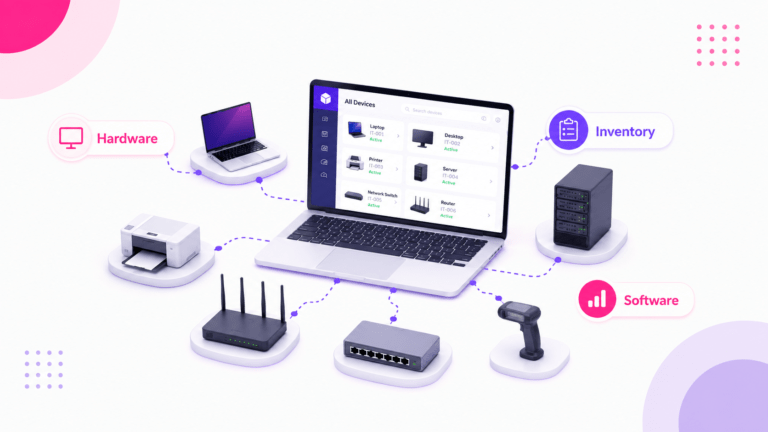
Choosing the right hardware inventory software helps teams track devices, control costs, improve compliance, and plan upgrades with confidence. Read on to discover key benefits, use cases, selection criteria, and best practices for smarter IT asset management.
Material inventory software for tracking raw materials in production
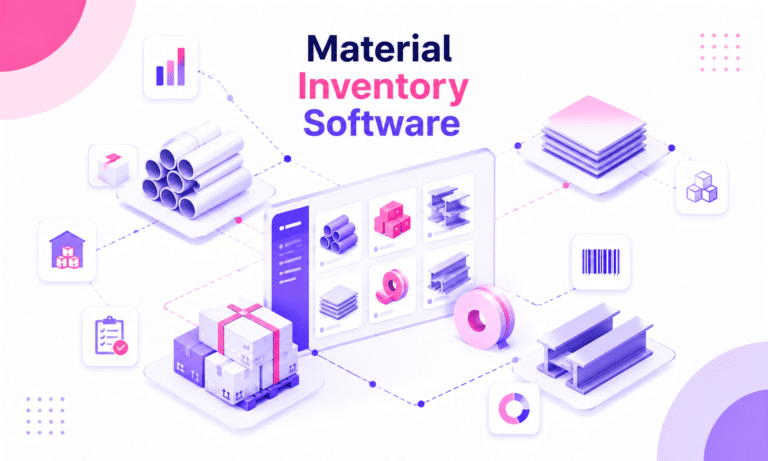
Learn how material inventory software helps businesses track raw materials, reduce waste, prevent stockouts, and connect purchasing with production. Benefits, key features, use cases, comparisons, and practical selection tips for teams ready to improve inventory control.