
Barcode inventory system: how it works and what to look for
 Emily Carter
·
· 15 min read
Emily Carter
·
· 15 min read
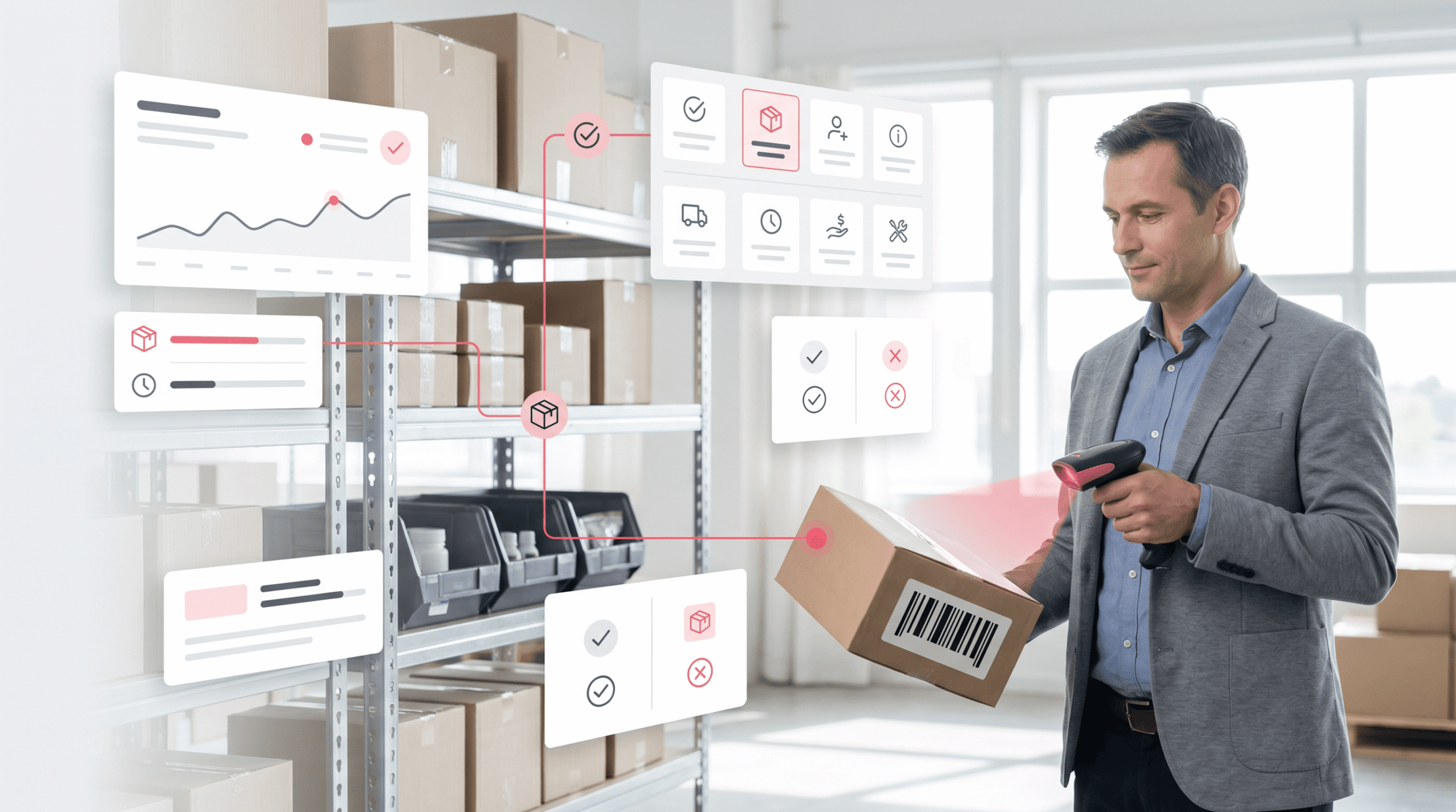
Inventory errors rarely start with one large failure. They tend to begin with a missed scan, a late count, or a sheet change. A barcode inventory system cuts those gaps by linking each item to clean, scannable data.
Growing teams need faster answers than manual tracking can give. Stock counts, order picking, receiving, and transfers all depend on clean records. In fact, a well-set barcode inventory system gives staff one clear way to log each move. Also, it creates a shared source of truth that warehouse, buying, and sales teams all trust.
Why manual tracking breaks down
Manual inventory work depends on memory, handwriting, and repeated data entry. Each handoff creates a new chance for errors. One wrong SKU can delay orders, create returns, or hide stock.
In practice, an inventory scanner changes that flow at the point of work. Staff scans the item, and the system syncs the record. That simple action can replace several manual steps. Furthermore, inventory management with barcode scanning shows what is in stock, where it sits, and when it was moved. That view helps teams spot shortages before orders fail.
What faster control looks like with barcode inventory software
A barcode inventory tracking system helps daily work without slowing staff down. Receiving teams scan incoming goods as they arrive. Pickers check items before packing, which cuts costly order errors.
The right barcode inventory software links scan work to buying, sales, and stock counts. Managers can check clean data before making buy calls. Also, a modern barcode inventory system turns routine scans into better control. For many firms, barcode inventory management is where inventory stops feeling reactive.
What is a barcode inventory system and how does it work?
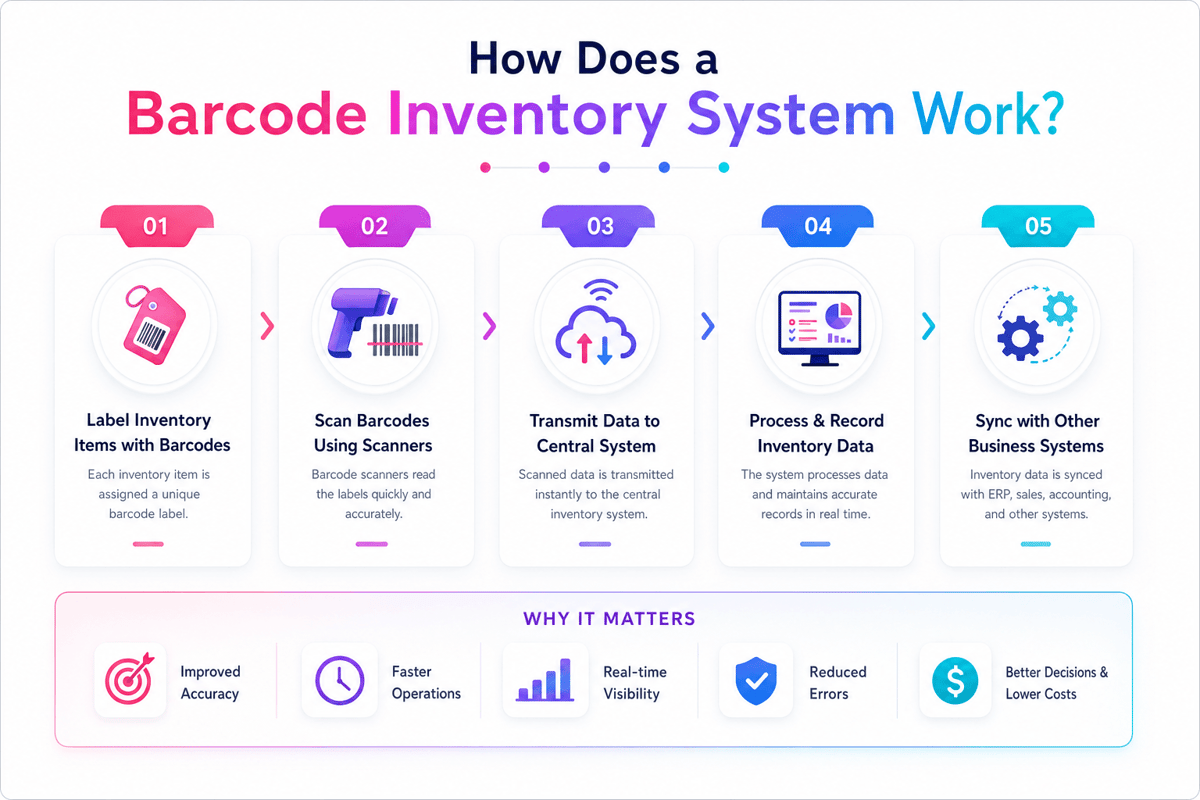
A barcode inventory system links physical items to digital stock records. Each product, bin, pallet, or asset gets a barcode with a unique ID. When staff scans that code, the system reads the ID and syncs the matching record.
The barcode does not need to hold every product detail. According to GS1, global barcode standards make this data exchange reliable. It usually points to data in barcode inventory software, such as SKU, lot number, count, location, and status. This keeps labels plain while the database carries the full record.
Core parts of a barcode inventory system
In short, a working barcode inventory system uses labels, scanning devices, software, and a shared database. The label marks the item. The scanner reads the code. The software links the scan to a stock record.
An inventory scanner may be a handheld device, mobile computer, or phone-based app. A dedicated barcode scanner for inventory tends to suit warehouses with high scan volume. Mobile apps can fit smaller teams that need lower hardware costs.
How scans update stock records
A barcode inventory system works through plain, repeatable scan actions. When goods arrive, staff scan the item and set its location. The system then raises open stock for that SKU.
During picking or shipping, the same scan flow cuts stock. A transfer scan moves the item from one location to another. A cycle count scan checks the physical count against the system log.
The value comes from replacing delayed manual entry with live scan data. Inventory management with barcode scanning gives teams faster syncs and fewer typing errors. For growing teams, that shared record creates a cleaner base for inventory tracking.
Connect Shopify, draw your floor, pick an order - free plan, 7-day full trial, no credit card, no sales call.
Key benefits of a barcode inventory system for growing businesses
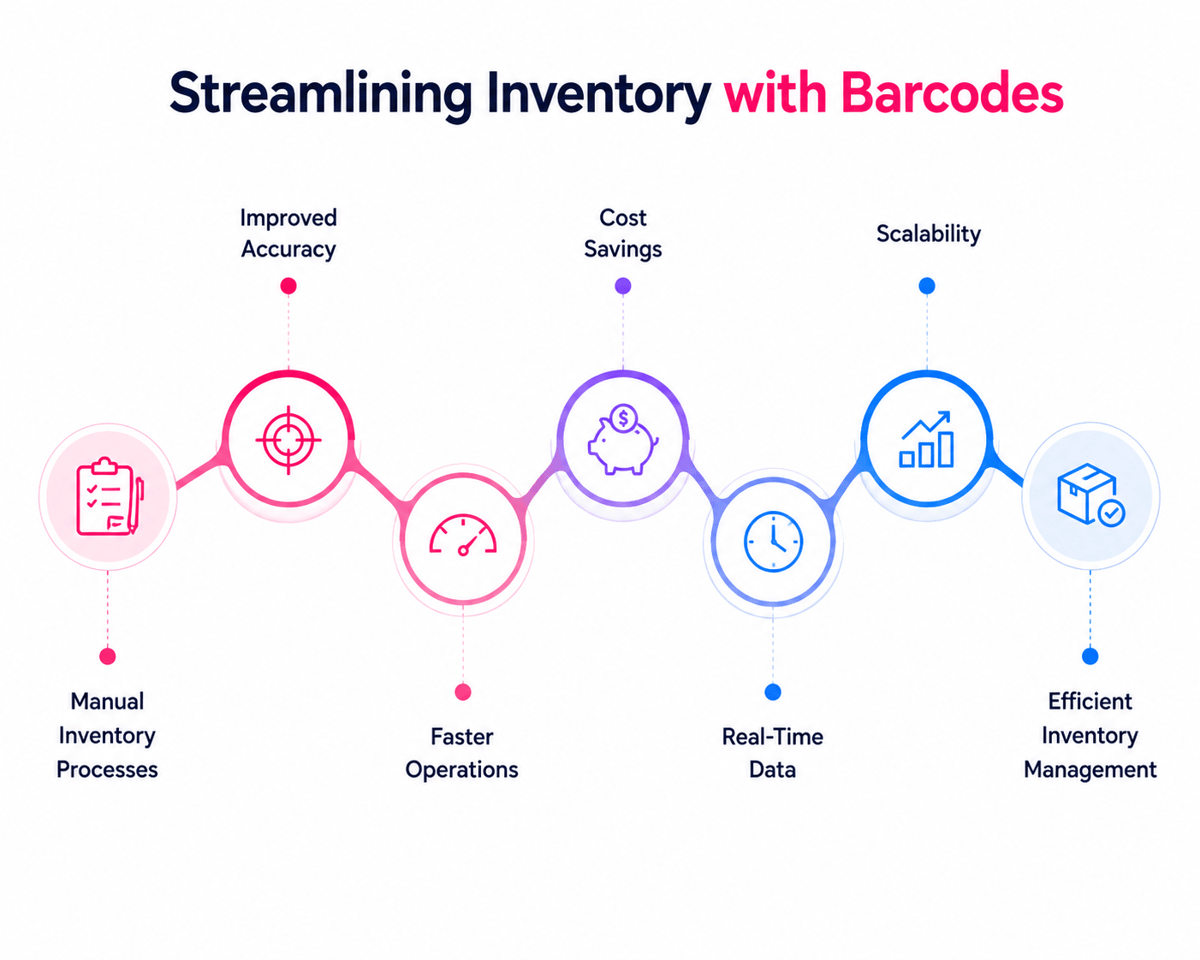
In fact, growing firms tend to outgrow sheets before they notice the risk. A barcode inventory system turns each scan into a live stock sync. Teams spend less time searching shelves and more time moving orders.
Also, manual counts create small errors that grow across busy weeks. Barcode inventory management cuts those errors at receiving, picking, packing, and stock counts. The result is cleaner data and fewer costly gaps.
Faster workflows and fewer errors
In fact, an inventory scanner captures item data in seconds. Staff no longer type SKU numbers or product names by hand. That speed matters when order volume rises during peak demand.
Furthermore, a barcode scanner for inventory makes a clear log of each move. Managers can see who scanned an item, when it moved, and where it went. This trail helps teams find flow gaps before they affect buyers. Also, a barcode inventory system helps with faster receiving. Warehouse staff scan incoming goods and match them against buy orders. Short shipments, wrong items, and double entries become easier to catch.
Better stock control and planning with barcode inventory management
Furthermore, inventory management with barcode scanning gives growing firms more reliable stock levels. Buyers can check live counts before placing new orders. That cuts excess stock and lowers the risk of stockouts.
Also, a barcode inventory tracking system lifts the view across sites. Multi-site teams can see which branch holds open stock. Transfers move faster as staff trusts the counts. Modern barcode inventory software links scan work with sales and buying data. Leaders can spot slow-moving items, high-demand products, and shrink patterns. So these insights help better reorder points and safer cash flow. Over time, those cleaner records create a stronger inventory database.
When comparing options, also check how the system handles peak load. A busy receiving dock or high-volume pick run should not slow scan response. Furthermore, mobile-friendly design matters for teams that move across large sites. A system that feels fast on the floor builds better adoption than one that lags during rush hours.
Strong barcode inventory management also improves warehouse inventory tracking. Each scan adds to the item trail and gives managers a cleaner view of movement across zones.
Core features to look for in barcode inventory software
In short, the right barcode inventory software does more than log scans. It links each scan to stock levels, locations, users, and buy work. A strong barcode inventory system gives teams one solid view of inventory.
Feature depth matters as daily errors often start small. A missed transfer, wrong bin, or delayed count can affect orders. The best barcode inventory system helps stop those issues before they spread.
Scanning, stock, and location control
First, a solid barcode scanner for inventory should read labels fast and with few failed scans. Staff may use handheld devices, rugged scanners, or phones. The software should check each scan and flag gaps right away.
Stock counts need to sync as work happens. With inventory management with barcode scanning, receipts, transfers, picks, and returns can change stock records in seconds. That speed cuts manual entry and shortens cycle counts.
- Live stock syncs reflect receipts, transfers, sales, and returns.
- Bin and zone tracking show where each item sits.
- Serial and lot tracking helps recalls, warranties, and audits.
- Offline scanning keeps work moving during weak network coverage.
Also, a solid barcode inventory tracking system helps many warehouses. Teams can see which site holds stock and where shortages may form. That view helps buyers place orders based on live demand. For choosing the right setup, see our guide to barcode inventory management systems for small businesses.
Controls, reports, and system fit
Also, good controls protect data without slowing the floor. Role-based access limits who can change counts, costs, or item records. Audit trails show who scanned, moved, or shifted each item.
Reports should answer daily inventory questions with no extra sheets. A useful inventory scanning system shows slow-moving stock, low stock, count gaps, and order delays. Also, system fit matters. An inventory management system with a barcode scanner should link with accounting, ecommerce, shipping, and buying tools. Clean links cut double data entry and stop order status gaps. The best choice fits how staff receive, move, count, and ship goods. For many teams, that turns a barcode inventory system into practical mobile inventory management.
Inventory scanner vs. barcode scanner for inventory: key differences
An inventory scanner and a barcode scanner for inventory tend to refer to similar tools. The gap sits in scope, not just hardware. A scanner reads labels, while the inventory flow syncs records, locations, and stock counts.
A barcode inventory system links the scan to business data. First, the device reads the code. Then the software links it to an item record. That link turns a fast scan into a solid stock move.
How the hardware differs
A basic barcode scanner reads printed codes on products, bins, pallets, or shelves. It may link through USB, Bluetooth, or a mobile app. Many teams use these devices for receiving, picking, cycle counts, and transfers.
An inventory scanner tends to describe a more complete handheld device. It may include a screen, keypad, camera, and wireless access. So, the right hardware depends on scan volume and work conditions. For instance, a retail stockroom may need plain handheld scanners. A warehouse floor tends to need rugged devices with long battery life.
Where barcode inventory software creates the difference
Inventory management with barcode scanning depends on clean software syncs. In fact, the scan only marks the item. The software logs the action, count, user, time, and location.
A strong barcode inventory tracking system cuts manual entry at each stock point. Workers scan during receiving, putaway, picking, packing, and returns. So, each scan builds a cleaner log of stock movement. Also, the best choice depends on the job the scanner must do. A plain device may work for light stock counts, while high-volume teams need a full barcode inventory system.
Barcode inventory system use cases across industries
A barcode inventory system helps more than stock counts. It gives each item, bin, pallet, or asset a scannable ID. That ID helps teams log moves with no manual entry.
In fact, varied industries use scanning for varied control points. Some track finished goods, while others track parts, tools, drugs, or serial gear. A well-built barcode inventory tracking system fits those flows with no extra steps.
Retail, ecommerce, and distribution
For example, retail teams use a barcode inventory system to keep shelves and back rooms aligned. Store staff scan received goods, transfers, returns, and cycle counts. As a result, this makes cleaner stock records across sales channels.
Also, ecommerce ops depend on speed and order clean data. A barcode scanner for inventory checks the right item before packing. That scan can cut mis-picks, refunds, and re-ships. For high-volume teams, barcode inventory software links scan work with buy orders and sales orders. The system syncs stock as work happens. This cuts the gap across physical stock and system logs.
Manufacturing, healthcare, and field ops
Also, makers use a barcode inventory system to track raw items and work-in-progress. Parts move through production with fewer handwritten logs. Serialized scans also help recalls and quality checks.
Healthcare teams need tight control over supplies and devices. An inventory scanning system can track lot numbers, dates, and storage spots. This helps cut waste from old stock. Also, field teams often run parts across vans, depots, and job sites. A mobile inventory scanner logs use at the point of work. These needs tend to lead teams toward the best inventory tracking software. Across industries, value grows when scan data moves across sites and teams — needs that often lead toward multi-location inventory management software.
How to implement a barcode inventory system successfully
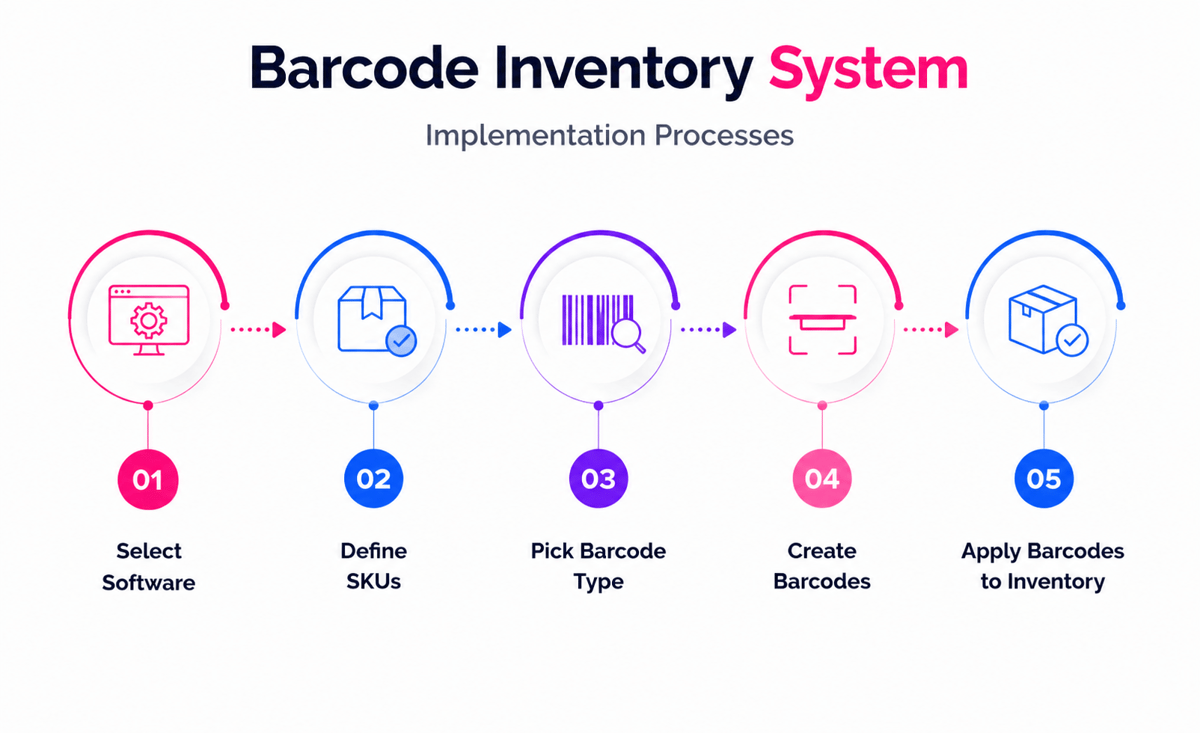
A solid barcode inventory system starts with clean data and clear rules. The tech works best when teams agree on item names, units, locations, and scan points before rollout.
Poor setup makes fast errors instead of slow ones. A good inventory scanning system cuts rework as each scan matches a set stock move.
Prepare data and workflows
First, product data needs a careful check before labels reach the floor. Double SKUs, missing units, and old item logs can weaken inventory management with barcode scanning from day one.
Location setup matters just as much as item data. Bins, shelves, zones, and staging areas need clear codes so the barcode inventory tracking system reflects real moves.
- Check item records for double SKUs and missing fields.
- Map receiving, picking, transfers, counts, and returns.
- Set barcode labels on products, bins, and storage areas.
- Test scans with a small product group first.
- Check gaps before growing to every location.
The best early tests focus on common work, not rare cases. In practice, receiving, cycle counts, and order picking show most setup gaps fast.
Also, run a quick test of exception flows before you go live. What happens when a scanner reads the wrong bin? What if a receipt does not match the buy order? These edge cases reveal how well the system guides staff. The best barcode inventory system should prompt a clear next step, not leave teams to guess.
Train teams and measure results
Furthermore, staff training should link scan actions to daily calls. When teams know why each scan matters, the barcode inventory system becomes part of normal work.
In practice, short sessions work better than long class training. A picker can learn how to use a barcode scanner for inventory faster when training happens near actual shelves. Also, managers should track a few practical measures after launch. Count clean data, receiving time, pick errors, and shift volume show whether the barcode inventory system lifts control.
Furthermore, the software needs clear ownership after rollout. One person or team should run item changes, scanner settings, and user access inside the barcode inventory software. So, a phased rollout lowers risk as each site learns before scaling. Teams that need remote access tend to pair the rollout with cloud-based inventory software.
A scalable barcode inventory system also pairs well with warehouse stock location systems to keep bins clean and transfer flows clear.
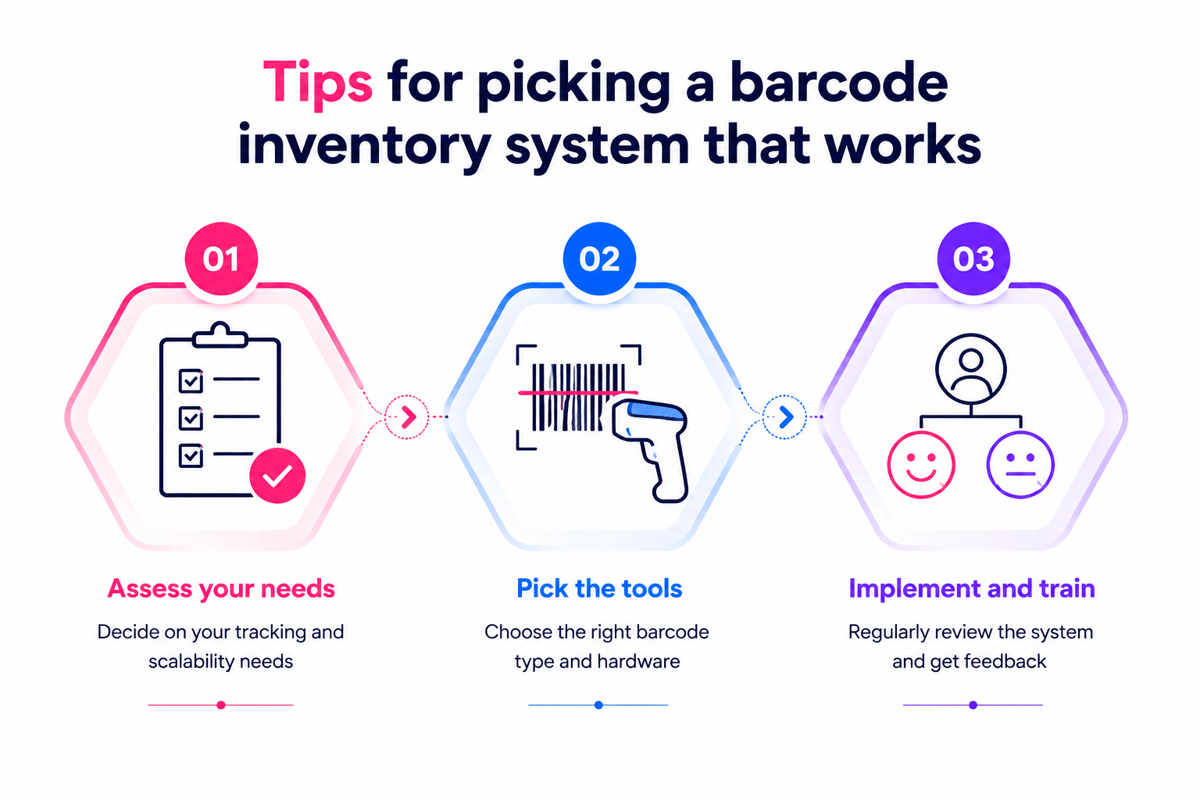
Common mistakes to avoid when setting up a barcode inventory system
In fact, a barcode inventory system tends to fail for plain reasons. The scanner may work, yet the data behind it may not. Poor planning creates double items, missing units, and slow receiving. These issues cut trust in every stock count.
Data and labeling errors in barcode inventory management
In practice, many teams start with messy item records. Varied names for the same SKU create false stock levels. A barcode inventory system needs clean product data before labels reach shelves. That includes units of measure, pack sizes, locations, and reorder points.
Also, label quality affects scan speed. Small codes, creased labels, or low-contrast print cause missed scans. The best inventory scanning system uses solid labels that fit each surface. Furthermore, barcode reuse makes a second common problem. Old codes may point to stopped products or changed packs. In a barcode inventory system, each code should link to one clear item record. This rule stops receiving errors and wrong picks.
Process and training gaps
However, software choice matters, but flow design matters more. A barcode inventory system should match how goods move through the site. Receiving, transfers, counts, picks, and returns all need clear scan points. Missing one step creates blind spots in stock data.
Also, some firms buy an inventory scanner with no checking system fit. The device may scan well, yet still fail to sync data. An inventory management system with a barcode scanner helps sync counts in real time. Delayed uploads leave staff working from old numbers. Furthermore, teams tend to treat training as a short handoff. That leaves staff unsure about gaps. A barcode scanner for inventory should come with role-based practice for daily tasks.
For teams running a full warehouse, this approach connects naturally with a barcode warehouse management system. A WMS adds pick routing, dock management, and deeper bin controls on top of basic scan work.
Conclusion
Overall, a barcode inventory system gives growing teams a faster way to control stock. It replaces manual counts with scans, time logs, and cleaner records. As a result, there are fewer pick errors, shorter count cycles, and better reorder calls.
Moreover, the strongest systems link scanning, item records, and reports in one flow. When barcode inventory software fits daily work, use becomes easier. Staff scans items as the flow saves time, not as policy demands it. In short, the best choice helps teams scan, count, move, and report with fewer steps. For the next stage of planning, explore how barcode tools fit within broader inventory management solutions.
What the right barcode inventory system delivers
Indeed, the right barcode inventory system helps teams know what they have and where it sits. A solid inventory scanner captures moves as work happens. That data helps buying, filling, audits, and warehouse planning.
- Stock counts become faster and less disruptive.
- Receiving errors occur before items reach storage.
- Order picking gains better checks at each step.
- Reports reflect real moves, not late syncs.
Also, inventory management with barcode scanning lifts accountability. Each scan links an item to a person, place, and deal. Therefore, managers can trace mistakes faster and fix the flow behind them.
One practical test is to pick five real items and run them through the full scan flow. Receipt, putaway, transfer, pick, and return should all leave a clean log. If any step needs a workaround, the flow needs a fix before scaling. So, test with real items and real staff before committing to a full rollout.
One last point: the best barcode inventory system grows with the firm. As SKU count rises and new sites open, the scan flow should scale with no extra setup each time. So look for a platform that handles growth through role-based access, multi-site views, and clear item rules. That scalability protects the value of the original rollout.
A practical next step
Before choosing a barcode inventory system, check live flows and data quality. Clean item names, barcode rules, and location labels cut early friction. So, a small pilot can prove the scan flow before a wider rollout.
So, system fit matters as much as scanner quality. An inventory management system with a barcode scanner helps match item volume, locations, users, and report needs. For example, cloud tools suit teams that need remote access and fast setup. On-premise systems may fit sites with strict control needs. A scalable barcode inventory system protects that discipline as order volume grows.
 Google AI
  OpenAI ChatGPT
 Frequently Asked Questions
How do you implement a barcode system for inventory?
Start by listing the items you need to track, then choose barcode inventory software that fits your workflow. Create or print barcode labels, assign each code to a product, and connect an inventory scanner or mobile device. Train staff to scan items during receiving, transfers, counts, and sales so inventory records stay accurate.
How does a barcode inventory system work?
A barcode inventory system works by assigning a unique barcode to each item, location, or asset. When employees scan the barcode, the system updates inventory data in real time or after syncing. This helps businesses track stock levels, reduce manual entry, improve accuracy, and speed up everyday inventory management tasks.
What equipment do I need for inventory management with barcode scanning?
Most businesses need barcode labels, a barcode scanner for inventory, and barcode inventory management software. Depending on your setup, you may use handheld scanners, mobile devices, label printers, or tablets. The right inventory scanning system should match your warehouse size, item volume, and reporting needs.
Can I create a barcode inventory system for a small business?
Yes. A small business can create a barcode inventory system using affordable barcode inventory software, a basic scanner, and printed labels. Start with your most important products, set clear naming rules, and scan items consistently. As your business grows, you can add more users, locations, and automated reporting features.
What are the benefits of a barcode inventory tracking system?
A barcode inventory tracking system improves stock accuracy, reduces data entry errors, and makes cycle counts faster. It also helps teams find products, monitor movement, and avoid overstocking or stockouts. Businesses often use barcode inventory management to gain better visibility across warehouses, retail locations, and service operations.
Is an inventory management system with barcode scanner better than manual tracking?
Yes, for most businesses it is faster and more reliable than spreadsheets or paper logs. An inventory management system with barcode scanner reduces manual typing, captures item movement quickly, and provides more accurate inventory reports. This makes it easier to reorder products, audit stock, and manage daily operations efficiently.
I am an eCommerce expert with a strong focus on marketplaces like Amazon, eBay, and Etsy. Over the past decade, I have helped both startups and $1M+ revenue brands scale their sales through listing optimization, marketplace SEO, and AI-driven strategies. I also share articles and insights about eCommerce growth, marketplace operations, and multichannel selling.
You may also like

How to choose an ecommerce marketplace service provider for scalable growth
Learn how an ecommerce marketplace service provider helps businesses launch, manage, and scale a profitable ecommerce marketplace. Platform choices, vendor operations, software tools, management services, costs, and practical selection tips.

Ecommerce software solutions: features, costs and how to choose
Learn how to evaluate ecommerce software solutions for online stores, marketplaces, and retail teams. Essential features, vendor comparisons, implementation tips, and practical ways to choose software that supports growth, operations, and customer experience.

Multi-carrier shipping software: features and how to compare options
How multi carrier shipping software compares rates, prints labels, tracks orders and handles returns, and which features to check before you choose one for your store.