
Physical Inventory Count Software: A Practical Guide for Accurate Stock Counts
 Daniel Brooks
·
· 9 min read
Daniel Brooks
·
· 9 min read

Most stock counts look fine until work stops. The team scans shelves, finds gaps, and questions yesterday’s reports. Physical inventory count software closes that gap between recorded stock and real stock. Bad counts rarely fail because people do not care. They fail because manual checks create too many small errors. One missed bin can trigger stockouts, rush orders, and angry customers.
Why Stock Counts Break Down
Spreadsheets work until the count gets busy. Two people edit the same file, and numbers drift fast. Paper count sheets fail even sooner under pressure. The warehouse floor tells a different story from the reports. A product may sit in the receiving area for three days. The system still shows it is ready for sale. That mismatch creates expensive decisions. Buyers reorder items already sitting nearby. Sales teams promise stock that no one can find.
Physical Inventory Count Software: What Better Counting Changes
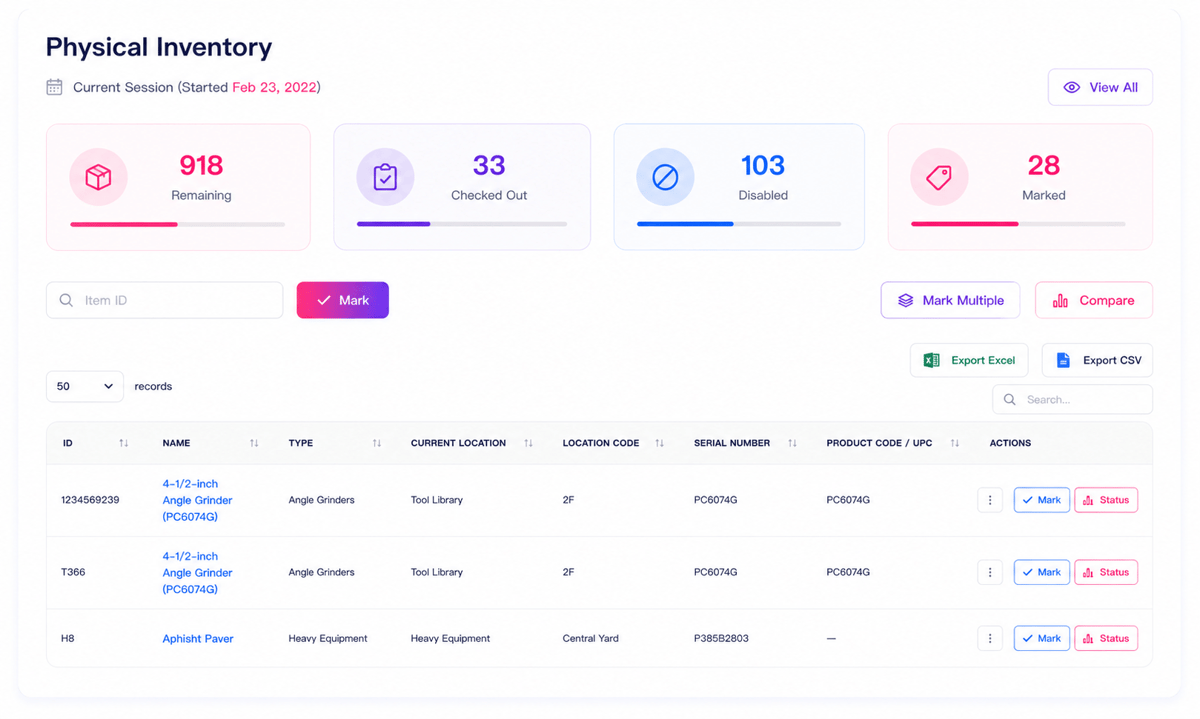
Physical inventory software gives teams one live count record. Scanners, phones, and tablets feed the same system. Managers see count progress without chasing paper updates.
Good inventory count software also catches mistakes early. Duplicate scans, wrong locations, and missing items stand out quickly. Teams fix issues while they still remember them.
The real gain comes from trust. Accurate counts cut surprise stock gaps and excess buys. That gives every team cleaner decisions, not just cleaner reports.
What Is Physical Inventory Count Software and How Does It Work?
Stock counts usually fail before anyone starts counting. The item list contains old locations, missing codes, and duplicate SKUs. Make small mistakes, then move straight into purchasing and sales.
Physical inventory count software gives teams one controlled place to count stock. It connects item records, count tasks, scan data, and variance checks. That sounds simple, until teams count while orders keep moving.
Physical Inventory Count Software: How the Count Flows
A manager builds a count plan inside the system. The plan groups items by location, category, or risk level. Workers count items with phones, tablets, or handheld scanners. Each scan matches the item code against the stock record. When counts differ, the software flags the variance immediately. Teams can recount only the items that look wrong.
Where the Software Adds Control
Manual counts often hide errors until reconciliation day. By then, people forget what they saw. Physical inventory software keeps each count tied to a user, time, and location. That trail matters when two bins hold similar products. Workers follow assigned tasks instead of hunting through aisles.
Inventory count software reduces judgment calls on the floor. Clean item records and clear locations make counts trustworthy. Then, stock counting starts to feel like a barcode inventory system.
Connect Shopify, draw your floor, pick an order - free plan, 7-day full trial, no credit card, no sales call.
Key Benefits of Physical Inventory Software for Modern Businesses
Bad counts rarely fail in dramatic ways. They fail through small gaps nobody checks. The right physical inventory count software turns those gaps into visible work.
The biggest gain comes from removing guesswork. Staff scan items, confirm locations, and flag exceptions immediately. Managers see problems while teams still stand nearby.
Better Accuracy Without Slowing Teams
Paper counts invite skipped lines and copied mistakes. Spreadsheets look tidy after someone cleans them. The damage happened hours before the review. With physical inventory software, each scan creates a timestamped record. The system links the count to a user and location. That trail makes recounts faster and disputes shorter.
One warehouse I worked with found a common issue. Pickers counted overflow stock under the main bin. The software exposed the pattern within one cycle.
Faster Counts and Cleaner Decisions
Speed matters because delays disrupt normal work. Long waits create order delays and frustrated customers. Better tools cut that window without cutting checks. Inventory count software also helps teams count by zones. Supervisors can assign sections and watch progress live. Nobody waits for end-of-day file uploads.
The value shows up after the count, too. Buyers stop ordering safety stock for phantom shortages. Finance closes with fewer last-minute adjustments. Modern businesses need stock data they can defend. Accurate counts reduce write-offs, missed sales, and urgent transfers. That gives teams cleaner counts, faster fixes, and steadier inventory tracking.
Inventory Count Software Use Cases Across Warehouses, Retail, and Field Teams
Stock counts look different outside a planning meeting. Warehouse teams count pallets, shelves, displays, and vans. Physical inventory count software keeps those workflows tied to one record.
Warehouse Counts Without Floor Slowdowns
Warehouses rarely stop just because counts start. Pickers still need open aisles and clear stock signals. Inventory count software lets managers assign zones without blocking work.
A cycle count can target fast-moving bins first. Barcode scans catch wrong locations before orders leave. Teams fix gaps during the shift, not next week.
Retail and Field Counts in Motion
Retail counts fail when staff rely on memory. One associate counts the shelf, another counts storage. The same item appears twice, while another disappears. Physical inventory software gives each person a clear task list. Staff scan products by aisle, display, or stockroom. Managers see progress without walking every corner.
Field teams face a harder version of this problem. Parts move between trucks, job sites, and depots. A missed transfer can delay tomorrow’s repair visit. Mobile counts work best when offline scans sync later. The app needs simple screens and strong item matching. Fancy dashboards matter less than clean scan habits.
The best setups match the counts to real movement. Warehouses count by zone, stores count by shelf, and field teams count by vehicle. These teams also create cleaner data for perpetual inventory system software.
Physical Inventory Software vs. Spreadsheets and Manual Counts
Spreadsheets feel safe because everyone knows them. They also hide mistakes until money moves. During counts, one wrong filter can erase hours. A copied total can trigger a purchasing mistake.
Where Manual Counts Break Down
Manual counts work when the stock stays small and slow. Trouble starts when teams count across shifts. Someone writes 18 instead of 81. Another person counts the same bay twice. The spreadsheet looks clean after reconciliation. The warehouse floor tells another story.
What Software Changes
Physical inventory software changes the count at the source. Scanners capture item, bin, user, and time. That trail shows who counted each location. It also shows when counts changed. Inventory leaders often call this Improved Inventory Visibility For Topline Growth. On the floor, it means fewer blind buys.
Inventory count software also removes version confusion. Everyone works from the same count session. A supervisor can spot gaps before posting results. That cuts the cleanup after the count closes. Physical inventory count software does not make bad processes vanish. It exposes them faster, which matters more.
For example, mixed units still cause wrong totals. Software flags the mismatch before finance books it. Spreadsheets still help for quick checks. They fail as the source of record. A count tool earns its keep when errors stop spreading. Accurate counts need one trusted inventory database.
How to Choose and Implement Physical Inventory Count Software
Choosing software gets easier after one failed count. Teams often blame scanners, staff, or busy aisles. The real issue usually sits in the workflow. Physical inventory count software should match how people count stock. A clean demo can hide awkward warehouse habits. The best test happens during a messy cycle count.
Start With the Counting Process
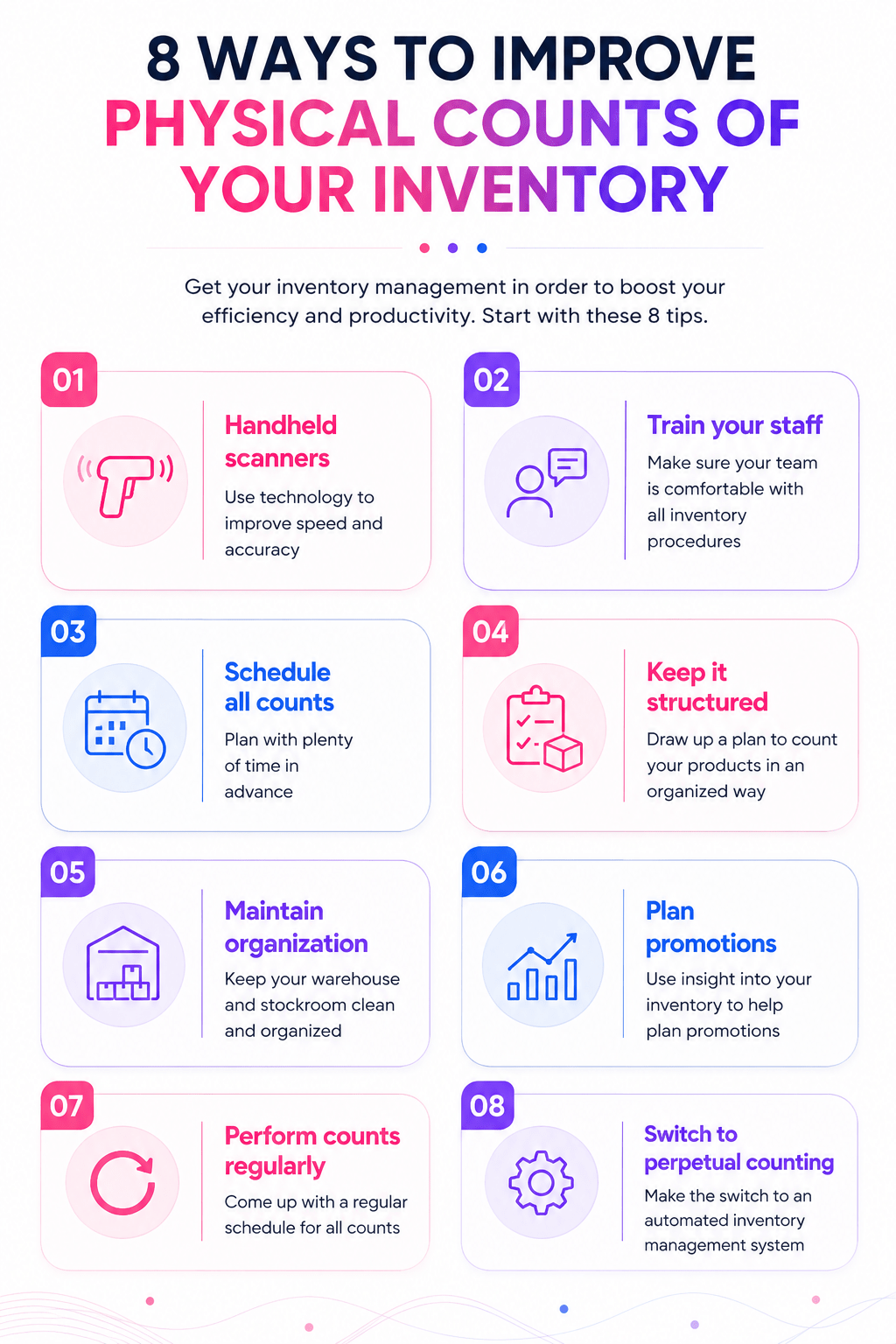
Map one count from the shelf to the approval first. Include receiving areas, damaged goods, and returns. These zones create the worst data surprises. Good physical inventory software supports bins, lots, serials, and units. It should flag duplicate counts before managers review results. That check saves hours after a long weekend count.
One practical question matters during vendor calls. Can the team fix errors on the floor? If not, mistakes travel into reports and orders.
Roll Out in Small Steps
A full warehouse launch sounds efficient. In practice, it exposes every weak master data field. Start with one zone and one count reason. Test item names, barcodes, user roles, and approvals. A two-hour pilot often finds hidden setup gaps. Fix those gaps before the next count window.
Reliable inventory count software also needs clear user roles. Supervisors need approvals, while counters need simple screens. Short floor drills work better than classroom slides. Once counts hold steady, connect results to purchasing. Finance also needs adjustment records with user history. That path also supports a future mobile inventory management system.
Physical Inventory Count Software: Conclusion
Accurate counts rarely come from harder manual work. They come from a cleaner process, faster capture, and clear ownership. Physical inventory count software brings those pieces together when stock accuracy matters.
What Really Matters
The best systems fix the moments where counts break. A barcode scan prevents guessed item codes. Live progress shows which aisles still need work. Spreadsheets look cheaper at first. Then teams lose hours reconciling errors and duplicate entries. Bad counts create stockouts, excess buys, and delayed orders. Good physical inventory software fits the way people work. Warehouse teams need speed and location control. Retail teams need simple tools during busy hours.
Your Next Step
A clear rollout matters as much as the tool. Start with one area that has visible count pain. Measure the error rate before and after each count. That small test tells you the truth quickly. If the process slows people down, they will bypass it. If it saves time, adoption gets much easier.
The right inventory count software should reduce rework, not add screens. It should help teams trust the numbers they see. More trust means fewer emergency counts and cleaner replenishment. What count issue keeps returning in your business? Share it with your team before choosing software. If growth has exposed stock gaps, compare these inventory management solutions.
 Google AI
  OpenAI ChatGPT
 Frequently Asked Questions
What is physical inventory count software?
Physical inventory count software is a tool that helps businesses count, verify, and reconcile stock on hand. It replaces manual spreadsheets and paper count sheets with digital workflows, barcode scanning, real-time updates, and variance reporting. This makes the inventory count process faster, more accurate, and easier to audit.
How does inventory count software improve accuracy?
Inventory count software improves accuracy by reducing manual data entry, using barcode or RFID scanning, and guiding teams through structured count tasks. It can flag duplicate counts, missing items, and quantity differences before final approval. This helps businesses identify errors quickly and maintain more reliable inventory records.
Who should use physical inventory software?
Physical inventory software is useful for retailers, warehouses, manufacturers, distributors, and any business that manages stock across one or more locations. It is especially helpful for companies with frequent cycle counts, large SKU volumes, or compliance requirements. The software gives teams better control over stock counts and reconciliation.
What features should I look for in physical inventory count software?
Look for features such as barcode scanning, mobile counting, count scheduling, user permissions, variance reporting, audit trails, and integration with ERP or inventory systems. Good physical inventory count software should also support multiple locations, offline counting, and clear reports that help managers review discrepancies before posting final results.
Can physical inventory count software reduce stock discrepancies?
Yes. By standardizing the count process and capturing data digitally, physical inventory count software can reduce stock discrepancies caused by missed items, wrong quantities, or duplicate entries. It also helps teams compare counted quantities against system records, investigate variances, and correct issues before they affect purchasing, sales, or financial reporting.
How is physical inventory count software different from a basic spreadsheet?
A spreadsheet can record counts, but it usually lacks controls, automation, scanning, and real-time validation. Inventory count software provides guided workflows, user tracking, automated variance reports, and system integrations. This makes it more reliable for business teams that need accurate counts, faster reconciliation, and a clear audit trail.
I specialize in building scalable eCommerce systems powered by AI and automation. My work focuses on growing sales across Amazon, eBay, and Etsy through technology integration, data-driven strategies, and performance optimization. I also publish articles and insights about eCommerce technology, warehouse operations, and multichannel growth.
You may also like

Sustainable Packaging in E-Commerce: Why Retailers Are Switching to Reusable Shopping Bags
Sustainable packaging is becoming an important part of modern e-commerce and retail. Reusable shopping bags help businesses reduce packaging waste while creating a practical and visible extension of their brand. This article explores why retailers are adopting reusable bags, how bulk and custom options support different business needs, and what to consider when building a more sustainable packaging strategy.
Hardware Inventory Software: Smarter IT Asset Management
Choosing the right hardware inventory software helps teams track devices, control costs, improve compliance, and plan upgrades with confidence. Read on to discover key benefits, use cases, selection criteria, and best practices for smarter IT asset management.
Material Inventory Software: A Practical Guide to Smarter Stock Control
Learn how material inventory software helps businesses track raw materials, reduce waste, prevent stockouts, and connect purchasing with production. Benefits, key features, use cases, comparisons, and practical selection tips for teams ready to improve inventory control.