
Black Friday inventory checklist for multichannel sellers
 Fiftify Team
·
· 10 min read
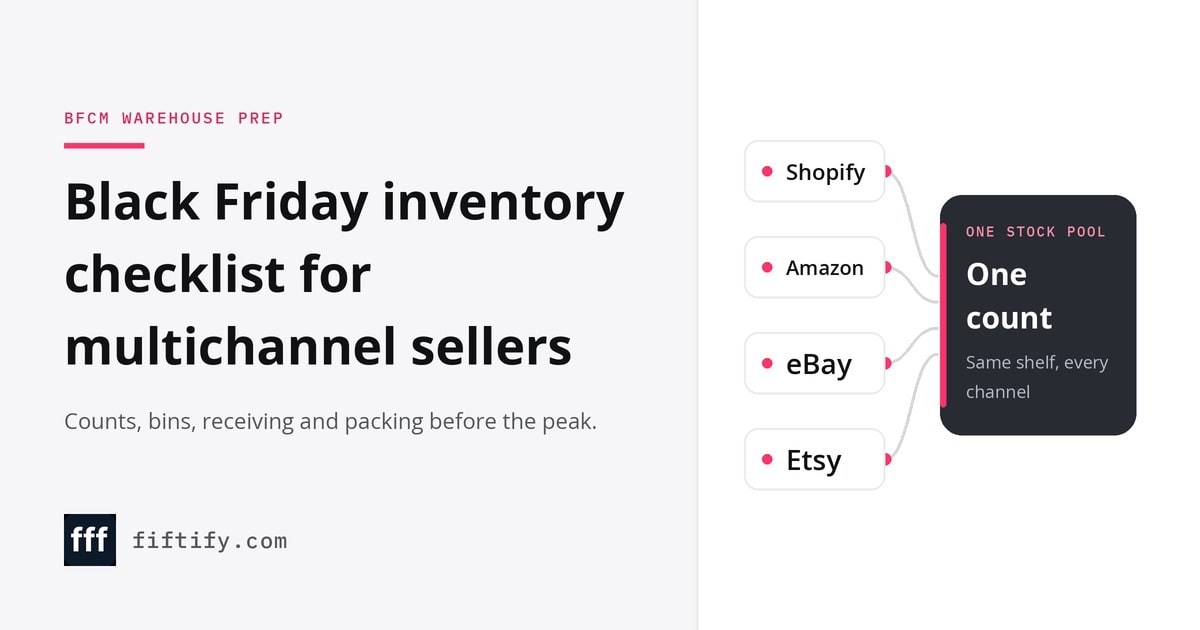
What a Black Friday inventory checklist covers
A printable 2-page checklist for stock, counts, receiving, bins, packing, carrier cut-offs, returns and the after-peak review.
Summarize this article
A Black Friday inventory checklist is a dated warehouse task list for peak sale prep. It should cover stock counts, bin moves, receiving cutoffs, labels, carrier dates, and post-sale cleanup. The main risk is simple: a missed floor task can turn into late orders, wrong picks, or stock listed where it should not be.
The season also keeps more pressure online. Forrester expects 2026 holiday e-commerce sales to grow 11.6% year over year. Its holiday e-commerce forecast also says online sales will drive nearly 60% of added holiday retail sales. NRF projects November and December 2026 retail sales to grow 4.2%, reaching $1.013 trillion in its holiday sales forecast. That pressure makes floor dates matter.
A printed copy works best when each task has an owner and deadline before work starts.
| Task | Owner | Deadline | Done |
|---|---|---|---|
| Weeks before: run cycle counts and plan bin moves | Assign | Set date | ☐ |
| Days before: set receiving cutoffs and check label stock | Assign | Set date | ☐ |
| During sale: note each carrier’s published holiday cutoff date | Assign | Set date | ☐ |
| After sale: count returns and clear sale bins | Assign | Set date | ☐ |
Each row needs one named owner, one due date, and one clear finish mark. That keeps the checklist useful on the floor, not just in a planning file.
Notes can cover barcode rolls, bin labels, packing labels, and carrier rule changes. Then the sheet can stay near packing, so the team can mark work as it gets done.
When to start BFCM inventory prep
Work back from the sale date, not forward from a vague start date. Black Friday fixes the end point, so each task needs a latest safe finish. For a warehouse stock control plan, sales picks, supplier orders, and warehouse checks need firm cutoffs.
Black Friday inventory checklist timing
Set the calendar from the day orders spike. Then allow time for supplier lead time, receiving, put-away, counts, and listing checks. When you sell on several channels, the plan should also reflect promo dates, because Amazon and Shopify campaigns may start on different days.
- Mark Black Friday and Cyber Monday on the warehouse calendar.
- Add each planned channel promo start date.
- List the SKUs you may promote.
- Write each supplier’s last reorder date beside those SKUs.
- Set internal cutoffs for receiving, counting, and listing checks.
- Move late or risky buys to a separate review list.
Sales history should guide which SKUs make the promo list. Start with order lines from the last holiday rush, then check the weeks before and after. A SKU that sold fast but ran out early may hide more demand than the raw sales count shows.
- Units sold by SKU during the prior sale period
- Daily order pattern before and after the main promo
- Stockouts, short receipts, or late supplier shipments
- Channel split for Shopify and Amazon
- Bundle, size, or color issues that slowed packing
Supplier cutoffs should be set before promo promises go live. If one SKU has a long inbound lead time, its promo date may need to move. That trade-off is better than selling stock that cannot reach the bin before the rush.
Connect Shopify, draw your floor, pick an order - free plan, 7-day full trial, no credit card, no sales call.
Clean stock counts and bins before the rush
Clean bins do not help if the count is wrong. Sellers on several marketplaces need counts, moves, and receipts in the same work window.
Black Friday inventory checklist count checks
Count before you move stock. Start with promo SKUs, fast movers, and any item with past count gaps. If channel handoffs are already hard to track, review your channel fulfillment flow while you set the floor plan.
High-volume SKUs should move near packing only after the count is clean. That keeps pick paths short, but it also cuts the risk of moving bad stock into prime space. Slow or bulky items can stay farther away unless they are part of the sale.
Key checks should be clear enough for the floor team to finish fast:
| Area | Check | Ready sign |
|---|---|---|
| Promo SKUs | Cycle count completed | Count matches system |
| Fast bins | Moved near packing | Bin label is clear |
| Inbound stock | Received by cutoff | Ready for put-away |
| New receipts | Put away into bins | Available to sell |
A receiving cutoff should leave time for counting and bin placement. With receiving against purchase orders, short deliveries show up before the shelf, not during the sale. Use the same dates in your Black Friday stock checklist, so late stock does not sit unseen on a pallet. Stock is not ready just because it reached the dock.
Finished means received, checked, labeled, and placed in a pickable bin. Then the team can sell what the warehouse can truly ship.
Shared stock across every sales channel
Separate channel counts create risk during a fast sale. Every channel should draw from the same shared count, as our multichannel inventory management guide explains. When one order lands, available stock should update for each channel.
Black Friday inventory checklist channel limits
A shared count also needs one order queue, so warehouse work follows each sale. The real risk is stale stock left live on one site. That is why each promo SKU needs clear limits.
Two limits should sit beside each promo SKU, plus rules for channel speed:
- A stockout limit marks the count where the deal pauses or ends.
- An overstock limit marks the most stock you want left after peak.
- A channel cap keeps a fast channel from taking all available units.
- A review time sets when open orders and held stock get checked.
Say a promo jacket sells on Shopify and Amazon, while eBay stays slower. The warehouse still works from the shared count. However, Amazon can show a lower amount than the full count. That keeps one channel from draining the item too fast.
Set limits in units, not gut feel. The stockout limit should leave room for open orders. The overstock limit should match what you can sell later without a deep markdown.
Peak season warehouse checklist for picking and packing
Picking and packing work breaks down when small items are missed. Scans fail, phones die, labels run out, or a carrier closes early. Add these floor checks to the Black Friday inventory checklist after counts and bin moves are set.
Some teams compare paper sheets with warehouse management tools before peak weeks. The goal is simple: every order needs a clear pick path, a valid scan, and a packed parcel ready before the carrier leaves.
Peak readiness means the floor can keep moving without waiting for fixes.
| Area | Ready check | Risk if missed |
|---|---|---|
| Scanning | Test barcodes on promo bins | Wrong picks or stalled orders |
| Phones | Charge devices before each shift | Dead tools during order waves |
| Supplies | Stage boxes, tape, mailers, void fill | Packers leave stations to restock |
| Labels | Check packing labels and printer rolls | Shipments wait after packing |
| Carriers | Post final pickup and drop-off times | Orders miss promised dates |
Carrier cutoff dates need a clear place on the warehouse wall. Include pickup times, last drop-off times, and holiday service limits. Also mark the channels where customers see delivery promises, such as Amazon or eBay.
A peak staffing plan should match work to the busiest order hours. Assign pickers, packers, label checks, and a runner for supplies. Then set backup names for sick days, late trucks, or order spikes.
Worked example of a Black Friday inventory checklist
Here is a hypothetical seller, not a real store or result. All numbers in this example are hypothetical. The seller has 2,400 SKUs, sells on Shopify, Amazon, and eBay, and ships from its own warehouse. A team of 4 handles the floor work. Before the sale, they also look for hidden stock errors so the count work starts clean.
For a bfcm inventory checklist, the team keeps the example small and clear. They focus first on the SKUs most likely to move fast.
- Review the last big sale, then choose 40 deal SKUs. Pick items with steady order history, clean supplier flow, and simple pack steps.
- Count those 40 SKUs in their current bins. Say a blue hoodie shows 120 units in the system, but the floor count finds 116. Set the sale count from the physical count.
- Move the fastest 10 SKUs to front bins by the pack bench. Place slower deal items one aisle back, so fast movers do not block the team.
- On Black Friday morning, compare open orders with listed stock on each channel. If one channel shows a stale quantity, pause that listing until the count matches.
The trade-off is space. Front bins help the pack line, but they can crowd slower SKUs. So the team moves only the items that need faster reach, not every sale item.
Spreadsheet or warehouse software for peak checklists
A holiday inventory checklist can live in a sheet at first. But edits get messy when several people update orders, counts, and bin notes. Teams can compare their count process with our stock count software guide before they change systems.
The break point is usually work volume, not software taste. The spreadsheet versus WMS choice should come from work shape. A WMS fits better when the Black Friday inventory checklist must match orders, stock moves, and floor tasks during the same sale.
These factors set the choice between a sheet and a WMS:
| Factor | Spreadsheet checklist | WMS | Check before peak |
|---|---|---|---|
| Channel count | One channel, light edits | Several channel feeds | Test order imports |
| SKU count | Small catalog | Large, changing catalog | Match SKUs and barcodes |
| Orders per month | Easy to sort by hand | Spikes need queues | Run sample orders |
| Team size | Owner or small pair | Several floor users | Check roles and scan steps |
Fiftify is a WMS built for multichannel sellers. It brings inventory, orders, bin locations, and barcode scanning on Android and iOS phones into one system.
- Test order import from Shopify or eBay.
- Check SKU matches, barcodes, and pack notes.
- Confirm open orders, returns, and canceled orders.
- Train the floor on scan steps.
- Keep the old sheet read-only for backup checks.
If those checks fail, stay with the sheet through peak and switch after the sale.
Review after Cyber Monday and next steps
Cyber Monday is not finished until the stock file is trusted again. Run the post-peak review while orders, bins, and issues are still fresh.
The aim is to find where the plan failed, not who caused it. For sellers who ran a peak checklist, this review turns notes into January fixes.
Check four areas in order:
- Count accuracy: compare system counts with a fast cycle count on sale SKUs.
- Mispicks: group errors by SKU, bin, picker note, and barcode issue.
- Oversells: trace each case to channel stock, open orders, or cancel timing.
- Leftover stock: split items into keep, return, markdown, or hold groups.
The review can stay short, but it should keep the proof. Track a few warehouse KPIs, such as count accuracy and mispick rate, so next year starts from numbers. For example, save photos of mixed bins, notes on label gaps, and order IDs for oversells.
- In January, count every high-risk SKU that had an error or stockout.
- Reset bin names and labels where pick paths caused repeated mistakes.
- Review Shopify listings for items with oversells.
- Plan markdowns or supplier returns for stock that did not move.
Fiftify is a WMS for multichannel sellers, with bin locations, phone barcode scanning, and a 7-day full trial, no credit card.
Frequently asked questions
How do you make a Black Friday inventory checklist?
Make a Black Friday inventory checklist by listing each task group or SKU, then adding an owner, due date, and done check. Use stock figures from a recent cycle count, not old system numbers. Group work by counts, bins, channel quantities, receiving, picking, packing, and shipping so gaps show before sale traffic starts.
How should an ecommerce store prepare for Black Friday?
An ecommerce store should prepare for Black Friday by working back from the sale date and fixing warehouse basics first. Settle stock counts, bin locations, and open receiving, then check channel stock sync and pick-pack capacity. Leave promotions, email, and site checks until the inventory tasks are stable.
What should you stock up on before Black Friday?
Stock up on the SKUs you plan to promote and the items that sold well during past peak periods. Check last year's sales history, current stock, open purchase orders, and supplier lead times. Be careful with slow movers, because excess buys can tie up cash after Cyber Monday.
Is a spreadsheet enough for Black Friday inventory planning?
A spreadsheet can be enough for a small catalog, but it gets risky when the same stock feeds Shopify, Amazon, eBay, Etsy, and retail stores. Fiftify is a WMS built for multichannel sellers, with inventory, orders, bin locations, barcode scanning, and warehouse work in one simple system. It keeps one stock count for all channels, which helps prevent overselling.
Sync inventory in real time, manage orders, and run warehouse operations across Amazon, eBay, Etsy, Shopify, and other sales channels. From barcode scanning to organized storage and faster fulfillment, Fiftify helps reduce errors, prevent overselling, and support business growth. Explore our articles for insights on warehouse management, inventory control, and multichannel operations.
You may also like

Phantom inventory: what causes it and how to find and prevent it
Phantom inventory is stock that your records show but your shelves do not have. See what causes ghost inventory, how to find it with counts by bin and how to keep it out of your warehouse.

How to choose an ecommerce marketplace service provider for scalable growth
Learn how an ecommerce marketplace service provider helps businesses launch, manage, and scale a profitable ecommerce marketplace. Platform choices, vendor operations, software tools, management services, costs, and practical selection tips.

Ecommerce software solutions: features, costs and how to choose
Learn how to evaluate ecommerce software solutions for online stores, marketplaces, and retail teams. Essential features, vendor comparisons, implementation tips, and practical ways to choose software that supports growth, operations, and customer experience.
Run Shopify, Amazon, eBay and Etsy from one warehouse
Free plan · 7-day full trial · No credit card required