
How to Choose the Best Inventory App for Small Business Growth
 Daniel Brooks
·
· 16 min read
Daniel Brooks
·
· 16 min read 
Stock breaks down when data lives in notebooks and old sheets. Teams sell items they no longer have. Owners reorder stock that sits in the back room. The best inventory tracking software for small businesses gives teams one live view of stock. It supports real-time inventory tracking across sales and storage locations.
Good software tracks finished products and raw materials. It shows what comes in, what sells, and what needs attention. This helps teams act before stock errors reach buyers.
Most small firms grow faster than their tracking tools. A sheet may work with 50 items and one location. It starts to break when sales channels, staff, and stockrooms grow. That is where small business inventory tracking needs stronger inventory management tools.
Popular options such as Zoho Inventory show how management software for small businesses can connect daily stock work with sales and orders. The right inventory app makes stock easier to track and trust.
Why Stock Clarity Drives Growth
Owners can see which items sell fast. Staff can check counts without calling the warehouse. Buyers can reorder based on facts, not guesses. Simple inventory tracking does more than count items. It cuts missed sales, trims double orders, and limits dead stock. A solid inventory tracking app also creates an audit trail that helps teams find errors before they become costly habits.
Also, the right choice depends on how stock ties to revenue. Inventory and sales software for small businesses can link orders, invoices, and item counts. That link shows which items drive cash flow. It also shows where stock sits too long. In short, a good inventory app turns stock from a daily guess into a managed asset.
What the Right App Should Support
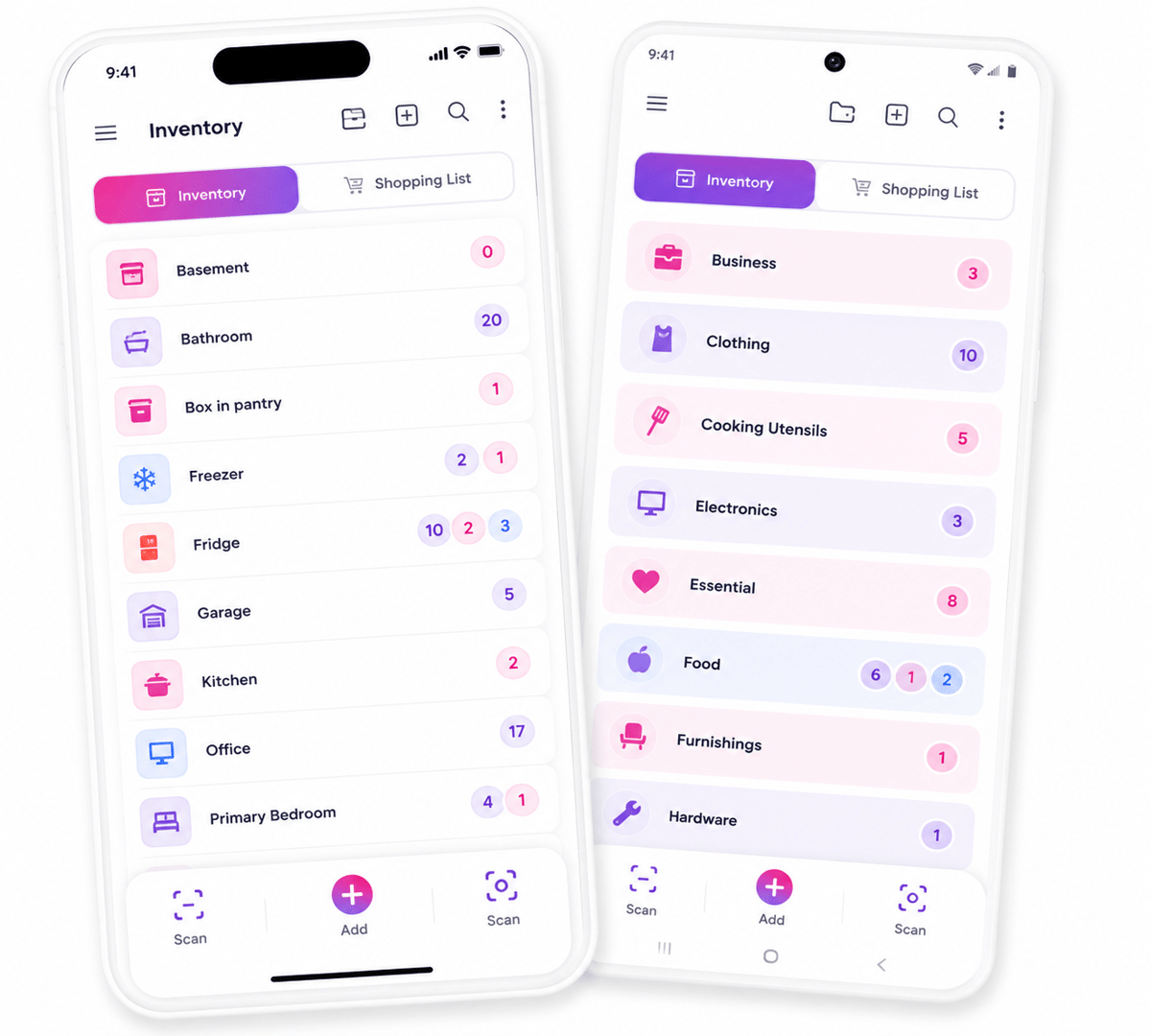
Small firms need tools that match real workflows. A retail shop may need barcode scans and low-stock alerts. A field team may need mobile inventory management software that works across job sites. A warehouse may need a mobile inventory management system with user roles. Some teams start with a free inventory app Android option to test basic needs. Others need an inventory organizer app with stronger controls from day one.
The best app for inventory tracking fits live work and leaves room for growth. For more on how these tools fit together, see the guide to benefits of mobile inventory management systems.
Connect Shopify, draw your floor, pick an order - free plan, 7-day full trial, no credit card, no sales call.
Why an Inventory App Matters for Small Business Inventory Tracking
Small firms tend to grow faster than their stock records. Sales, returns, vendor delays, and damaged goods can change counts each day. A strong inventory app gives teams one shared view of what they own. In fact, clean stock data affects cash, service, and buying calls. Too much stock ties up money that could fund growth. Too little stock leads to missed sales and rushed orders.
Better View Across Daily Operations
Small business inventory tracking works best when syncs happen close to the work. Staff can log stock changes when getting, picking, or selling. That cuts the gaps that appear when teams sync records later. A well-built inventory app also makes patterns easier to see. Slow items, frequent stockouts, and shrink become clearer over time.
Also, simple inventory tracking supports better buyer promises. A team can check stock before taking an order. That helps cut cancels, refunds, and back-and-forth calls. Furthermore, a good inventory tracking app keeps records in line across sales, storage, and buying. It supports repeat work with no added layers of admin.
Stronger Control as Sales Grow
Many teams later link stock records with inventory and sales software for small businesses. This link shows which items drive revenue and which drain cash. Better buying calls tend to start with that link. The best app for inventory tracking does more than store item names. It helps a firm protect margins, serve buyers, and plan buys with fewer surprises.
For many growing teams, an inventory app marks the shift from manual stock control to mobile inventory management. The earlier that shift happens, the fewer costly errors pile up.
Simple Inventory Tracking: The Core Problems It Solves
Simple inventory tracking gives small teams a clear view of stock. It swaps guesswork for live counts, item history, and reorder signals. A strong inventory app helps owners spot problems before they reach buyers. In practice, most stock issues start with small gaps in daily work. A missed sale sync can make shelves look fuller than they are. One wrong item count can lead to late orders, rushed buying, or lost revenue.
Stock Accuracy and Reorder Control
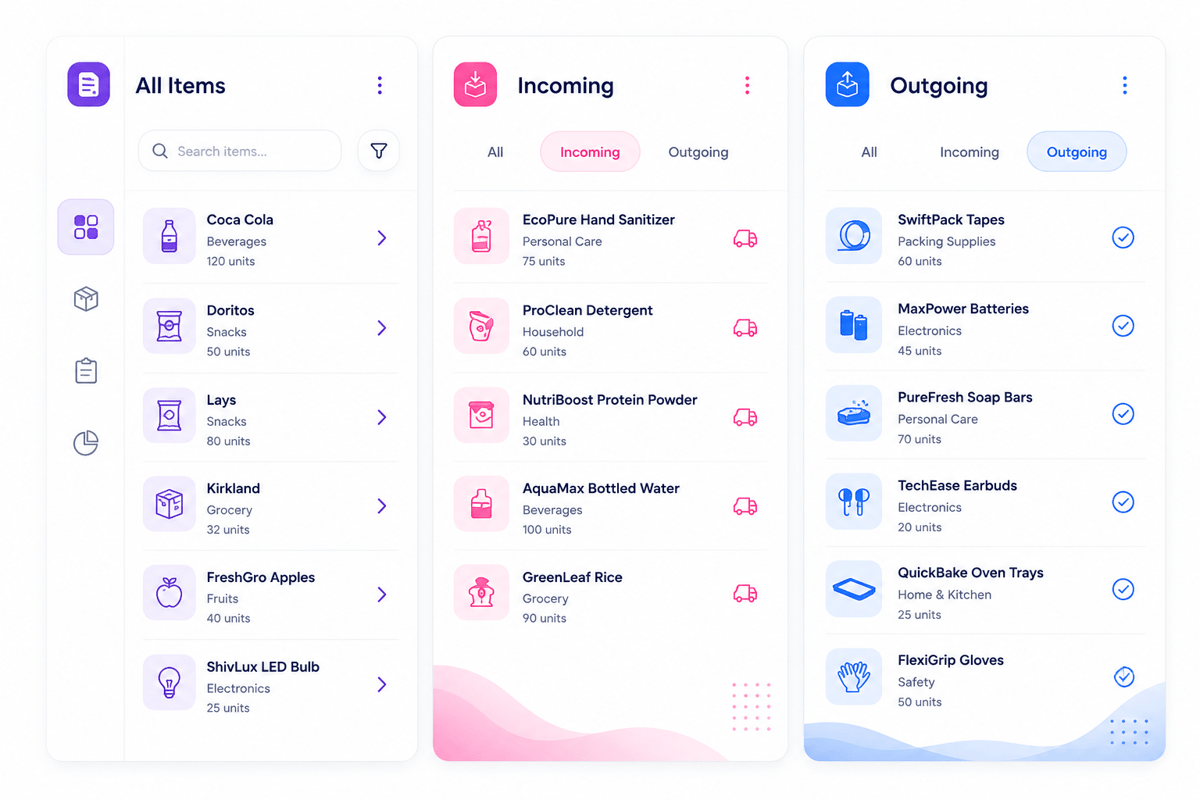
An inventory tracking app keeps item counts tied to real moves. Sales, returns, transfers, and receipts sync the same record. That shared view cuts double entry and manual checks. Small teams tend to reorder too late or too early. Late buying causes stockouts, while early buying ties up cash.
A solid inventory app shows reorder points based on real moves. Clear stock records also cut hidden shrink. Damaged goods, lost items, and counting errors become easier to trace. For small business inventory tracking, this view supports faster fixes with no added complex controls. Also, clean records make growth less risky as managers can trust the counts.
At that point, owners can compare the cost of errors with the cost of inventory management software.
Time Savings and Team View
Manual tracking spreads item data across notebooks, sheets, and messages. Staff then spend time checking counts instead of serving buyers. A shared inventory app gives everyone the same answer. Mobile inventory management software helps teams sync counts from the floor, van, or stockroom. Barcode scans can check items in seconds. Photo records can help spot similar items before errors occur.
- Sales staff can check stock before promising shipment
- Warehouse teams can find items with no repeated calls
- Owners can check low-stock items before placing orders
- Field teams can log use while work stays fresh
An inventory organizer app also lifts item structure. Types, spots, variants, and vendors sit in one record. That structure helps teams find the right item faster. Over time, an inventory app turns routine syncs into cleaner stock data.
Inventory Tracking App vs. Spreadsheets: When to Switch
Sheets tend to work well in the earliest sales stages. They cost little, open fast, and give owners direct control. Problems appear when stock changes faster than the file can. A growing team may edit old versions, miss syncs, or overwrite formulas. An inventory app cuts those gaps by recording changes as work happens.
Where Sheets Start to Strain
In fact, a sheet depends on clean manual entry. That works with a few items and one person. It breaks when orders, returns, transfers, and vendor delays overlap. Errors also get harder to trace. One wrong count can affect buying, online listings, and buyer promises. A strong inventory app creates a clearer record of each change.
- Staff spend more time fixing counts than serving buyers
- Stockouts happen even when the sheet shows open units
- Double files create varied answers for the same item
- Reorder calls rely on memory instead of live data
Signals That an Inventory App Fits Better
The switch makes sense when stock control affects revenue. A small retailer may lose sales when online counts lag behind shelf counts. A service team may delay jobs when parts records stay thin. An inventory app supports faster syncs across spots, devices, and users. Many tools include barcode scanning, low-stock alerts, and role-based access.
However, sheets still suit very small catalogs or slow sales cycles. Yet they rarely support daily moves across sales channels. For growing teams, an inventory app works more like shared ops data. The switch becomes practical when live tools no longer protect clean data, speed, and inventory tracking.
Key Features of Mobile Inventory Management Software
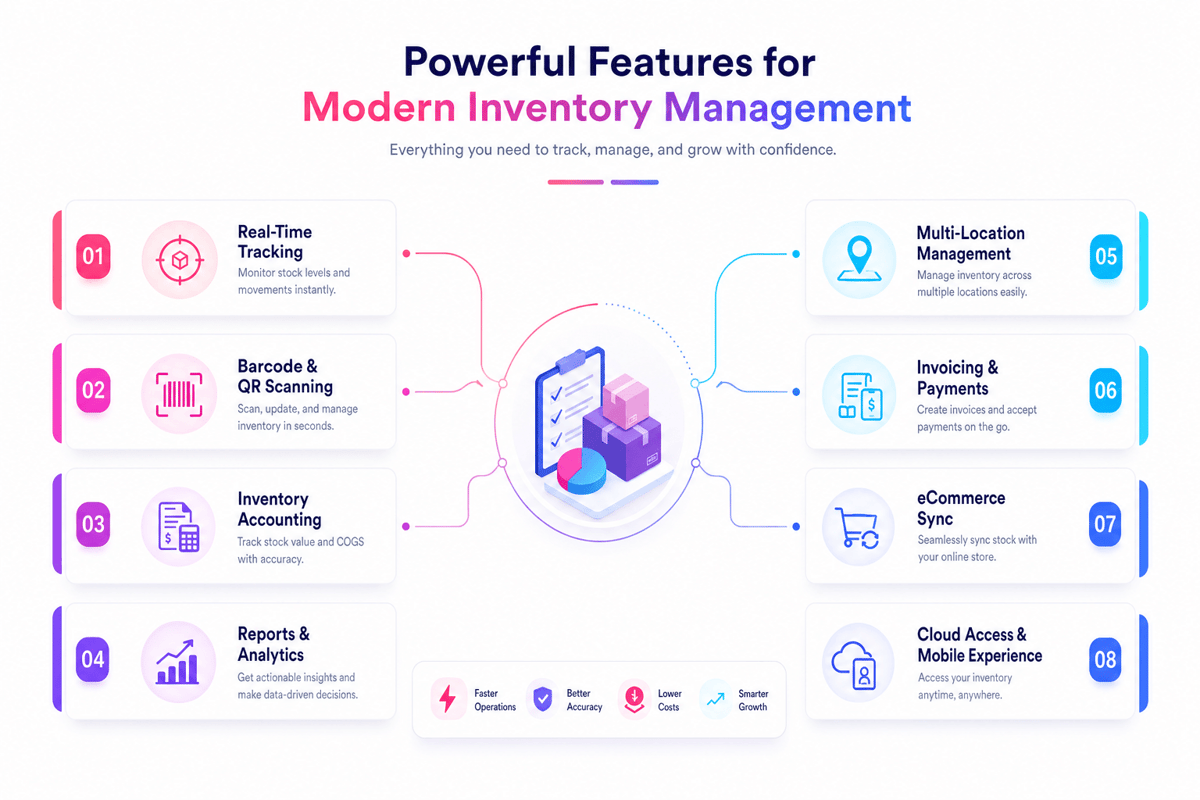
Strong mobile inventory management software gives teams live stock data wherever work happens. A good inventory app should cut manual counts, missed syncs, and late reorder calls. The best tools link daily stock moves with clear records. That matters for small business inventory tracking, where one missed sale or stockout can affect cash flow.
Real-Time Stock Control in an Inventory App
Real-time syncs sit at the center of any solid inventory tracking app. When staff get, move, or sell items, the inventory app should sync counts within seconds. Barcode scanning can cut data entry errors across busy teams. Lot counts, serial counts, and SKU details also help trace items when issues appear.
- Low-stock alerts help buyers act before shelves run empty
- Multi-spot tracking shows stock across stores, vans, and warehouses
- Offline access keeps work moving when signal drops
- Role-based access limits changes to approved team members
Also, plain screens matter as much as strong features. An inventory app with fewer clicks helps staff log work when real ops, not later from memory. For more on top tools, see the best inventory tracking software for 2025.
Sales, Reports, and Team Fit
In fact, stock tools work better when they link with sales data. Inventory and sales software for small business ties item moves to revenue, margins, and reorder timing. Also, reports should answer daily calls with no extra sheet work. Owners need to see slow sellers, fast movers, shrink, and buy trends fast.
A strong mobile inventory management system also supports team handoffs. Warehouse staff, store staff, and managers can work from the same stock record. The best app for inventory tracking tends to fit live habits first. A complex system may fail if staff avoid it during busy hours. Some teams begin with a free inventory app Android option to test core needs. Growth usually brings demand for stronger rights, links, and reports.
An inventory organizer app can bring order to SKUs, types, and spots. For many growing teams, that path starts with a barcode inventory management system for small business.
How Inventory and Sales Software for Small Business Links Stock and Revenue
Inventory and sales software for small business links each sale to stock moves. When a buyer gets an item, stock levels change right away. A linked inventory app turns that move into cleaner revenue data. This link matters as stock and sales shape cash flow together. Slow-moving items tie up cash that could fund faster sellers.
Real-Time Sales and Stock View
Split tools tend to hide problems until month-end reports. Sales may look strong while key items run out. With small business inventory tracking, owners can compare units sold, stock left, and reorder needs in one place. The right inventory app gives each sale more context. A high-revenue item may still have weak margins.
Also, simple inventory tracking cuts manual checks across sales channels. A store can sync online stock after an in-person sale. That clean data lowers overselling and missed orders. Furthermore, a linked inventory app can show seasonal demand. Owners can check last year’s sales before placing orders. This helps stop excess stock after peak periods end.
Better Calls From Linked Data
A strong inventory tracking app shows which items deserve more shelf space. It also shows when discounts may clear aging stock. Some teams need access away from the counter. Mobile inventory management software gives staff live stock counts when sales calls or warehouse checks. A mobile inventory management system keeps those syncs tied to revenue work.
For growing firms, the best app for inventory tracking does more than count units. It links buys, sales, margins, and reorder timing. That link gives owners a clearer path from daily sales to business accounting and inventory management software.
Mobile Inventory Management System Use Cases
A mobile inventory management system gives each team the same stock record, even when work happens away from a desk. A store clerk, warehouse picker, and field tech can scan items from their phones. The right inventory app keeps those syncs tied to live counts, orders, and spots. This matters as stock errors tend to start at handoff points.
Retail and Warehouse Workflows With an Inventory App
For example, retail teams use an inventory app to check stock when a buyer talks. So, staff can check size, color, or model open status without leaving the sales floor. That faster answer can save a sale that might move online. Stores also gain cleaner counts during cycle checks. Also, barcode scanning cuts manual entry, while photo records help check damaged items. For many shops, this creates simple inventory tracking with no added heavy systems.
- Retail staff can log sales floor transfers as they happen
- Warehouse teams can scan picks, packs, and getting tasks
- Managers can compare expected stock against counted stock faster
Furthermore, warehouses need more control over bins, batches, and getting. Mobile inventory management software helps teams log moves at the shelf. That cuts the delay between physical work and system syncs. Also, for teams that manage apps and software tools alongside physical goods, see how application inventory fits the same tracking habits.
Field Teams and Service Stock
Field teams face a varied stock problem. In fact, parts sit in vans, job kits, and temp sites. An inventory app helps each tech log use before paperwork piles up. Also, service teams can see which parts stay open across vehicles. That view helps dispatchers assign work based on real stock. It also cuts extra trips and repeat visits.
Some teams start with a free inventory app Android option for basic counts. That can work for a small crew with limited stock. Growth tends to call for stronger controls, user rights, and links to billing. The best setup links field work with inventory and sales software for small business. Parts used on a job can flow into invoices and reorder reports. As spots grow, the same data model can support multi-location inventory management software.
Free Inventory App Android Options: Benefits, Limits, and Upgrade Signals
Free Android tools can help a growing firm start fast. A basic inventory app tends to track item counts, spots, and stock changes. That gives owners a clearer view than paper notes or split sheets. Searches for free inventory app Android options tend to return barcode tools, count apps, and small catalog systems. Many work well for one store, one stockroom, or a small field team.
Where Free Android Apps Help
A free inventory tracking app can support daily counts with no long setup. Staff can scan items, fix counts, and check stock from the floor. Clean item names, barcode scans, and stock alerts can create inventory data clean gains before a firm pays for larger software. Also, free tools help test how a team handles mobile work. A plain Android inventory app shows whether staff scans items correctly. It also shows gaps in item naming, unit counts, and spot rules.
For very small teams, simple inventory tracking may be enough. A shop with few SKUs may only need stock counts and reorder notes. A vendor may use an inventory organizer app to track tools across job sites.
Limits and Upgrade Signals
Free apps tend to reach their limits when sales volume rises. Many lack user roles, audit logs, or multi-spot controls. Some also limit barcode scans, item records, or cloud sync. A growing firm may need mobile inventory management software that links stock and sales. That matters when online orders, store sales, and returns affect the same item count.
In fact, upgrade signals appear in daily ops before they appear in reports. Teams may oversell items, miss reorder points, or count the same stock twice. At that point, the best app for inventory tracking needs more than a free feature set. A paid mobile inventory management system can give managers tighter control. It can track stock moves by user, time, and spot. Those needs tend to point beyond a free tool toward perpetual inventory system software.
How to Choose the Best App for Inventory Tracking
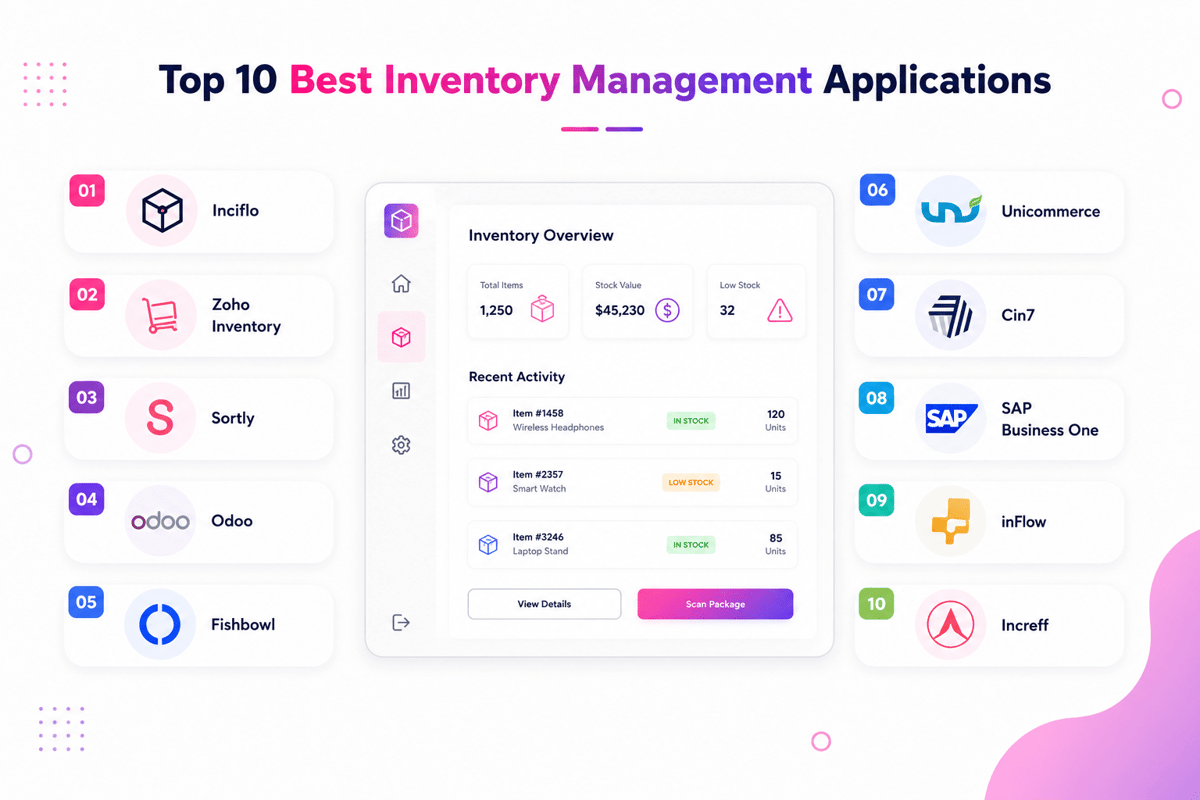
A strong inventory app fits the way stock moves each day. The right choice depends on order volume, sales channels, team size, and reporting needs. The best app for inventory tracking should cut missed counts and late reorders. It should also give owners clear stock data with no extra admin work.
Match Features to Daily Work in Your Inventory App
The right inventory app supports the tasks that happen most often. Barcode scans, low-stock alerts, buy orders, and sales syncs usually matter first. Retail teams tend to need fast stock checks at the counter. Field teams may need mobile inventory management software that works across vans, job sites, and storage rooms.
An inventory tracking app should also match the skill level of the team. Complex screens can slow take-on and lead staff back to sheets. Simple inventory tracking works best when data entry takes seconds. Short flows help teams log stock changes while the work happens. For a look at top platforms, see the top 5 inventory management software options.
Assess Cost, Growth, and Support
However, price matters, but the cheapest tool may create hidden costs. A weak inventory app can cause stockouts, double orders, and hours of manual fixes. Free plans can suit a small catalog or a single user. As order volume grows, limits on users, spots, reports, or links tend to become clear.
Also, the chosen inventory app should scale with item count and sales channels. This matters for small business inventory tracking as growth tends to bring more edge cases. In practice, a short pilot can reveal the real fit. Also, inventory and sales software for small businesses can link stock levels with invoices, payments, and buy planning. A good inventory organizer app keeps item names, variants, units, and spots in line. The final choice should support live work and create a stronger base for connected tools such as crm and inventory management.
Conclusion
The right inventory app gives small teams a clear view of stock, sales, and daily moves. It swaps guesswork for live data, which helps teams buy better, sell faster, and avoid stock gaps. Strong small business inventory tracking depends on clean data, speed, and ease of use. A good system supports those needs without adding extra work for staff.
What the Right Inventory App Should Do
A strong inventory app should match how the firm already works. Retail teams may need barcode scanning and sales links, while field teams may need offline access and fast mobile syncs. Furthermore, the best tools support simple inventory tracking across daily tasks. They show what is open, what runs low, and what needs checking before stock issues affect buyers. Also, many growing firms gain more value when stock data links with revenue data.
Your Next Step
Before choosing the best app for inventory tracking, compare real workflows against each tool’s features. In practice, a trial can show whether the team can scan items, sync counts, and check reports with no delay. A free inventory app Android option can work for a small item list. Growth tends to call for stronger controls, better reports, and a shared mobile inventory management system.
Choose an inventory app that supports today’s needs and leaves room for growth. Test it with real stock, real users, and real sales before making a final call. For a wider view of system choices, compare these inventory management solutions before building your next shortlist.
 Google AI
  OpenAI ChatGPT
 Frequently Asked Questions
Is there an app to keep track of inventory?
Yes. An inventory app helps businesses track stock levels, product details, sales, and reorder needs from a phone, tablet, or computer. Many tools support barcode scanning, alerts, reports, and simple inventory tracking, making them useful for retailers, warehouses, service businesses, and small business inventory tracking.
What is the best free inventory app?
The best free option depends on your business size, product count, and required features. Look for a free inventory app Android or iOS users can access, with barcode scanning, stock alerts, and basic reporting. A good inventory app should be easy to use, reliable, and scalable as your inventory grows.
What features should a small business inventory app include?
A small business should look for inventory and sales software for small business that includes product cataloging, stock updates, low-stock alerts, sales tracking, barcode scanning, and user permissions. The best app for inventory tracking should also provide clear reports and work well on mobile devices for fast updates.
How do you create an inventory app?
To create an inventory app, start by defining your users, products, workflows, and reporting needs. Plan key features such as item lists, stock adjustments, barcode scanning, purchase orders, and sales records. Then choose a development platform, design a simple interface, build the database, test accuracy, and launch with user training.
How is a mobile inventory management system different from a spreadsheet?
A mobile inventory management system updates stock in real time, reduces manual errors, and allows employees to manage inventory from different locations. Unlike spreadsheets, mobile inventory management software can include barcode scanning, automatic alerts, user access controls, and reporting tools that support faster decisions and better inventory accuracy.
Can an inventory organizer app help prevent stockouts?
Yes. An inventory organizer app can help prevent stockouts by tracking quantities, setting reorder points, and sending alerts when items run low. It improves visibility across products and locations, helping teams restock on time. For small businesses, this supports better planning, fewer missed sales, and more efficient purchasing.
I specialize in building scalable eCommerce systems powered by AI and automation. My work focuses on growing sales across Amazon, eBay, and Etsy through technology integration, data-driven strategies, and performance optimization. I also publish articles and insights about eCommerce technology, warehouse operations, and multichannel growth.
You may also like

Multi-Carrier Shipping Software: The Complete Guide to Smarter Ecommerce Shipping
Learn how multi carrier shipping software improves ecommerce fulfillment by comparing rates, automating labels, tracking orders, and simplifying returns. This brief outlines the key benefits, features, use cases, and buying criteria for growing online stores.

Top Ecommerce Fulfillment Companies: How to Choose the Right Partner for Growth
Choosing among top ecommerce fulfillment companies can improve delivery speed, inventory accuracy, and customer satisfaction. This brief outlines what business readers should look for, how to compare providers, and when to use U.S.-based fulfillment support.

Ecommerce Integration: A Practical Guide for Growing Businesses
This article brief outlines a practical guide to ecommerce integration for business readers. It covers platforms, software, ecommerce website integration, webshop integration, key benefits, use cases, selection criteria, implementation tips, and ways to measure long-term value.