
Retail Store Inventory Solutions: A Practical Guide to Smarter Stock Control
 Daniel Brooks
·
· 17 min read
Daniel Brooks
·
· 17 min read 
Retail store stock tools link sales, stock counts, buying, and reports in one flow. Strong stock control helps stores skip empty shelves, excess stock, and rushed buy calls. Stock errors drain the margin before a shopper sees the problem. A missing size can lose a sale. Slow-moving stock ties up cash for weeks. That is why retail store inventory solutions matter so much for daily ops.
Why Stock Control Shapes Profit
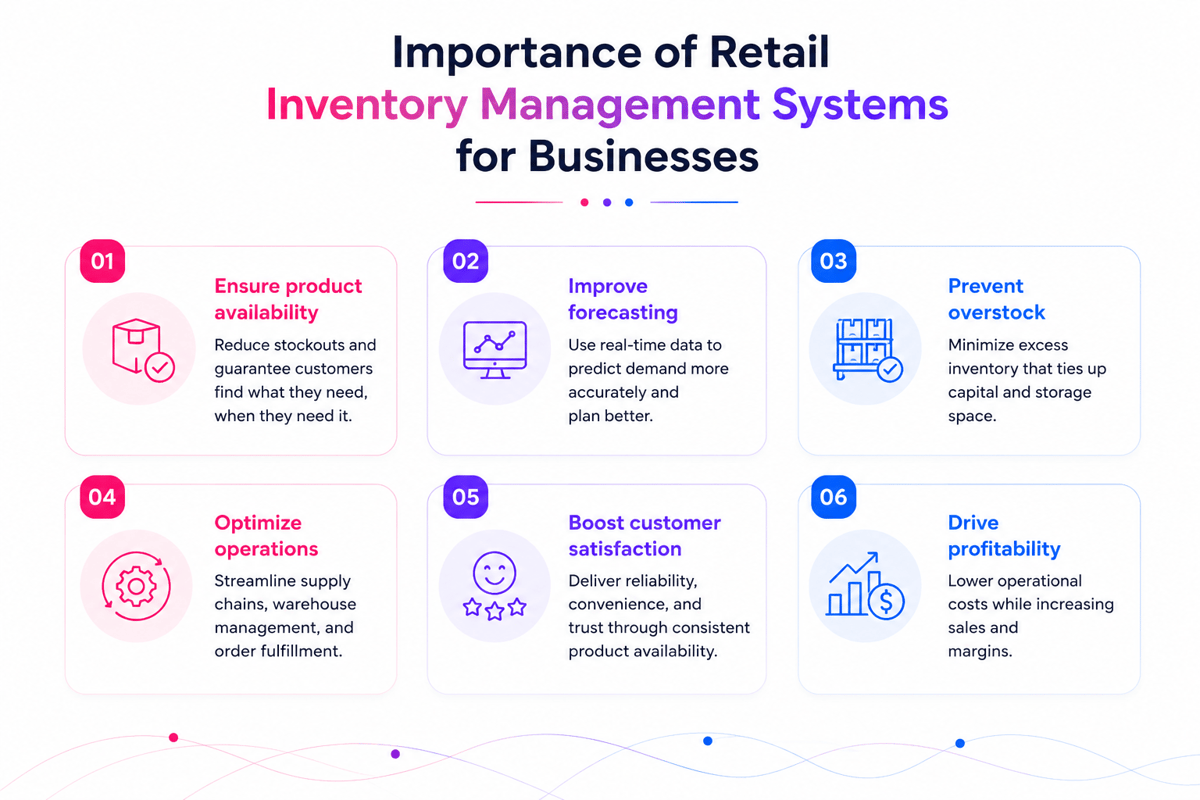
Modern retail inventory management depends on fast, clean stock data. Store teams need to know what sold, what is left, and what needs ordering. Also, retail store inventory solutions give managers a cleaner view of daily moves. That view helps with better buying, fewer stockouts, and lower carry costs.
A strong retail inventory system also cuts manual checks. Staff spend less time counting shelves and more time with buyers. In fact, good retail inventory software turns sales data into clear stock signals. When each sale syncs stock, managers can act before problems grow.
From guesswork to live data
POS system stock tracking links checkout data with live stock. This helps teams spot fast sellers, slow movers, and shrinking trends sooner. Furthermore, many stores move from sheets to retail inventory management software when growth adds complexity. More items, channels, and spots make manual work hard to trust.
The best retail store inventory solutions create one stock source of truth. Stores can base buy calls on sales data, not rough guesses.
What Retail Store Inventory Solutions Do and Why They Matter
Retail store stock tools give retailers a cleaner way to track stock, sales, orders, and moves. They link daily store work with stock logs, so teams can see what they have, what sold, and what needs action.
These tools tend to include retail inventory software, POS data, barcode scanning, reorder alerts, and report tools. Together, they replace guesswork with a live view of stock across the sales floor, stockroom, and vendor pipeline. For a wider view of top tools, see the top 5 inventory management software options.
How retail store inventory solutions work
A strong retail inventory system logs each stock change as it happens. Sales cut on-hand counts. Received goods raise them. Transfers sync each spot’s logs.
Also, the POS system’s stock tracking plays a key role. When a cashier closes a sale, the system syncs stock with no extra entry. Reorder points and sales history help buyers place orders before gaps show up.
Why better stock control matters
Retailers lose cash when stock logs drift from reality. A hot item may show open online but sit missing from the shelf. That can lead to canceled orders and lost sales. Poor stock control also ties cash to slow-moving goods.
For many retailers, that base starts with a solid barcode inventory system.
Connect Shopify, draw your floor, pick an order - free plan, 7-day full trial, no credit card, no sales call.
Retail Inventory Management Challenges Modern Stores Need to Solve
Modern stores face stock pressure from every sales channel. Online orders, in-store buys, returns, transfers, and vendor delays all affect stock clean data. Retail store stock tools help retailers control these moving parts. Strong systems link sales work with stock counts, so teams see problems sooner.
Stock clean data and sales view in retail store inventory solutions
Poor stock clean data causes costly daily problems. Staff may sell items that are not on hand. Slow-moving goods take up shelf space. A solid retail inventory system gives teams one stock source of truth. It cuts guesswork when the receipt, cycle counts, transfers, and buyer ask.
POS stock tracking also plays a key role. When each sale syncs stock, managers can spot demand shifts fast. Also, retail store inventory solutions help make better calls across the sales floor and stockroom. They help teams catch shrink, count errors, and missed transfers before small gaps grow.
Reordering and shrinkage in retail inventory management
Reordering gets harder when stores rely on sheets or hand notes. Buyers may order too late, too much, or from the wrong vendor. Retail stock management software can track sales speed and reorder points. This helps stores skip stockouts with no tying up cash to excess stock.
Shrinkage also needs close attention. Theft, damage, vendor errors, and cashier mistakes can distort margins if teams only check counts each month. Also, stores that sell through ecommerce, markets, and physical spots need stock data that syncs across each channel. Without that link, a store can oversell hot goods during busy periods. Many retailers also struggle with tools that do not talk to each other. Retail store stock tools make the most value when they cut blind spots. Stores with fast sales and returns tend to need perpetual inventory system software.
Retail Inventory Software Features That Improve Daily Operations
Retail stock software helps store teams control stock during busy trade hours. The best tools cut manual checks, speed up calls, and keep logs current. Strong retail store inventory solutions link sales, stock, buying, and reports. This gives managers one clear view of what moves, what sits, and what needs action.
Real-time stock view with retail inventory software
A modern retail inventory system syncs stock counts as sales happen. Staff can answer buyer asks faster and skip selling items that are not on hand. Also, clear stock views help with better shelf work. Teams can spot low stock, wrong-place goods, and slow movers before they affect sales.
Retail stock management gets easier when each item has a clear log. Size, color, vendor, cost, margin, and spot details all help with faster daily calls. For more on how to use retail inventory software to its full potential, see maximizing efficiency with retail inventory software.
Reordering, alerts, and reporting
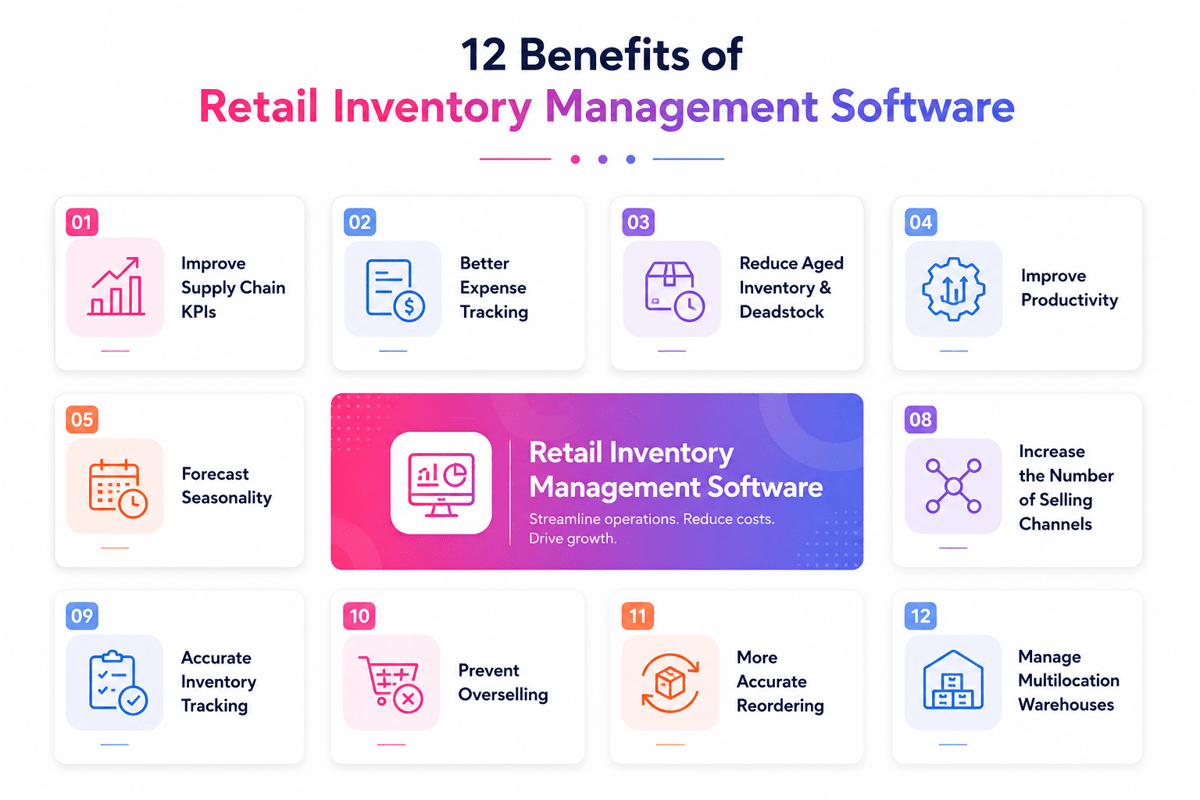
Useful retail inventory management software includes reorder points and low-stock alerts. These tools help buyers place orders before shelves run empty. Also, sales reports show which goods deserve more space and cash. A strong retail inventory management system can also flag season demand and vendor delays.
Linked buying tools cut repeated data entry across systems. When paired with POS stock management software, store teams can match sales trends with buy plans. The right retail store inventory solutions also help with cycle counts and receipt checks. Together, strong store controls turn busy stock work into clean inventory tracking.
Retail Inventory Management Software vs. Manual Inventory Tracking
Manual tracking tends to start with sheets, paper logs, or shared notes. These can work for a very small store with a few goods. As item counts grow, errors begin to hide in plain sight. Retail stock management software gives each sale, return, transfer, and receipt a digital log. Modern retail store inventory solutions replace late syncs with live stock data. That shift helps teams catch issues before shelves sit empty.
Where manual tracking breaks down
Manual counts depend on perfect timing and careful data entry. A missed return or late buy order can distort stock. Staff may reorder based on old counts, which ties up cash. Also, sheets make it hard to track changes. Several people may edit the same file with no clear audit trail. When counts conflict, managers lose time tracing the source.
How software creates better control
Retail stock software links stock work to daily store ops. Sales cut on-hand counts. Receipts raise them. Transfers sync each spot. This gives managers a cleaner view of what each store can sell.
Many teams also pair stock tools with POS stock tracking. That link ties checkout work to stock moves. Strong POS system stock tracking cuts gaps across the register and the stockroom. Also, a good retail inventory management system helps with reorder points and gap reports. Managers can check slow sellers, fast movers, and low-stock items in one place. Many stores adopt retail store inventory solutions when manual work starts costing more than the software.
The gains tend to show up as fewer rush orders, cleaner counts, and less dead stock. Strong tools also help with better cycle counts when paired with physical inventory count software.
Choosing between a standalone inventory tool and an all-in-one POS setup is a common dilemma for retail entrepreneurs. If you are weighing your options, you can see what features real store owners prioritize in this Small Business Reddit thread dedicated to integrated system reviews.
How a Retail Inventory Management System Supports Multi-Location Stock Control
Multi-spot retail adds pressure to every stock call. Each store needs enough stock, yet excess stock ties up cash. Retail store stock tools create one shared view of goods, counts, transfers, and demand across every site. A strong retail inventory management system links store-level work with central stock control.
Managers can see which spot sells fast and which one holds slow-moving stock. That view helps teams move goods before markdowns become necessary. For teams that also sell online, retail store inventory solutions pair well with e-commerce strategies for 2025.
Central view across every store
Manual reports tend to arrive too late for useful calls. A linked retail inventory system syncs counts as sales, returns, and transfers happen. Store teams work from the same data, not separate sheets. Also, retail store inventory solutions cut stock disputes across stores. Each transfer makes a clear log of who sent stock, who received it, and when counts changed. This trail helps managers spot shrinkage, receipt errors, and flow gaps.
Smarter transfers and replenishment
Multi-spot stock control works best when transfers follow demand. Retail stock management software can show where an item sells fastest. It can also show where that same item sits unsold. Also, replenishment gets more precise across spots. A system can set varied reorder points for each store.
Retail stock software gives regional managers a useful control layer. They can compare sell-through, transfer speed, and stock clean data across stores. These counts show which spots need training, tighter receipt checks, or better cycle counts. For owners comparing tools for inventory management small business needs, a multi-spot view tends to be the key factor.
POS System Inventory Tracking and Real-Time Sales Visibility
POS system stock tracking links each sale to stock logs as the deal occurs. When a cashier scans an item, the system cuts open units at once. Strong retail store inventory solutions give managers a live view of demand, not yesterday’s sales file.
How POS data syncs stock logs
A linked retail inventory management system treats the POS as the first sales signal. Every sale, return, swap, and void syncs stock through one shared log. This helps retail store inventory solutions reflect what the store can truly sell.
Split tools make gaps across sales and stock counts. A store may sell the last unit online while the shelf still shows one open. POS stock tracking closes that gap by matching sales work with open stock. Also, clean item data matters as much as the software. SKUs, variants, barcodes, and bundles must match across channels. When data stays clean, retail inventory software can report demand by item, store, and channel. That view becomes more useful when stores link POS data with multi-location inventory management software.
POS Inventory Tracking for Accurate Stock Counts and Fewer Stockouts
POS stock tracking links each sale, return, and swap to stock counts. When a cashier scans an item, the system syncs open units at once. This helps stores catch low stock before shelves sit empty.
How POS data protects stock clean data
A strong retail inventory system logs stock moves as work happens. Staff no longer wait for end-of-day reports to see gaps. The store gains a live view of units sold, returned, damaged, or transferred. Also, the POS system’s stock tracking cuts small errors that grow over time. A missed return or wrong sale entry can distort counts within days. Better data keeps floor counts close to system counts.
Retail store stock tools also help with routine cycle counts. Teams can check high-risk items more often without closing the store. These smaller checks find shrinkage, miscounts, and wrong-place goods sooner.
Cutting stockouts with retail inventory management software
Stockouts tend to start before the last unit sells. Demand may rise fast, or a shipment may arrive short. Retail stock management software can flag these trends early. Also, a modern retail inventory management system sets reorder points by item, store, and season. Fast sellers can trigger alerts before they hit zero. Slow sellers can wait longer, which protects cash and storage space.
Retail store stock tools work best when alerts match real buy trends. A broad reorder rule may overstock one spot and understock another. Store-level POS history gives each spot a better target. Clear counts also help staff answer buyer questions with trust. They can check whether an item sits on the shelf, in the back room, or at another store. Retail store stock tools make that answer faster, above all, when paired with mobile inventory management.
POS Inventory Management Software for Purchasing, Reordering, and Forecasting
POS stock management software links sales work with buy calls. Each sale syncs open stock, which gives buying teams live demand signals. This turns restocking into a planned flow, not a late reaction. Strong retail store inventory solutions help buyers see what sells, where it sells, and when stock moves fastest.
Purchasing that matches real demand
A linked retail inventory system helps stores skip guesswork when buying cycles. Buyers can check sell-through rates before placing orders. Slow items get smaller buys. Fast items get stronger cover.
Reorder rules and forecasting with retail store inventory solutions
POS stock tracking helps determine reorder points based on real sales trends. A good can trigger a buy before the stock runs low. The system can also use lead time and min order sizes.
Forecasting works best when the software reads more than last month’s sales. A strong retail inventory management system can include season, promotions, returns, and spot trends. These signals help stores plan stock before demand shifts. Many retail store inventory solutions also rank items by sales speed and margin. That view helps teams protect high-value goods first. It also cuts overbuying on items with weak moves. For growing stores, point of sale inventory management software can cut manual order checks and missed reorder points. The right retail store inventory solutions should fit live buy habits while helping future growth. That wide check should include plan fees, devices, help, and inventory management software cost.
Choosing Point of Sale Inventory Management Software for Your Store
Choosing the right system starts with daily store work. The best retail store inventory solutions link each sale, return, transfer, and receipt to live stock counts. Strong point of sale inventory management software gives store teams one shared log. Cashiers, buyers, and managers see the same counts before making stock calls.
Match features to store operations
A useful retail inventory system reflects how goods move through the firm. Size, color, vendor, season, and spot data should all stay easy to track. Core tools should help with the work that happens each day. Strong retail inventory software cuts manual checks and flags stock issues sooner.
- Live stock syncs after sales, returns, and transfers
- Low-stock alerts based on sales speed and lead time
- Buy order tools tied to live stock
- Barcode scanning for receipt, counts, and checkout
- Variant tracking for size, color, style, or bundle data
The right retail store inventory solutions also help staff habits. A system that takes ten clicks to receive one item tends to lead to skipped steps.
Evaluate fit, data, and support for retail inventory software
Data quality shapes the value of any retail inventory management system. Item logs need clean SKUs, clear names, vendor details, and clean costs. Solid POS system stock tracking depends on fast data moves. Each checkout should sync stock before another channel sells the same item.
The strongest choice fits live needs while leaving room to grow. Modern retail store inventory solutions help improve buying, cleaner counts, and faster calls. A good retail store inventory software platform does more than track items. It gives teams trusted counts when stock calls carry real cost.
Retail Store Inventory Software Implementation Tips and Best Practices
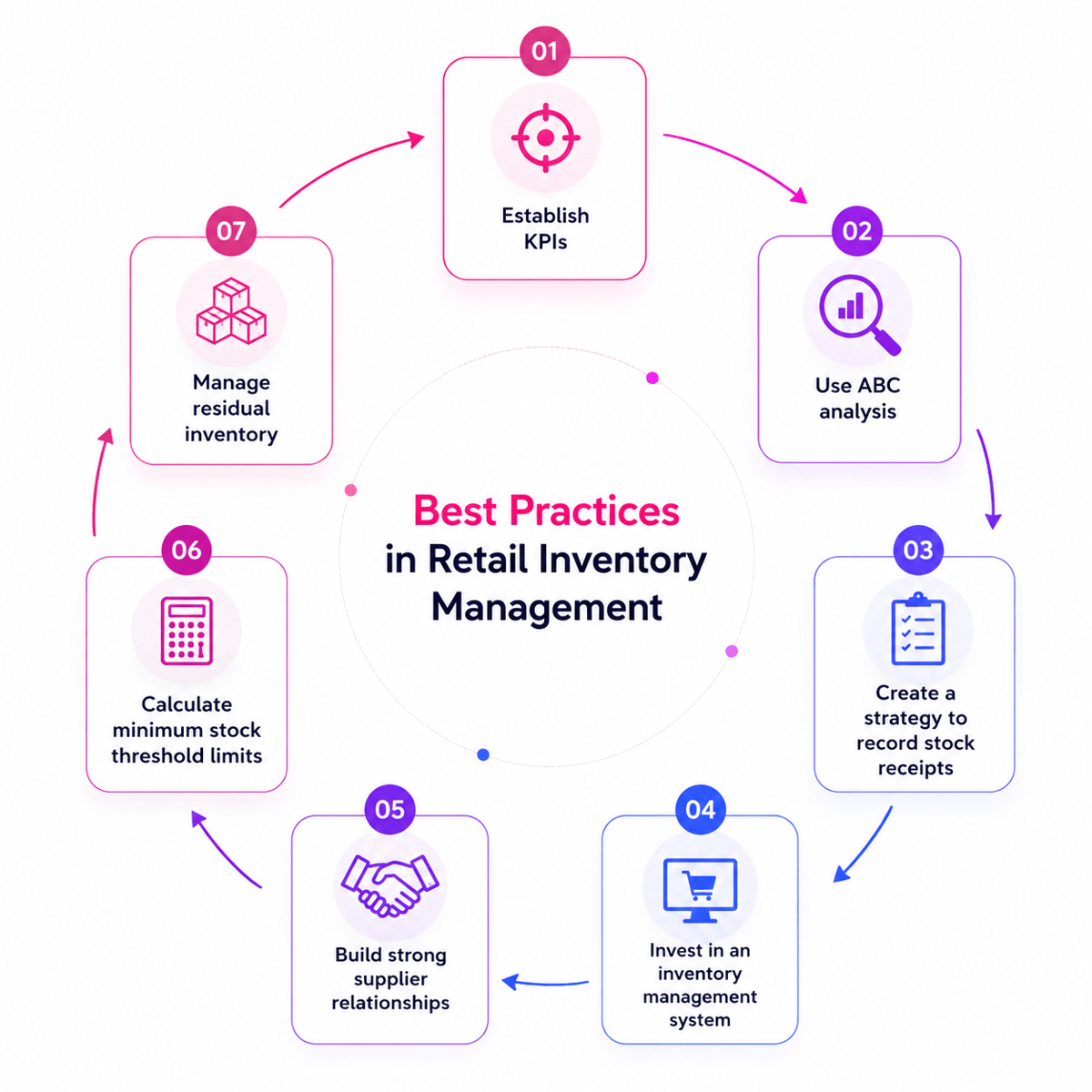
Strong retail store inventory solutions depend on clean data, clear roles, and steady rollout plans. The software can only reflect the clean data of store flows. Strong setup work helps teams trust the counts from day one. The best retail store inventory solutions fit daily store routines. Sales, receipts, transfers, returns, and cycle counts should follow the same stock logic.
Plan the rollout around store workflows
A phased launch cuts risk for store teams. Many retailers start with one spot, one item group, or one stockroom flow. This shows data gaps before they affect every register. Also, clean item logs before the rollout starts. Double SKUs, missing barcodes, and old vendor data cause count errors. A solid retail inventory management system needs clean item names, units, costs, and reorder rules.
- Map livestock flows from receipt through checkout
- Clean SKU, barcode, vendor, and cost logs
- Test transfers, returns, and stock shifts before launch
- Train managers first, then train floor teams
- Check the count and clean the data when the first sales cycle
When retail store inventory solutions link with checkout data, timing matters. POS system stock tracking should sync stock after each sale, return, or swap. Late syncs can cause false open stock across stores and online channels.
Build clean data into daily habits with retail store inventory solutions
Software use lifts when tasks match real store behavior. Short cycle counts tend to work better than large monthly counts. Teams can check high-value, fast-moving, and shrink-prone items more often. Also, rights protect the stock clean data. Cashiers may need sale and return access, while managers control shifts. Clear roles cut accidental changes inside retail inventory software.
Conclusion
Strong stock control starts with clear, live stock data. Modern retail store inventory solutions link sales, buying, stock counts, and reports in one flow. That link gives store teams fewer gaps and faster calls.
What smarter stock control delivers with retail store inventory solutions
The best retail store inventory solutions give managers a live view of stock moves. A sale at the register should sync stock with no extra entry. That is where the POS system stock tracking makes daily value. Good tools also help with better buying. Retail stock management software can flag slow sellers, fast movers, and low-stock items. Buyers can then place orders based on demand, not habit.
For multi-spot retailers, shared data matters even more. A strong retail inventory management system shows which stores hold extra stock and which need replenishment. Transfers then get cleaner and easier to approve. Also, retail store inventory solutions protect cash flow. Stores hold less dead stock and miss fewer sales. Cleaner counts cut rush orders, markdowns, and staff time spent fixing errors.
A practical next step
The right retail store inventory software should fit live flows and future spots. Linking with point of sale inventory management software keeps data clean across teams. Before picking a platform, compare your pain points with each system’s strengths. Check stock count, clean data, reorder speed, report depth, and help needs.
Effective retail store inventory solutions solve the most costly problems first. The software should make clean work easier, not add extra steps. That fit turns stock control into a steady ops strength. Choose a system that gives your team clear data and room to grow. For a wider look at system picks, explore these inventory management solutions.
 Google AI
  OpenAI ChatGPT
 Frequently Asked Questions
What are retail store inventory solutions?
Retail store inventory solutions are tools and processes that help retailers track stock levels, manage reordering, reduce shrinkage, and improve product availability. They often include retail inventory software, barcode scanning, reporting, and integrations with sales channels to give businesses a clear view of inventory across one or multiple locations.
How does retail inventory management software help reduce stockouts?
Retail inventory management software helps reduce stockouts by tracking sales trends, monitoring real-time stock levels, and alerting teams when products need to be reordered. A reliable retail inventory management system can also forecast demand, identify fast-moving items, and help retailers keep the right products available without overstocking.
What features should I look for in a retail inventory system?
Look for a retail inventory system with real-time stock tracking, purchase order management, barcode scanning, inventory reporting, low-stock alerts, and multi-location support. If you use a POS system, choose retail store inventory software that supports pos system inventory tracking so sales and inventory data stay accurate.
Can POS inventory tracking improve retail operations?
Yes. POS inventory tracking connects each sale directly to stock levels, helping retailers avoid manual updates and reduce errors. Point of sale inventory management software can also show which products sell best, support faster reordering, and give managers better insight into performance across stores, registers, and sales channels.
Are retail store inventory solutions useful for small businesses?
Retail store inventory solutions are especially useful for small businesses because they save time, improve accuracy, and make purchasing decisions easier. Instead of relying on spreadsheets or manual counts, small retailers can use retail inventory management tools to track products, manage vendors, and maintain healthier stock levels.
How do I choose the best retail inventory management system?
Choose a retail inventory management system based on your store size, sales volume, number of locations, and integration needs. The best option should be easy to use, work with your POS inventory management software, provide clear reporting, and scale as your business grows without adding unnecessary complexity.
I specialize in building scalable eCommerce systems powered by AI and automation. My work focuses on growing sales across Amazon, eBay, and Etsy through technology integration, data-driven strategies, and performance optimization. I also publish articles and insights about eCommerce technology, warehouse operations, and multichannel growth.
You may also like

Multi-Carrier Shipping Software: The Complete Guide to Smarter Ecommerce Shipping
Learn how multi carrier shipping software improves ecommerce fulfillment by comparing rates, automating labels, tracking orders, and simplifying returns. This brief outlines the key benefits, features, use cases, and buying criteria for growing online stores.

Top Ecommerce Fulfillment Companies: How to Choose the Right Partner for Growth
Choosing among top ecommerce fulfillment companies can improve delivery speed, inventory accuracy, and customer satisfaction. This brief outlines what business readers should look for, how to compare providers, and when to use U.S.-based fulfillment support.

Ecommerce Integration: A Practical Guide for Growing Businesses
This article brief outlines a practical guide to ecommerce integration for business readers. It covers platforms, software, ecommerce website integration, webshop integration, key benefits, use cases, selection criteria, implementation tips, and ways to measure long-term value.